Quick Summary
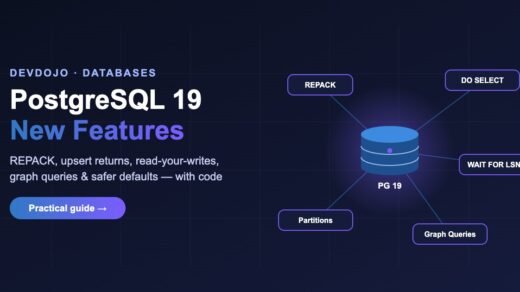
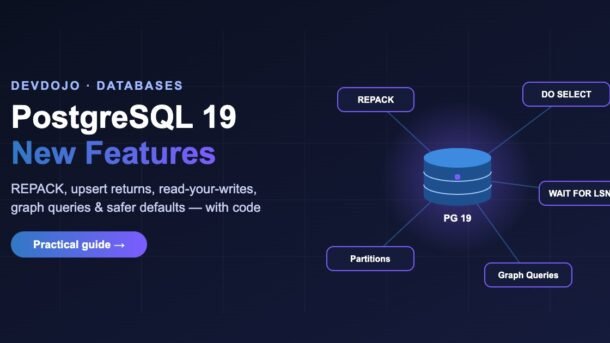
- PostgreSQL 19 is in its final beta stage (Beta 4 came out on 24 September), and the stable release is expected very soon.
- REPACK replaces
VACUUM FULLandCLUSTER, and itsCONCURRENTLYoption shrinks bloated tables while your app keeps reading and writing. - INSERT … ON CONFLICT DO SELECT finally gives you a clean “get or create” in one statement.
- WAIT FOR LSN lets a read replica wait until it has caught up, so users always see their own changes.
- Also new: GROUP BY ALL, partition MERGE/SPLIT, SQL-standard graph queries, COPY to JSON and online data checksums.
- Watch the changed defaults before upgrading: JIT is now off, TOAST uses lz4, and RADIUS login is removed.
Every autumn the PostgreSQL team ships a new major version, and this year’s release is a big one for everyday developers. In this guide we walk through the PostgreSQL 19 new features that actually change how you write SQL and run your database: a non-blocking way to fix table bloat, a one-line “get or create”, read-your-writes on replicas, cleaner grouping, JSON exports and more. Every feature comes with a small, runnable example, so you can try it yourself in a few minutes.
This post is written for beginner and intermediate developers — whether you build APIs in Node.js or Python, or you just look after a Postgres database at work. You do not need to be a database administrator to follow along.
What is new in PostgreSQL 19?
PostgreSQL 19 is still in the beta stage at the time of writing. The project released Beta 4 on 24 September and said the final release is expected around September/October, so the stable version is very close. Features rarely change this late, but small details can, so always confirm with the official PostgreSQL 19 release notes before you upgrade production.
Here are the headline changes, grouped by who benefits most:
ON CONFLICT DO SELECT, GROUP BY ALL, WAIT FOR LSN, COPY … (FORMAT json), new jsonpath string methods, random() for dates.bytea ↔ uuid casts.REPACK (CONCURRENTLY), parallel autovacuum, online data checksums, new pg_stat_lock view, faster foreign-key inserts.Try PostgreSQL 19 locally with Docker
The quickest way to play with a new version is Docker. The official image publishes beta tags; once the final version ships you can simply use postgres:19.
# Start a throwaway PostgreSQL 19 container
docker run --name pg19 -e POSTGRES_PASSWORD=devdojo \
  -p 5433:5432 -d postgres:19beta4

# Open psql inside it
docker exec -it pg19 psql -U postgres

# Check the version
SELECT version();5433 so it does not clash with a Postgres server you may already have on 5432. When you are done, run docker rm -f pg19.Now create a tiny sample table that we will use in the next sections:
CREATE TABLE users (
  id         bigint GENERATED ALWAYS AS IDENTITY PRIMARY KEY,
  email      text NOT NULL UNIQUE,
  name       text,
  country    text,
  plan       text DEFAULT 'free',
  created_at timestamptz DEFAULT now()
);

INSERT INTO users (email, name, country, plan) VALUES
  ('asha@example.com',  'Asha',  'IN', 'pro'),
  ('ravi@example.com',  'Ravi',  'IN', 'free'),
  ('emma@example.com',  'Emma',  'UK', 'pro'),
  ('lucas@example.com', 'Lucas', 'BR', 'free');
REPACK: shrink tables without downtime
When you update or delete lots of rows, PostgreSQL leaves “dead” space behind. Normal autovacuum marks that space as reusable, but it does not give it back to the operating system. Over time a busy table can become bloated — much larger on disk than the data it holds — which slows down scans and backups.
Until now the fix was VACUUM FULL or CLUSTER. Both rewrite the whole table but hold an exclusive lock the entire time, so your app cannot even read the table. Many teams used the external pg_repack extension to avoid that. PostgreSQL 19 brings this idea into the core with a new command called REPACK.
-- Same behaviour as VACUUM FULL (takes an exclusive lock)
REPACK users;

-- Rewrite in index order, like CLUSTER used to do
REPACK users USING INDEX users_pkey;

-- The big one: rebuild while reads and writes continue
REPACK (CONCURRENTLY) users;

-- Rebuild, then refresh planner statistics, with progress output
REPACK (CONCURRENTLY, ANALYZE, VERBOSE) users;
You can follow a running repack in the new pg_stat_progress_repack view. The old VACUUM FULL and CLUSTER commands still work for compatibility, so existing scripts will not break.
UNLOGGED, the command cannot run inside a transaction block, and there must be a free slot under the new max_repack_replication_slots setting. Because it uses logical decoding behind the scenes, also make sure your WAL settings allow it.ON CONFLICT DO SELECT: get-or-create in one query
A very common task: “insert this tag (or user, or product) if it is new, otherwise give me the existing row”. Before PostgreSQL 19, ON CONFLICT DO NOTHING returned no row when the value already existed, so you had to run a second SELECT — or use a fake update like DO UPDATE SET email = EXCLUDED.email, which creates a dead row every time.
PostgreSQL 19 adds ON CONFLICT … DO SELECT. On a conflict, it simply returns the existing row through RETURNING. Click the tabs below to compare the old and new approaches:
-- Step 1: try to insert, ignore duplicates
INSERT INTO users (email, name)
VALUES ('asha@example.com', 'Asha')
ON CONFLICT (email) DO NOTHING
RETURNING id, email;   -- returns 0 rows if Asha exists!

-- Step 2: so we need another round trip
SELECT id, email FROM users WHERE email = 'asha@example.com';
-- One statement, always returns exactly one row
INSERT INTO users (email, name)
VALUES ('asha@example.com', 'Asha')
ON CONFLICT (email) DO SELECT
RETURNING id, email, plan;
-- Lock the existing row too, if you will update it next
INSERT INTO users (email, name)
VALUES ('asha@example.com', 'Asha')
ON CONFLICT (email) DO SELECT FOR UPDATE
RETURNING id, plan;// npm install pg
import pg from "pg";
const pool = new pg.Pool({
connectionString: "postgres://postgres:devdojo@localhost:5433/postgres",
});
export async function getOrCreateUser(email, name) {
const { rows } = await pool.query(
`INSERT INTO users (email, name)
VALUES ($1, $2)
ON CONFLICT (email) DO SELECT
RETURNING id, email, plan`,
[email, name]
);
return rows[0]; // always defined: new row or existing row
}
console.log(await getOrCreateUser("asha@example.com", "Asha"));
console.log(await getOrCreateUser("neha@example.com", "Neha"));
await pool.end();DO SELECT needs a conflict target (like (email)) and a RETURNING clause. You can add a WHERE condition to return the existing row only in some cases, and an optional FOR UPDATE/FOR SHARE to lock it.WAIT FOR LSN: read your own writes on replicas
Many apps send writes to the primary server and reads to a read replica to spread the load. The catch is replication lag: a user saves their profile, the page reloads from the replica, and the old data shows up for a moment. It looks like a bug, and users lose trust.
PostgreSQL 19 adds the WAIT FOR LSN command. An LSN (Log Sequence Number) is simply a position in the database’s change log. The idea is simple:
- After writing on the primary, ask for the current log position with
pg_current_wal_lsn(). - On the replica, run
WAIT FOR LSN '…'— it pauses until the replica has replayed up to that point. - Now run your
SELECT. The user is guaranteed to see their own change.
Here is a complete Python example using psycopg 3. We build the WAIT FOR LSN statement with sql.Literal, because utility commands like this one do not accept normal query parameters.
# pip install "psycopg[binary]"
import psycopg
from psycopg import sql

PRIMARY = "postgresql://postgres:devdojo@primary-host:5432/app"
REPLICA = "postgresql://postgres:devdojo@replica-host:5432/app"

def update_plan_and_read_back(email: str, plan: str):
    # 1. Write on the primary and capture the log position
    with psycopg.connect(PRIMARY, autocommit=True) as primary:
        primary.execute(
            "UPDATE users SET plan = %s WHERE email = %s", (plan, email)
        )
        lsn = primary.execute("SELECT pg_current_wal_lsn()").fetchone()[0]

    # 2. Make the replica wait (max 2 seconds), then 3. read
    with psycopg.connect(REPLICA, autocommit=True) as replica:
        wait = sql.SQL("WAIT FOR LSN {} WITH (TIMEOUT '2s', NO_THROW)").format(
            sql.Literal(str(lsn))
        )
        status = replica.execute(wait).fetchone()[0]
        if status != "success":
            # Replica is too far behind: fall back to the primary
            raise RuntimeError("replica lagging, read from primary instead")
        return replica.execute(
            "SELECT email, plan FROM users WHERE email = %s", (email,)
        ).fetchone()

print(update_plan_and_read_back("ravi@example.com", "pro"))
The command also supports modes: standby_replay (the default — data is visible to queries), standby_write, standby_flush and primary_flush. Without NO_THROW, a timeout raises an error instead of returning timeout.
Smaller SQL features you will use every day
GROUP BY ALL
Tired of copying every column from SELECT into GROUP BY? PostgreSQL 19 adds GROUP BY ALL, which groups by every column in the select list that is not an aggregate (or window function). Other databases like DuckDB and Snowflake already have this, and it is a real time-saver for reports.
-- Before
SELECT country, plan, count(*) AS users
FROM users
GROUP BY country, plan;

-- PostgreSQL 19
SELECT country, plan, count(*) AS users
FROM users
GROUP BY ALL;
COPY to JSON
COPY TO can now write JSON directly — one JSON object per line, or a single JSON array with the FORCE_ARRAY option. Great for quick exports and data hand-offs.
-- One JSON object per row (newline-delimited JSON)
COPY (SELECT id, email, plan FROM users) TO STDOUT (FORMAT json);

-- From psql, save a single JSON array to a file on your machine
\copy (SELECT id, email, plan FROM users) TO 'users.json' (FORMAT json, FORCE_ARRAY)
New jsonpath string methods
If you store JSON in jsonb columns, you can now clean strings right inside a jsonpath expression with lower(), upper(), initcap(), replace(), split_part(), ltrim(), rtrim() and btrim().
SELECT jsonb_path_query('{"city": "  new delhi "}', '$.city.btrim().initcap()');
-- Expected result: "New Delhi"
Handy little helpers
random()for dates and timestamps — perfect for seed data:SELECT random('2026-01-01'::date, '2026-12-31'::date);- base64url and base32hex encodings — URL-safe tokens without manual replace calls:
SELECT encode(gen_random_bytes(16), 'base64url');(gen_random_bytescomes from thepgcryptoextension). - Casts between
byteaanduuid— useful when another system hands you raw 16-byte IDs. - Faster foreign-key checks — inserts that check foreign keys can be up to twice as fast, with no code change on your side.
\h help in psql and the release notes for the exact syntax.Partition merge/split and graph queries
MERGE and SPLIT partitions
Partitioned tables (for example, one partition per month of logs) are great, but reshaping them used to mean creating new tables and moving data by hand. PostgreSQL 19 adds two commands:
CREATE TABLE metrics (
  recorded_at timestamptz NOT NULL,
  value       numeric
) PARTITION BY RANGE (recorded_at);

CREATE TABLE metrics_jan PARTITION OF metrics
  FOR VALUES FROM ('2026-01-01') TO ('2026-02-01');
CREATE TABLE metrics_feb PARTITION OF metrics
  FOR VALUES FROM ('2026-02-01') TO ('2026-03-01');

-- Combine two small monthly partitions into one
ALTER TABLE metrics MERGE PARTITIONS (metrics_jan, metrics_feb)
  INTO metrics_jan_feb;

-- Split it back into months later
ALTER TABLE metrics SPLIT PARTITION metrics_jan_feb INTO
  (PARTITION metrics_jan FOR VALUES FROM ('2026-01-01') TO ('2026-02-01'),
PARTITION metrics_feb FOR VALUES FROM ('2026-02-01') TO ('2026-03-01'));Property graph queries (SQL/PGQ)
PostgreSQL 19 supports the SQL-standard way to query relationships as a graph — think “who follows whom” or “which services call which”. You define a graph on top of normal tables, then use GRAPH_TABLE with a MATCH pattern:
CREATE TABLE people  (id int PRIMARY KEY, name text);
CREATE TABLE follows (follower int REFERENCES people, followee int REFERENCES people,
                      PRIMARY KEY (follower, followee));

INSERT INTO people VALUES (1, 'Asha'), (2, 'Ravi'), (3, 'Emma');
INSERT INTO follows VALUES (1, 2), (2, 3), (1, 3);

CREATE PROPERTY GRAPH social
  VERTEX TABLES (people KEY (id) LABEL person PROPERTIES (name))
  EDGE TABLES (follows KEY (follower, followee)
    SOURCE KEY (follower) REFERENCES people (id)
    DESTINATION KEY (followee) REFERENCES people (id)
    LABEL follows);

SELECT * FROM GRAPH_TABLE (social
  MATCH (a IS person)-[IS follows]->(b IS person)
  COLUMNS (a.name AS follower, b.name AS following));
Your data still lives in ordinary tables, so you keep transactions, indexes and backups — you just get a much more readable way to express relationship queries.
Operations: autovacuum, checksums and monitoring
Even if you are mainly an app developer, these changes make your database healthier with less effort:
- Parallel autovacuum: autovacuum can now use parallel workers for big tables. It is off by default — the server-wide limit
autovacuum_max_parallel_workersstarts at 0. - Smarter vacuum order: a new scoring system decides which tables need vacuuming most urgently.
- Online data checksums: you can turn page checksums (which detect silent disk corruption) on or off without re-creating the cluster or restarting.
- New monitoring views:
pg_stat_lockshows statistics per lock type, andpg_stat_recoveryshows replica recovery state. - Logical replication of sequences: sequence values are now replicated, which makes upgrades and failovers via logical replication much safer.
- EXPLAIN (ANALYZE, IO): shows statistics for the asynchronous I/O system introduced in PostgreSQL 18.
-- Allow up to 2 parallel autovacuum workers server-wide
ALTER SYSTEM SET autovacuum_max_parallel_workers = 2;
SELECT pg_reload_conf();

-- Turn on data checksums in the background (no restart needed)
SELECT pg_enable_data_checksums();
SHOW data_checksums;   -- shows the progress state, then "on"

-- Which lock types cause the most waiting?
SELECT * FROM pg_stat_lock;
Changed defaults: read this before upgrading
Some defaults changed in PostgreSQL 19. Most are improvements, but a couple can surprise you after an upgrade:
| Setting | PostgreSQL 18 | PostgreSQL 19 | What it means for you |
|---|---|---|---|
jit | on | off | Most web queries get faster to start. Heavy analytics queries may be slower — set jit = on for those databases if needed. |
default_toast_compression | pglz | lz4 | Large text/JSON values compress and decompress faster. |
log_lock_waits | off | on | Long lock waits now show up in logs, which helps debugging. |
max_locks_per_transaction | 64 | 128 | Fewer “out of shared memory” errors with many partitions. |
| RADIUS authentication | available | removed | A radius line in pg_hba.conf will stop the server from starting. |
| md5 passwords | allowed | allowed, with a warning | Plan your move to scram-sha-256; md5 is on its way out. |
Common errors and fixes
| Problem | Why it happens | Fix |
|---|---|---|
REPACK (CONCURRENTLY) refuses to run | The table has no primary key or replica identity index, is partitioned/unlogged, or you are inside a transaction. | Add a primary key, run it outside BEGIN … COMMIT, or use plain REPACK in a maintenance window. |
| REPACK fails because no replication slot is available | max_repack_replication_slots is used up. | Wait for other repacks to finish or raise the setting. |
Syntax error on ON CONFLICT DO SELECT | Missing conflict target or RETURNING clause. | Write ON CONFLICT (email) DO SELECT RETURNING …. |
WAIT FOR LSN times out with an error | The replica is behind by more than your timeout. | Use WITH (TIMEOUT '2s', NO_THROW) and fall back to reading from the primary. |
| Server will not start after upgrade | A radius method is still in pg_hba.conf. | Switch those entries to scram-sha-256, LDAP or certificate login. |
| Reports got slower after upgrade | JIT is now off by default. | Test with SET jit = on; and enable it per database if it helps. |
docker run cannot find the image tag | Beta tags change name between releases. | Check the current tags on Docker Hub, or use postgres:19 after the final release. |
Best practices for upgrading
- Test on a copy first. Restore last night’s backup into a PostgreSQL 19 instance and run your test suite against it. A CI pipeline makes this painless — see our GitHub Actions CI/CD guide for Node.js to run tests against a Postgres service container.
- Check extensions. Make sure extensions like PostGIS, pgvector or TimescaleDB have released PostgreSQL 19 builds before you upgrade.
- Review
pg_hba.conf. Remove RADIUS lines and move md5 users toscram-sha-256. - Benchmark analytics queries. Compare timings with JIT on and off before deciding.
- Adopt features gradually. Swap the riskiest workaround first — usually the double-query “get or create” or a nightly
VACUUM FULLjob. - Wait for the first minor release for critical systems. Many teams upgrade production at x.1 or x.2, after early bugs are fixed.
Using Python? Pair this upgrade with the language improvements in our Python 3.15 new features guide.
FAQ
Is PostgreSQL 19 released and ready for production?
At the time of writing PostgreSQL 19 is in its final beta (Beta 4, released 24 September), and the stable release is expected around September/October. Use the beta for testing only. Once the final version is out, test your app on a copy and consider waiting for the first minor release on critical systems.
Do I still need the pg_repack extension?
For most cases, no. REPACK (CONCURRENTLY) covers the main job of pg_repack — shrinking a bloated table without a long lock — directly in core PostgreSQL. You may still need pg_repack while you are on older versions.
What is the difference between DO NOTHING and DO SELECT?
DO NOTHING skips the conflicting row and returns nothing for it. DO SELECT also skips the insert, but returns the existing row through RETURNING, so you always get a result back.
Will my old VACUUM FULL and CLUSTER scripts break?
No. Both commands are kept for backward compatibility. REPACK is the new recommended command, and it adds the non-blocking CONCURRENTLY option.
Does WAIT FOR LSN slow down my app?
Only the requests that use it, and usually only by a few milliseconds, because replicas are normally very close behind. Always set a TIMEOUT so a lagging replica cannot hang your request.
How do I upgrade from PostgreSQL 17 or 18?
Use pg_upgrade for a fast in-place upgrade, pg_dump/pg_restore for small databases, or logical replication for near-zero downtime. Managed services like RDS, Cloud SQL and Supabase usually offer a one-click upgrade a little after the final release.
Conclusion
The PostgreSQL 19 new features are very practical. REPACK (CONCURRENTLY) removes the scariest maintenance job, ON CONFLICT DO SELECT and GROUP BY ALL make everyday SQL shorter, and WAIT FOR LSN solves the classic “I saved it but it didn’t change” bug with read replicas. Spin up the Docker container, run the examples above, and make a short upgrade checklist for your team — especially around JIT, RADIUS and your extensions.
Want to go deeper? Read the official REPACK documentation and the WAIT FOR LSN reference.
New posts every day on DevDojo
Practical guides on AI, frontend, backend, DevOps and interview prep — written in simple English. Bookmark devdojo.co.in and come back tomorrow for the next one!