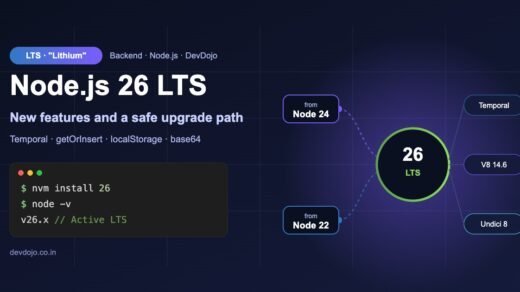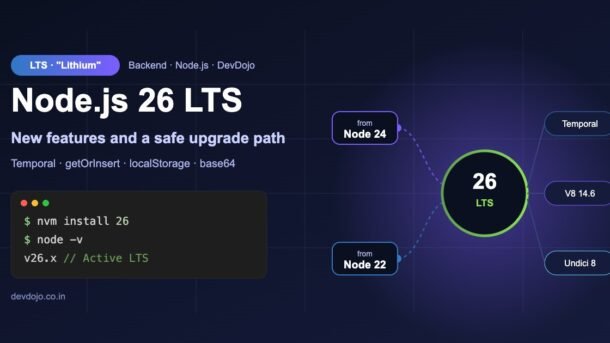
Node.js 26 LTS is now the newest long-term support version of Node.js. Node.js 26 first came out in May as a “Current” release, and on 28 October it moved to LTS with version 26.13.0 and the code name Lithium. That means it is now the version most teams should plan to use in production. In this guide you will learn what is new in Node.js 26 LTS, what was removed, and how to upgrade your app step by step – with runnable code for every feature.
- Node.js 26 became LTS on 28 Oct (v26.13.0, “Lithium”). With the usual 30-month support window it gets fixes until about April 2029.
- Biggest new features: the Temporal API is on by default, V8 14.6 adds
Map.prototype.getOrInsert()andIterator.concat(), and fetch now runs on Undici 8. - Coming from Node.js 24 you also get the Node.js 25 changes: localStorage, Uint8Array base64/hex helpers,
--allow-netin the permission model, and no Corepack in the installer. - Breaking changes to check:
res.writeHeader(), the_stream_*modules and--experimental-transform-typesare gone, and native addons must be rebuilt. - Safe path: install with nvm, pin with
.nvmrc, fix removed APIs, run tests with--trace-deprecation, then update CI and Docker.
What “Node.js 26 LTS” means
Node.js ships a new major version twice a year. Odd numbers (like 25) are short-lived. Even numbers (like 22, 24 and 26) start as Current for about six months, so library authors can test them, and then become LTS – Long Term Support. LTS means the Node.js team promises bug fixes and security patches for a long time, which is exactly what you want for a production server.
Here are the key facts for Node.js 26:
There is one more change worth knowing: according to the official Node.js releases page, starting with Node.js 27 there will be one major release per year, and every major version will become LTS. Node.js 26 is the last release of the old “twice a year” schedule.
Which version should you use?
| Version | Status today | What to do |
|---|---|---|
| Node.js 26 (Lithium) | Active LTS | Use for new projects. Plan upgrades of existing apps to it. |
| Node.js 24 (Krypton) | LTS (moving to Maintenance) | Safe for now. Upgrade in the next few months. |
| Node.js 22 (Jod) | Maintenance LTS | Only critical fixes. Upgrade soon – it ends around April 2027. |
| Node.js 20 (Iron) | End of life | No more security fixes. Upgrade now. |
| Node.js 25 / 27 | EOL / alpha | Do not use in production. |
New to Node.js? Start with Node.js Part 1: What Is Node.js and How to Build Your First Node.js App from our beginner series, then come back here.
Check your Node.js version
Before you upgrade, check what you are running. This tiny script prints the version, the LTS code name and whether the new features are there. On Node.js 24 you would see Krypton, undefined for Temporal and undefined for getOrInsert.
// check-node.mjs - is this machine really on Node.js 26 LTS?
console.log('Node version :', process.version);
console.log('LTS codename :', process.release.lts);
console.log('V8 engine    :', process.versions.v8.split('.').slice(0, 2).join('.'));
console.log('Temporal     :', typeof Temporal);
console.log('getOrInsert :', typeof Map.prototype.getOrInsert);$ node check-node.mjs
Node version : v26.13.0
LTS codename : Lithium
V8 engine : 14.6
Temporal : object
getOrInsert : functionClick ▶ Run to see what Node.js 26 prints.
Node.js 26 LTS new features
1. Temporal API is on by default
The JavaScript Date object is famous for bugs: months start at 0, objects change when you did not expect it, and time zones are painful. Temporal is the modern replacement, and in Node.js 26 it is a global – no package, no flag. You get separate types for a date (PlainDate), a time (PlainTime) and a date-time in a real time zone (ZonedDateTime).
// temporal-basics.mjs - no import needed, Temporal is global in Node.js 26
const due = Temporal.PlainDate.from('2026-01-31').add({ months: 1 });
console.log('One month after Jan 31:', due.toString());

// One meeting, many time zones
const talk = Temporal.ZonedDateTime.from('2026-11-07T19:00[Asia/Kolkata]');
console.log('New York:', talk.withTimeZone('America/New_York').toString());
console.log('Tokyo:', talk.withTimeZone('Asia/Tokyo').toPlainTime().toString());

// Count days between two dates
const days = Temporal.PlainDate.from('2026-11-07')
  .until('2027-01-26', { largestUnit: 'days' });
console.log('Days to Republic Day:', days.days);$ node temporal-basics.mjs
One month after Jan 31: 2026-02-28
New York: 2026-11-07T08:30:00-05:00[America/New_York]
Tokyo: 22:30:00
Days to Republic Day: 80Click ▶ Run to see the output.
Notice that “one month after 31 January” gives 28 February, not a surprise date in March, and the New York time already uses winter time (UTC−5). For a full walkthrough, read our JavaScript Temporal API tutorial.
2. Map.getOrInsert() and Iterator.concat()
V8 14.6 brings two small helpers you will use every day. map.getOrInsert(key, value) returns the value for a key and inserts a default if the key is missing. getOrInsertComputed(key, fn) does the same but only runs fn when needed – perfect for grouping. Both also exist on WeakMap. Iterator.concat() joins arrays, sets and generators into one lazy iterator without copying them.
// word-count.mjs - Map.getOrInsert() and getOrInsertComputed()
const text = 'node is fast node is stable node is lts';
const counts = new Map();
for (const word of text.split(' ')) {
  counts.set(word, counts.getOrInsert(word, 0) + 1);
}
console.log(counts);

// Group users by city - no more "if (!map.has(key))" checks
const users = [
  { name: 'Asha', city: 'Pune' },
  { name: 'Ravi', city: 'Delhi' },
  { name: 'Meera', city: 'Pune' },
];
const byCity = new Map();
for (const u of users) {
  byCity.getOrInsertComputed(u.city, () => []).push(u.name);
}
console.log(byCity);$ node word-count.mjs
Map(5) {
'node' => 3,
'is' => 3,
'fast' => 1,
'stable' => 1,
'lts' => 1
}
Map(2) { 'Pune' => [ 'Asha', 'Meera' ], 'Delhi' => [ 'Ravi' ] }// iterator-concat.mjs - join several iterables lazily
const fruits = ['apple', 'mango'];
const veggies = new Set(['carrot', 'peas']);
function* snacks() {
yield 'samosa';
}
for (const item of Iterator.concat(fruits, veggies, snacks())) {
console.log(item);
}$ node iterator-concat.mjs
apple
mango
carrot
peas
samosaTwo files: click the tabs to switch, then ▶ Run on each.
getOrInsertComputed() when the default value is an object or array. With getOrInsert(key, []) a new empty array is created on every call, even when the key already exists.3. Faster, newer fetch with Undici 8
The built-in fetch() is powered by the Undici library, and Node.js 26 ships Undici 8. Your normal fetch code keeps working; you mainly get bug fixes and better HTTP handling. If you import undici directly as a package, check its changelog because Undici 8 is a major version.
4. Smaller changes you may notice
- node:sqlite gets the Percentile extension, so you can use percentile functions in queries.
- Crypto supports raw key formats in the
KeyObjectAPIs and an Ed25519 context parameter. - assert error messages can now use printf-style placeholders such as
%sand%d. QuotaExceededErroris now aDOMException, the same as in browsers.
Features you also get from Node.js 25
Most teams jump from one LTS to the next, so if you come from Node.js 24 you also get everything that landed in Node.js 25. These are the most useful parts.
Uint8Array base64 and hex helpers
You no longer need Buffer (or a library) to turn bytes into base64 or hex. The same code now works in Node.js and in the browser.
localStorage on the server
Web Storage is enabled by default. To keep data between runs, give Node.js a file with --localstorage-file. In Node.js 26, if you do not pass a file, localStorage is simply undefined – so always check first, as the second file shows.
// base64.mjs - Uint8Array base64 and hex helpers (no Buffer needed)
const bytes = new TextEncoder().encode('DevDojo');
console.log('Base64:', bytes.toBase64());
console.log('Hex   :', bytes.toHex());

const decoded = Uint8Array.fromBase64('SGVsbG8gTm9kZSAyNg==');
console.log('Text :', new TextDecoder().decode(decoded));$ node base64.mjs
Base64: RGV2RG9qbw==
Hex : 446576446f6a6f
Text : Hello Node 26// visits.mjs - browser-style localStorage, saved to a file
if (typeof localStorage === 'undefined') {
console.log('Start Node with --localstorage-file=<path> to use localStorage');
process.exit(1);
}
const visits = Number(localStorage.getItem('visits') ?? 0) + 1;
localStorage.setItem('visits', String(visits));
console.log(`This script has run ${visits} time(s)`);$ node --localstorage-file=./app-storage visits.mjs
This script has run 1 time(s)
$ node --localstorage-file=./app-storage visits.mjs
This script has run 2 time(s)Click the tabs to switch files and ▶ Run to see the output.
Permission model with –allow-net
The permission model lets you lock a script down: with --permission on, Node.js blocks file system, child process, worker and – since Node.js 25 – network access unless you allow it. This is a great safety net for build scripts and tools you did not write yourself.
// read-config.mjs - try it with the permission model turned on
import { readFile } from 'node:fs/promises';

console.log('Read ./config.json?', process.permission.has('fs.read', './config.json'));
console.log('Read /etc?', process.permission.has('fs.read', '/etc'));
console.log('Write files?', process.permission.has('fs.write'));

const config = JSON.parse(await readFile('./config.json', 'utf8'));
console.log('Loaded config for', config.name);

try {
  await fetch('https://example.com');
} catch (err) {
  console.log('Network blocked:', err.code ?? err.cause?.code);
}$ node --permission --allow-fs-read=./ read-config.mjs
Read ./config.json? true
Read /etc? false
Write files? false
Loaded config for demo-app
Network blocked: ERR_ACCESS_DENIEDClick ▶ Run – notice which actions are allowed and which are blocked.
Add --allow-net to let it use the network again, or --allow-fs-write=./logs to allow writing to one folder only.
Other Node.js 25 changes
ErrorEventis a global, like in browsers.JSON.stringifyis much faster for common objects.- The compile cache can be made portable, which helps when you move a project folder or build in Docker.
- Corepack is no longer included. If you use pnpm or Yarn through Corepack, install it yourself:
# Corepack is no longer shipped with Node.js (since v25)
$ npm install -g corepack
$ corepack enable
$ pnpm -v                 # pnpm / yarn work again
Running TypeScript directly
Node.js can run .ts files directly by stripping the type annotations – no tsc or ts-node needed for simple apps. Node.js 26 removed the extra --experimental-transform-types flag, so only “erasable” TypeScript works: types, interfaces and import type are fine, but enum, namespace and parameter properties are not. The second file shows the simple replacement for an enum.
// server.ts - run TypeScript directly, no build step
import { createServer, type IncomingMessage, type ServerResponse } from 'node:http';

interface Health {
  status: 'ok';
  node: string;
  uptime: number;
}

function health(): Health {
  return { status: 'ok', node: process.version, uptime: Math.round(process.uptime()) };
}

createServer((req: IncomingMessage, res: ServerResponse) => {
  res.writeHead(200, { 'content-type': 'application/json' });
  res.end(JSON.stringify(health()));
}).listen(3000, () => console.log('Listening on http://localhost:3000'));$ node server.ts
Listening on http://localhost:3000// roles.ts - enums need a build step, so use a plain object instead
const Role = {
Admin: 'admin',
User: 'user',
} as const;
type Role = (typeof Role)[keyof typeof Role];
function canDelete(role: Role): boolean {
return role === Role.Admin;
}
console.log('admin can delete?', canDelete(Role.Admin));
console.log('user can delete?', canDelete(Role.User));$ node roles.ts
admin can delete? true
user can delete? falseClick the tabs to see both TypeScript files, then ▶ Run.
Node.js does not type-check your code – it only removes the types. Keep running tsc --noEmit (or the new fast compiler from our TypeScript 7 migration guide) in CI to catch type errors.
Breaking changes and how to fix them
Most apps upgrade without code changes. Still, a few old APIs were finally removed. Here is the old code and the fixed version side by side.
// old-code.mjs - worked on Node.js 24, breaks on Node.js 26
import fs from 'node:fs';
import http from 'node:http';
import { createRequire } from 'node:module';

const require = createRequire(import.meta.url);
const Readable = require('_stream_readable');      // removed in Node.js 26
const { SlowBuffer } = require('node:buffer');      // end-of-life since Node.js 25

fs.access('./app.log', fs.F_OK, (err) => {         // fs.F_OK removed in Node.js 25
  console.log(err ? 'app.log missing' : 'app.log found');
});

http.createServer((req, res) => {
  res.writeHeader(200, { 'content-type': 'text/plain' }); // removed in Node.js 26
  res.end('ok');
});// fixed-code.mjs - the same logic, ready for Node.js 26
import fs from 'node:fs';
import http from 'node:http';
import { Readable } from 'node:stream';
const big = Buffer.allocUnsafeSlow(1024); // instead of new SlowBuffer(1024)
console.log('Buffer size:', big.length);
console.log('Readable is a', typeof Readable);
fs.access('./app.log', fs.constants.F_OK, (err) => {
console.log(err ? 'app.log missing' : 'app.log found');
});
const server = http.createServer((req, res) => {
res.writeHead(200, { 'content-type': 'text/plain' });
res.end('ok');
});
console.log('Server created:', server instanceof http.Server);$ node fixed-code.mjs
Buffer size: 1024
Readable is a function
Server created: true
app.log missingCompare the two tabs: the first one breaks on Node.js 26, the second one is the fix. ▶ Run is on the fixed file.
| Removed or changed | Since | Use instead |
|---|---|---|
res.writeHeader() | 26 | res.writeHead() |
_stream_readable, _stream_writable, _stream_duplex, _stream_transform, _stream_passthrough, _stream_wrap | 26 | import { Readable, Writable, … } from 'node:stream' |
--experimental-transform-types | 26 | Erasable TypeScript only, or build with tsc |
module.register() | 26 (deprecated) | module.registerHooks() |
fs.F_OK, fs.R_OK, fs.W_OK, fs.X_OK | 25 | fs.constants.F_OK and friends |
SlowBuffer | 25 | Buffer.allocUnsafeSlow() |
| Corepack in the installer | 25 | npm install -g corepack |
| Native addons (bcrypt, sharp, …) | 26 | npm rebuild or update to a version with Node 26 binaries |
Code that checks if (!globalThis.Temporal) | 26 | Test it – your polyfill is now skipped and the built-in one is used |
The full list is in the official Node.js 26.0.0 release notes.
How to upgrade to Node.js 26 step by step
Choose where you are coming from to see your checklist:
- Search your code for
writeHeader(and_stream_. - Replace
fs.F_OK-style constants withfs.constants.*. - Install Corepack yourself if you use pnpm or Yarn.
- Run
npm rebuildfor native addons. - Expected effort: under an hour for most apps.
- Everything in the “From Node.js 24” tab.
- Remove old workarounds for loading ES modules with
require()– it works without a flag in every supported version. - Update test tools: the built-in
node --testrunner is much more complete than in 22. - Upgrade big dependencies (Express, Prisma, Jest/Vitest) to their latest major first.
- Expected effort: half a day to a day.
- Node.js 20 gets no security fixes – treat this as urgent.
- Do it in two hops: 20 → 22 (run tests) → 26. Smaller steps make errors easier to find.
- Expect old packages that pin
engines.nodeto “20.x” to warn; update them. - Review OpenSSL-related crypto code, as several old crypto options have reached end of life.
- Expected effort: one to a few days, depending on test coverage.
Step 1–4: install, pin and test locally
# 1. Install Node.js 26 with nvm (macOS, Linux, WSL)
$ nvm install 26
$ nvm use 26
$ nvm alias default 26     # new terminals use 26 too
$ node -v
# 2. Pin the version for your whole team
$ echo "26" > .nvmrc
# 3. Clean install and rebuild native addons
$ npm ci
$ npm rebuild
# 4. Run your tests and print where each deprecation comes from
$ NODE_OPTIONS="--trace-deprecation" npm test
--trace-deprecation prints a stack trace for every deprecation warning, so you can see exactly which file (or which package) uses an old API.
Step 5: update package.json, CI and Docker
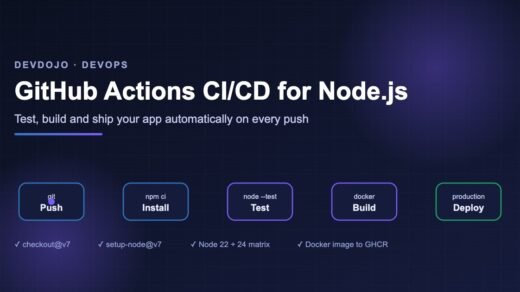
Tell everyone – and every machine – to use the new version. The GitHub Actions matrix tests Node.js 24 and 26 side by side, so you can merge with confidence. Learn more in our GitHub Actions CI/CD for Node.js guide and Docker Compose tutorial.
{
  "name": "demo-app",
  "version": "1.0.0",
  "type": "module",
  "engines": {
    "node": ">=26"
  },
  "scripts": {
    "start": "node server.ts",
    "test": "node --test"
  }
}# .github/workflows/ci.yml
name: CI
on: [push, pull_request]
jobs:
test:
runs-on: ubuntu-latest
strategy:
matrix:
node: [24, 26] # test old and new LTS side by side
steps:
- uses: actions/checkout@v4
- uses: actions/setup-node@v4
with:
node-version: ${{ matrix.node }}
cache: npm
- run: npm ci
- run: npm test# Dockerfile
FROM node:26-slim
WORKDIR /app
COPY package*.json ./
RUN npm ci --omit=dev
COPY . .
USER node
EXPOSE 3000
CMD ["node", "server.ts"]Three config files that tell your team, CI and Docker to use Node.js 26 – click the tabs.
Want to understand the engines field and lock files better? See npm and package.json: Installing and Managing Packages.
Common errors and fixes
| Error message | Why it happens | Fix |
|---|---|---|
TypeError: res.writeHeader is not a function | The old alias was removed in Node.js 26. | Use res.writeHead(). |
Cannot find module '_stream_readable' | Internal stream modules were removed. | Import from node:stream. If it comes from a package, update the package. |
The module was compiled against a different Node.js version … NODE_MODULE_VERSION | A native addon was built for an older Node.js. | Delete node_modules, run npm ci, then npm rebuild. |
ERR_UNSUPPORTED_TYPESCRIPT_SYNTAX | You used enum or namespace in a .ts file run directly. | Use an as const object, or compile with tsc. |
bad option: --experimental-transform-types | The flag was removed. | Remove it from scripts and NODE_OPTIONS. |
pnpm: command not found | Corepack is no longer bundled. | npm install -g corepack && corepack enable |
localStorage is not defined / undefined | No storage file was given. | Start Node.js with --localstorage-file=./path. |
Best practices for Node.js 26 LTS
- Pin the major, not the patch. Use
26in.nvmrcandnode:26-slimin Docker so you get security patches automatically. - Test two versions in CI during the move (24 and 26), then drop 24 once production is stable.
- Upgrade staging first and watch memory and response times for a few days before production.
- Prefer built-ins: Temporal instead of moment/dayjs for new code,
Uint8Array.toBase64()instead of small base64 libraries,node --testfor simple test suites. - Use the permission model for scripts that run third-party code, such as build tools.
- Read the changelog of packages with native code (bcrypt, sharp, canvas) and wait for Node 26 support if they have none yet.
FAQ
Is Node.js 26 LTS ready for production?
Yes. Once a release reaches LTS, the Node.js team treats it as production-ready and only adds safe fixes. Many teams wait for the first LTS release (26.13.0) and then upgrade – that point has now arrived.
When does Node.js 26 support end?
Node.js LTS lines get about 30 months of support in total, which puts the end of Node.js 26 at around April 2029. Check the official releases page for the exact date.
Should I upgrade from Node.js 24 right now?
There is no rush – Node.js 24 is still supported. But start testing on 26 now, so you can switch calmly in the next few months instead of in a hurry later.
Do I still need a Temporal polyfill?
Not on Node.js 26. You may still need it for older Node.js versions or for browsers you support. Keep the polyfill only where your code actually runs on those older platforms.
Can I run TypeScript in production with node file.ts?
You can for simple apps that only use erasable syntax. Many teams still compile to JavaScript for production to get type checking and faster start-up, and use direct .ts running for scripts and development.
What is the LTS code name used for?
Every LTS line gets a name of a chemical element (Iron, Jod, Krypton, Lithium). You will see it in process.release.lts and in Docker tags like node:lithium.
Conclusion
Node.js 26 LTS is a calm, solid upgrade: Temporal finally fixes dates, small helpers like getOrInsert() and Uint8Array.toBase64() remove boilerplate, and the permission model now covers the network. The breaking changes are few and easy to find with --trace-deprecation. Install it next to your current version today, run your tests, and move your production apps over in the coming weeks.
New posts every day on DevDojo
Practical, beginner-friendly tutorials on AI, frontend, backend and DevOps – with code you can run. Learning Node.js from scratch? Follow our free Node.js series.