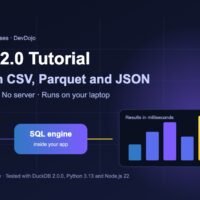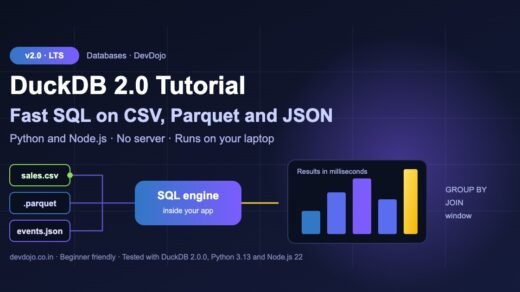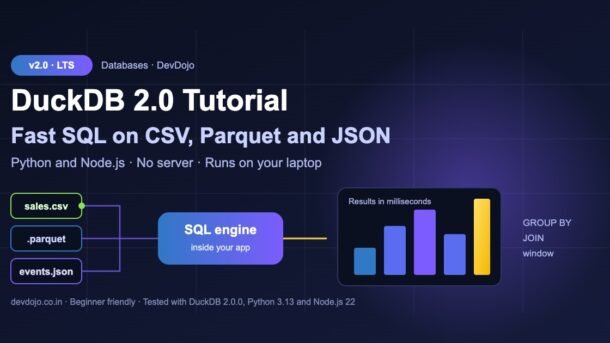
DuckDB 2.0 was released on 21 October and it is one of the most talked-about tools in data engineering right now. In this DuckDB tutorial you will learn what DuckDB is, why developers call it “SQLite for analytics”, and how to query CSV, Parquet and JSON files with plain SQL from Python and Node.js – no database server, no Docker, no import step. Every example below was actually run on DuckDB 2.0.0, and the terminal output you see is real.
- DuckDB is a free, open-source analytics database that runs inside your program (like SQLite), but is built for fast reports, aggregations and big files.
- You can run SQL directly on files:
SELECT * FROM 'sales.csv'. - DuckDB 2.0 (“Cinnamon Teal”) is a long-term support release (supported until at least October 2027) with a new SQL parser, a
VARIANTtype, triggers, an agent mode for the CLI and faster file reading. - Upgrading from 1.x? Python now needs 3.11+, relations lost
fetchone(), the oldx -> x + 1lambda syntax is off by default, and 1.x cannot open new 2.0 database files.
What is DuckDB? (DuckDB tutorial basics)
DuckDB is an in-process analytical database. Let’s break that sentence into simple words:
- In-process – there is no separate server to install or start. You install a library with
pipornpm, and the database runs inside your Python or Node.js program. - Analytical – it is made for questions like “total revenue per city per month” over millions of rows, not for saving one user’s profile thousands of times per second.
- Database – it speaks full SQL:
JOIN,GROUP BY, window functions, CTEs and more. You can keep data in memory or in a single.duckdbfile.
The second big idea is column storage. A normal app database (PostgreSQL, MySQL, SQLite) stores data row by row. DuckDB stores and processes it column by column, in batches. For reports that read only a few columns from a big table, this is much faster.
pip install. No server, no users, no ports.Typical uses: data analysis in Jupyter, cleaning and converting files (CSV to Parquet), small data pipelines, dashboards and APIs that show reports, testing SQL locally, and even giving AI agents a fast SQL tool.
What’s new in DuckDB 2.0
DuckDB 2.0 (code name “Cinnamon Teal”) is built from close to 20,000 commits since version 1.5. The team calls it “above all a feature release”. The highlights, from the official DuckDB 2.0 announcement:
| Feature | What it means for you |
|---|---|
| Long-term support | 2.0 is supported until at least October 2027 – a safe choice for production. |
| New SQL parser (PEG) | Replaces the old PostgreSQL-based parser. Error messages now point to the exact place in your query. |
VARIANT type | Store mixed, schema-less data (like JSON) in a fast binary form. |
| Triggers | CREATE TRIGGER with BEFORE/AFTER, row and statement level. |
| Asynchronous I/O | Faster reading of Parquet, CSV and DuckDB files – especially from S3. |
| Agent mode in the CLI | Detects AI coding agents and prints compact, agent-friendly output. |
Server mode (Quack) and CONNECT | Share one DuckDB over the network. Still new – treat it as early. |
| Friendlier SQL | $variable shorthand, lambda x: ... syntax, JSON edit functions like json_set, nested schemas and more. |
pip install duckdb gives 2.0.0 and npm install @duckdb/node-api gives 2.0.0-r.1. DuckDB 1.4 is supported until 17 November and 1.5 until March next year.Install DuckDB
Pick your language. You do not need both – the SQL is exactly the same.
# Python (DuckDB 2.0 needs Python 3.11 or newer)
$ python3 --version
$ pip install duckdb
$ python3 -c "import duckdb; print(duckdb.__version__)"
2.0.0

# Node.js (the modern "Node Neo" client)
$ npm install @duckdb/node-api

# Optional: the command-line shell (macOS / Linux)
$ curl https://install.duckdb.org | shpip will quietly install an old 1.x version. Upgrade Python to 3.11+ (or use uv / pyenv) to get DuckDB 2.0.Your first query on a CSV file
We will use a small sales.csv file with 1,000 orders from five Indian cities (columns: order_id, order_date, city, product, qty, price). Create any similar CSV, or generate one with a few lines of Python. Now ask a real business question: which city brings the most revenue?
import duckdb

print("DuckDB version:", duckdb.__version__)

# Query a CSV file directly - no import step, no server
result = duckdb.sql("""
    SELECT city,
           count(*)              AS orders,
           sum(qty * price)      AS revenue
    FROM 'sales.csv'
    GROUP BY city
    ORDER BY revenue DESC
""")
result.show()$ python3 quickstart.py
DuckDB version: 2.0.0
┌───────────┬────────┬─────────┐
│ city │ orders │ revenue │
│ varchar │ int64 │ int128 │
├───────────┼────────┼─────────┤
│ Bengaluru │ 208 │ 9048500 │
│ Mumbai │ 215 │ 8241000 │
│ Pune │ 194 │ 7765000 │
│ Chennai │ 179 │ 7343500 │
│ Delhi │ 204 │ 6381500 │
└───────────┴────────┴─────────┘import { DuckDBInstance } from '@duckdb/node-api';
// In-memory database (pass a file name to save to disk)
const instance = await DuckDBInstance.create(':memory:');
const connection = await instance.connect();
const reader = await connection.runAndReadAll(`
SELECT city,
count(*) AS orders,
sum(qty * price) AS revenue
FROM 'sales.csv'
GROUP BY city
ORDER BY revenue DESC
`);
console.table(reader.getRowObjectsJson());$ node quickstart.mjs
┌─────────┬─────────────┬────────┬───────────┐
│ (index) │ city │ orders │ revenue │
├─────────┼─────────────┼────────┼───────────┤
│ 0 │ 'Bengaluru' │ '208' │ '9048500' │
│ 1 │ 'Mumbai' │ '215' │ '8241000' │
│ 2 │ 'Pune' │ '194' │ '7765000' │
│ 3 │ 'Chennai' │ '179' │ '7343500' │
│ 4 │ 'Delhi' │ '204' │ '6381500' │
└─────────┴─────────────┴────────┴───────────┘order_id,order_date,city,product,qty,price
1,2026-07-13,Delhi,Headphones,1,2500
2,2026-07-12,Chennai,Monitor,1,12000
3,2026-07-02,Delhi,Monitor,2,12000
4,2026-07-08,Delhi,Keyboard,3,1500
...Click the tabs to switch between Python, Node.js and the data file, then click ▶ Run to see the real output.
Notice what we did not do: no CREATE TABLE, no import, no column types. DuckDB looked at the file, detected the columns and types, and ran the query. A few things to note:
duckdb.sql()uses a default in-memory database..show()prints a nice table.- The revenue column is
int128(DuckDB’sHUGEINT) because summing manyBIGINTvalues could overflow. - In Node.js,
getRowObjectsJson()turns big integers into strings so they are safe to send as JSON from an API.
Save to a database file and Parquet
In-memory is great for quick analysis. For real projects you usually want to keep the data. Pass a file name to duckdb.connect() and everything you create is stored in that single file. We will also export the table to Parquet – a compressed, column-based file format used by Spark, pandas, BigQuery and most data tools.
import duckdb

# Open (or create) a database file on disk
con = duckdb.connect("shop.duckdb")

# Load the CSV into a real table (types are detected automatically)
# Tip: use execute() for statements that change data (DDL / DML)
con.execute("CREATE OR REPLACE TABLE sales AS FROM 'sales.csv'")
con.sql("SELECT column_name, column_type FROM (DESCRIBE sales)").show()

# Export to Parquet - a compressed, column-based file format
con.execute("COPY sales TO 'sales.parquet' (FORMAT parquet)")

# Read the Parquet file back and get monthly revenue
con.sql("""
    SELECT strftime(order_date, '%Y-%m') AS month,
           sum(qty * price)              AS revenue
    FROM 'sales.parquet'
    GROUP BY ALL
    ORDER BY month
""").show()
con.close()$ python3 save_db.py
┌─────────────┬─────────────┐
│ column_name │ column_type │
│ varchar │ varchar │
├─────────────┼─────────────┤
│ order_id │ BIGINT │
│ order_date │ DATE │
│ city │ VARCHAR │
│ product │ VARCHAR │
│ qty │ BIGINT │
│ price │ BIGINT │
└─────────────┴─────────────┘
┌─────────┬──────────┐
│ month │ revenue │
│ varchar │ int128 │
├─────────┼──────────┤
│ 2026-07 │ 13404500 │
│ 2026-08 │ 13935000 │
│ 2026-09 │ 11440000 │
└─────────┴──────────┘Click ▶ Run to see the detected column types and the monthly revenue.
CREATE TABLE sales AS FROM 'sales.csv'uses DuckDB’s “friendly SQL”: you can skipSELECT *.GROUP BY ALLgroups by every column that is not an aggregate – no need to repeatmonth.- On our machine the 38,890-byte CSV became an 8,199-byte Parquet file – about 4.7 times smaller.
- We used
con.execute()forCREATEandCOPY. That is the recommended style in DuckDB 2.0 for statements that change data.
DuckDB with pandas
This is the feature that makes data scientists fall in love with DuckDB: it can query a pandas DataFrame by its variable name and join it with files on disk. The result comes back as a DataFrame with .df().
import duckdb
import pandas as pd

# A normal pandas DataFrame in memory
targets = pd.DataFrame({
    "city":   ["Delhi", "Mumbai", "Bengaluru", "Pune", "Chennai"],
    "target": [7_000_000, 8_000_000, 9_000_000, 7_500_000, 7_000_000],
})

# DuckDB can query the DataFrame by its variable name
# and JOIN it with a file on disk
report = duckdb.sql("""
    SELECT t.city,
           sum(s.qty * s.price)              AS revenue,
           t.target,
           revenue >= t.target               AS hit_target
    FROM 'sales.csv' AS s
    JOIN targets   AS t USING (city)
    GROUP BY t.city, t.target
    ORDER BY revenue DESC
""").df()          # back to a pandas DataFrame

print(report)$ python3 pandas_demo.py
city revenue target hit_target
0 Bengaluru 9048500.0 9000000 True
1 Mumbai 8241000.0 8000000 True
2 Pune 7765000.0 7500000 True
3 Chennai 7343500.0 7000000 True
4 Delhi 6381500.0 7000000 FalseClick ▶ Run to see which cities hit their sales target.
.pl()) or Arrow (.to_arrow_table()). Mixing pandas for small tables and DuckDB for heavy SQL is a very common, very productive pattern.How fast is it?
Let’s create 5 million rows inside DuckDB and run an aggregation. range(5_000_000) is a table function that generates numbers, so we don’t need any file.
import time
import duckdb

con = duckdb.connect()

# Generate 5 million fake page-view rows inside DuckDB
con.execute("""
    CREATE TABLE views AS
    SELECT range                         AS id,
           range % 1000                  AS page_id,
           (random() * 300)::INT         AS seconds_on_page
    FROM range(5_000_000)
""")

start = time.perf_counter()
top = con.execute("""
    SELECT page_id, avg(seconds_on_page) AS avg_seconds
    FROM views
    GROUP BY page_id
    ORDER BY avg_seconds DESC
    LIMIT 3
""").fetchall()
elapsed = time.perf_counter() - start

print("rows:", con.execute("SELECT count(*) FROM views").fetchone()[0])
print("top pages fetched:", len(top))
print(f"query time: {elapsed:.3f} s")$ python3 big_data.py
rows: 5000000
top pages fetched: 3
query time: 0.025 sClick ▶ Run to see the real timing from our small 2-core test machine.
Grouping 5 million rows took about 25 milliseconds on a small 2-core cloud machine. Your number will be different, but the point is clear: for analytics on a laptop, DuckDB is often faster than setting up a “big data” cluster. For files bigger than your RAM, DuckDB can spill to disk, so it does not simply crash.
Try the new DuckDB 2.0 features
Now let’s try four changes that are new in 2.0: the VARIANT type, the new lambda syntax, the $variable shorthand and stricter division by zero.
import duckdb

con = duckdb.connect()

# 1) VARIANT: store mixed, schema-less data (like JSON, but faster)
con.execute("CREATE TABLE events (payload VARIANT)")
con.execute("""
    INSERT INTO events VALUES
      ('{"user": {"id": 42, "tags": ["a", "b"]}}'::JSON::VARIANT),
      ('{"event": "click", "x": 10, "y": 20}'::JSON::VARIANT)
""")
con.sql("""SELECT variant_type(payload) AS type,
                  variant_keys(payload) AS keys
           FROM events""").show()

# 2) New lambda syntax:  lambda x: ...   (old  x -> ...  is off by default)
tens = con.execute("SELECT list_transform([1, 2, 3], lambda x: x * 10)")
print(tens.fetchone())

# 3) $variable shorthand instead of getvariable('min_qty')
con.execute("SET VARIABLE min_qty = 3")
big = con.execute("SELECT count(*) FROM 'sales.csv' WHERE qty >= $min_qty")
print(big.fetchone())

# 4) Integer division by zero is now an error (TRY() gives NULL instead)
print(con.execute("SELECT TRY(10 // 0)").fetchone())
try:
    con.execute("SELECT 10 // 0").fetchone()
except duckdb.Error as e:
print("Error:", type(e).__name__)$ python3 new_in_v2.py
┌─────────┬───────────────┐
│ type │ keys │
│ varchar │ varchar[] │
├─────────┼───────────────┤
│ OBJECT │ [user] │
│ OBJECT │ [event, x, y] │
└─────────┴───────────────┘
([10, 20, 30],)
(343,)
(None,)
Error: InvalidInputExceptionClick ▶ Run to see the output of all four mini-demos.
- VARIANT stores different shapes of data in one column.
variant_type()andvariant_keys()let you inspect each value. Think of it as “JSON on steroids” – it is stored in a binary form, and common structure is split out automatically so queries are faster. - Lambda syntax: use
lambda x: x * 10(Python style). The old arrow formx -> x * 10now raises an error unless you turn it back on. $min_qtyis a short way to writegetvariable('min_qty').10 // 0(integer division) and% 0now raise an error instead of quietly returningNULL. Wrap withTRY()if you wantNULL. Note that10 / 0(normal division) still returnsinf.
Triggers: an automatic audit log
Triggers run SQL automatically when data changes. This is a classic use case: keep a history of price changes during a festival sale.
-- audit.sql: keep a history of price changes with a trigger
CREATE TABLE products (id INTEGER PRIMARY KEY, name VARCHAR, price INTEGER);
CREATE TABLE price_log (id INTEGER, old_price INTEGER, new_price INTEGER);

CREATE TRIGGER log_price AFTER UPDATE ON products
REFERENCING OLD TABLE AS o NEW TABLE AS n
FOR EACH STATEMENT
INSERT INTO price_log
    SELECT n.id, o.price, n.price FROM o JOIN n ON o.id = n.id;

INSERT INTO products VALUES (1, 'Laptop', 55000), (2, 'Phone', 18000);

-- Festival sale: 10% off everything
UPDATE products SET price = price * 0.9;

FROM price_log;import sys
import duckdb
# Run every statement in a .sql file and show the last result
script = open(sys.argv[1]).read()
duckdb.connect().sql(script).show()$ python3 run_sql.py audit.sql
┌───────┬───────────┬───────────┐
│ id │ old_price │ new_price │
│ int32 │ int32 │ int32 │
├───────┼───────────┼───────────┤
│ 1 │ 55000 │ 49500 │
│ 2 │ 18000 │ 16200 │
└───────┴───────────┴───────────┘The first tab is the SQL file. Switch to run_sql.py and click ▶ Run to execute it.
REFERENCING OLD TABLE AS o NEW TABLE AS n gives you two temporary tables: the rows before and after the UPDATE. Because the trigger is FOR EACH STATEMENT, it runs once per UPDATE, not once per row – efficient for analytics. Some combinations are not supported yet, so check the CREATE TRIGGER docs before using them in production.
The DuckDB command-line shell also got useful upgrades:
# Open (or create) a database file in the CLI
$ duckdb shop.duckdb
# Run one query and exit
$ duckdb -c "SELECT city, count(*) FROM 'sales.csv' GROUP BY city"
# New in 2.0: agent mode (compact output for AI coding agents)
$ duckdb -agent shop.duckdb
# Keep a new file readable by DuckDB 1.5
$ duckdb old_friendly.duckdb -storage-version v1.5.6
Python API changes in DuckDB 2.0
If you have DuckDB code from older tutorials (or from ChatGPT answers trained on them), some of it will break. Click each tab to see the change and the fix:
Before: con.sql(q).fetchone() and fetchmany(n) worked on a relation.
Now: a relation is just a saved query – it runs again on every read, so fetchone(), fetchmany(), execute() and fetch_df_chunk() were removed from it. Use con.execute(q).fetchone(), or read a relation with fetchall(), df(), pl(), iter_rows() or to_arrow_reader(). Use rel.materialize() to compute the rows once and keep them.
Before: you could run new queries while an execute() result was only half read.
Now: that raises ResourceInUseException. Read the result to the end, or call con.complete() (or con.abort()). A new execute() simply replaces the open result.
Before: threads sharing one connection waited for each other.
Now: using one connection from two threads at the same time raises ResourceInUseException. Give each thread its own con.cursor(). In a web API (for example FastAPI), create a cursor per request.
Python version: DuckDB 2.0 needs Python 3.11 or newer (free-threaded builds are not supported).
Database files: DuckDB 2.0 can open your old files, but DuckDB 1.x cannot open files that 2.0 creates. To stay compatible, connect with config={"storage_compatibility_version": "v1.5.0"}.
Also changed: con.sql("CREATE ...") now returns a relation instead of None, a failed statement inside a transaction aborts the whole transaction, and write_csv(..., overwrite=False) now raises an error if the file exists.
Here is the same small script written the old way and the 2.0 way:
# Works on DuckDB 1.x - FAILS on DuckDB 2.0
import duckdb

con = duckdb.connect()
rel = con.sql("SELECT 42 AS answer")

print(rel.fetchone())                # AttributeError on 2.0
print(con.sql("SELECT list_transform([1, 2], x -> x + 1)").fetchall())$ python3 old_1x.py
Traceback (most recent call last):
...
AttributeError: Relations no longer have fetchone(): a relation keeps
no result between calls, so every call runs it again.
Use rel.limit(1).fetchall() instead.# The DuckDB 2.0 way
import duckdb
con = duckdb.connect()
# fetchone(): use execute() - it returns a result you can read row by row
print(con.execute("SELECT 42 AS answer").fetchone())
con.complete() # finish the open result before running the next query
# Relations (con.sql): read them with fetchall(), df(), pl() or iter_rows()
print(con.sql("SELECT list_transform([1, 2], lambda x: x + 1)").fetchall())
# Threads: give every thread its own cursor
cur = con.cursor()
print(cur.execute("SELECT 'one cursor per thread'").fetchall())$ python3 new_2x.py
(42,)
[([2, 3],)]
[('one cursor per thread',)]Run old_1x.py to see the real error, then switch to new_2x.py and run the fixed version.
Upgrade from DuckDB 1.x: checklist
- Test on a copy first. The DuckDB team advises a shadow system, and for mission-critical work, waiting for the first patch release planned for November.
- Back up your
.duckdbfiles, or keep them in the old format withstorage_compatibility_versionif other tools still use DuckDB 1.x. - Search your SQL for
->lambdas and change them tolambda x: .... (Temporary escape hatch:SET lambda_syntax = 'enable_single_arrow';– it goes away in 2.1.) - Check regex and maths:
~now does partial matching ('abc' ~ 'b'is true),2 * 3!is now 12, and//or%by zero raise errors. - Check
MERGE INTO: if several source rows match one target row, it now errors instead of picking one. - Update Python code as shown above, and read the official DuckDB 2.0 migration guide.
DuckDB vs SQLite vs PostgreSQL
| DuckDB | SQLite | PostgreSQL | |
|---|---|---|---|
| Runs as | Library inside your app | Library inside your app | Separate server |
| Best for | Analytics, reports, data files | Small app storage, mobile | Web apps with many users |
| Storage | Column by column | Row by row | Row by row |
| Many writers at once | No (one writer process) | Limited | Yes |
| Query CSV/Parquet directly | Yes, built in | No | Needs extensions |
They work great together: PostgreSQL for your app (see our PostgreSQL 19 guide), DuckDB for reports on top of exported data. DuckDB can even attach a PostgreSQL database and query it directly with its postgres extension.
Common errors and fixes
| Error message (shortened) | Why it happens | Fix |
|---|---|---|
Relations no longer have fetchone() | 2.0 removed row-by-row reading from con.sql() relations. | Use con.execute(q).fetchone() or rel.fetchall(). |
ResourceInUseException: connection has an unfinished result from execute() | You started a new query before finishing the previous execute() result. | Fetch all rows, or call con.complete(); use con.cursor() per thread. |
Binder Error: Deprecated lambda arrow (->) detected | Old x -> x + 1 lambda syntax. | Write lambda x: x + 1. |
Invalid Input Error: Division by zero in expression (10 // 0) | Integer division by zero now raises an error. | TRY(10 // 0) or NULLIF(divisor, 0). |
IO Error: No files found that match the pattern "missing.csv" | Wrong path – paths are relative to where you run the script. | Use an absolute path or cd into the data folder. |
Old tool cannot open a new .duckdb file | Files created by 2.0 use a new storage format. | Upgrade the tool, or create files with storage_compatibility_version. |
| “Could not set lock on file” | Two processes open the same file for writing. | Use one writer process, or open others with read_only=True. |
Best practices
- Convert big CSVs to Parquet once, then query the Parquet. It is smaller and much faster to read.
- Select only the columns you need – column storage rewards you for it.
- Use
execute()for writes and parameters:con.execute("SELECT * FROM sales WHERE city = ?", ["Pune"]). Never build SQL by joining user input strings. - One connection, many cursors in multi-threaded apps and web servers.
- Pin the version in
requirements.txt/package.json(for exampleduckdb==2.0.0) so upgrades are deliberate. - Do not use DuckDB as your main web app database with many concurrent writers – use PostgreSQL there and DuckDB for analytics. To run both side by side locally, see our Docker Compose tutorial.
Practice task
Use the same sales.csv and complete the TODOs. It takes about 15 minutes and uses everything from this post.
import duckdb

con = duckdb.connect("practice.duckdb")

# TODO 1: create a table "sales" from sales.csv
# TODO 2: find the best-selling PRODUCT in each CITY (by revenue)
#         hint: use a window function -> row_number() OVER (PARTITION BY city ...)
# TODO 3: save the answer to best_products.parquet
# TODO 4: read best_products.parquet back and print it with .show()Stuck on TODO 2? Look up QUALIFY in the DuckDB docs – it filters window function results without a subquery.
FAQ
Is DuckDB free for commercial use?
Yes. DuckDB is open source under the MIT license, so you can use it in personal and commercial projects.
Is DuckDB a replacement for PostgreSQL or MySQL?
Not for typical web apps. DuckDB is built for analytics with one writer process. Use PostgreSQL or MySQL for app data with many users, and DuckDB for reports, data files and pipelines.
Can DuckDB handle data bigger than my RAM?
Yes, in many cases. DuckDB streams data from files and can spill to disk for big joins and aggregations, so it can process data sets larger than memory – just slower than fully in-memory work.
Should I upgrade to DuckDB 2.0 now?
For new projects, yes – it is a long-term support release. For important existing systems, test on a copy first and read the migration guide; the DuckDB team suggests waiting for the November patch release for mission-critical workloads.
Does DuckDB work in Node.js and the browser?
Yes. Use @duckdb/node-api in Node.js. There is also DuckDB-Wasm for running DuckDB inside a web page. New to Node.js? Start with our Node.js Part 1 guide.
Conclusion
DuckDB turns your laptop into a fast analytics machine: install one package, point SQL at a CSV or Parquet file, and get answers in milliseconds. Version 2.0 makes it a stable, long-term choice and adds VARIANT, triggers and a friendlier SQL dialect – just remember the Python API changes when you upgrade old code. Start with the practice task, then try DuckDB on a real data file from your job or college project.
New posts every day on DevDojo
Practical tutorials on AI, frontend, backend, databases and DevOps – with runnable code. Bookmark devdojo.co.in and share this DuckDB tutorial with a friend who still waits for big CSV files to load in Excel.