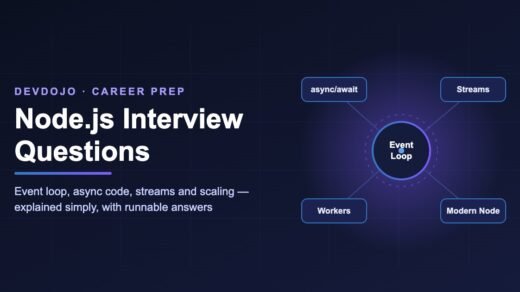
- This guide covers the Node.js interview questions that come up most often for junior and mid-level backend roles, with short answers you can say out loud.
- The big topics are the event loop, async code (callbacks, promises, async/await), streams, and scaling (cluster vs worker threads).
- Every answer comes with a small, runnable code example. Run them with Node.js 24 or 26.
- Interviewers now also ask about modern built-in features:
fetch, the test runner,--watch,--env-fileand running TypeScript directly.
If you are preparing for a backend or full-stack job, you will almost certainly face Node.js interview questions. The good news: interviewers keep coming back to the same core ideas. If you truly understand the event loop, async code, streams and how Node.js scales, you can answer most questions with confidence — even the tricky “what is the output?” puzzles.
In this guide we go through the questions one by one. Each answer has a simple explanation first, then a small code example you can run on your own laptop. No memorising — the goal is to understand.
How to Use This Guide
Questions are tagged by level so you can focus on what matters for your role:
- Beginner — expected for freshers and interns.
- Intermediate — expected with 1–3 years of experience.
- Advanced — senior-leaning questions that show deeper understanding.
Node.js Basics Questions
1. What is Node.js? Beginner
Node.js is a runtime that lets you run JavaScript outside the browser — on servers, laptops and build tools. It uses Google’s V8 engine to run your code and a C library called libuv to handle files, network and timers without blocking.
Say this in the interview: “Node.js is a JavaScript runtime built on V8. It uses an event-driven, non-blocking I/O model, which makes it great for APIs, real-time apps and tools that handle many connections at once.”
2. Is Node.js single-threaded? Intermediate
Your JavaScript runs on one main thread. But Node.js itself is not fully single-threaded. libuv keeps a small thread pool (4 threads by default) for slow work like file system calls, DNS lookups, compression and some crypto. Network sockets use the operating system’s own async features.
So the correct answer is: “JavaScript execution is single-threaded, but Node.js uses extra threads in the background for I/O. And we can create more threads ourselves with worker_threads.”
3. What is the difference between blocking and non-blocking code? Beginner
Blocking code makes the main thread wait until the task finishes. While it waits, Node.js cannot serve any other request. Non-blocking code starts the task, moves on, and runs a callback (or resolves a promise) when the result is ready.
blocking.mjs
import { readFileSync } from 'node:fs';
import { readFile } from 'node:fs/promises';

// Blocking: nothing else can run until the file is fully read
const a = readFileSync('./package.json', 'utf8');
console.log('sync read done:', a.length, 'chars');

// Non-blocking: the main thread is free while the OS reads the file
const pending = readFile('./package.json', 'utf8');
console.log('this line runs before the async read finishes');
const b = await pending;
console.log('async read done:', b.length, 'chars');*Sync functions are fine in startup scripts and CLI tools. Avoid them inside request handlers of a web server.4. What is the difference between CommonJS and ES Modules? Beginner
CommonJS (CJS) is Node’s original module system: require() and module.exports. ES Modules (ESM) is the JavaScript standard: import and export. ESM supports top-level await and is what new projects should use.
Node.js treats a file as ESM if it ends in .mjs, or ends in .js and the nearest package.json has "type": "module". A bonus point for interviews: modern Node versions (22.12+ and later) can require() an ES module directly, as long as that module does not use top-level await. This removed a big pain point when mixing old and new packages.
5. What is npm, and what is package-lock.json for? Beginner
npm is the package manager that ships with Node.js. package.json lists the version ranges you accept (like ^5.1.0). package-lock.json records the exact versions that were installed, so every developer and every server gets the same dependency tree. In CI, use npm ci, which installs strictly from the lock file. (We used exactly this in our GitHub Actions CI/CD for Node.js guide.)
Event Loop Questions
The event loop is the number one topic in Node.js interviews. If you can draw it on a whiteboard, you are already ahead of most candidates.
6. What is the event loop? Intermediate
The event loop is the mechanism that lets one JavaScript thread handle thousands of operations. Node.js hands slow work (files, network, timers) to the system, and when that work finishes, a callback is placed in a queue. The event loop keeps checking these queues and runs the callbacks one by one, in a fixed order of phases.
Explore the phases (click a tab)
setTimeout and setInterval whose time has passed. Note: setTimeout(fn, 0) means “at least 0 ms later”, not “right now”. Delays are a minimum, never a guarantee.setImmediate callbacks right after the poll phase. That is why, inside an I/O callback, setImmediate always runs before setTimeout(fn, 0).socket.on('close', ...) when a handle is closed abruptly.process.nextTick callbacks, then all promise callbacks (.then, code after await). Too many microtasks can starve the event loop.7. What is the output of this code? Advanced
This “guess the order” puzzle is very common. Try to answer before opening the solution.
order.cjs
const fs = require('node:fs');

fs.readFile(__filename, () => {
  setTimeout(() => console.log('setTimeout'), 0);
  setImmediate(() => console.log('setImmediate'));
  Promise.resolve().then(() => console.log('promise'));
  process.nextTick(() => console.log('nextTick'));
  console.log('inside I/O callback');
});

console.log('main script');
Show the answer and explanation
main script
inside I/O callback
nextTick
promise
setImmediate
setTimeout
Why: synchronous code runs first. The file read finishes later in the poll phase. Inside that callback, the sync console.log runs, then the microtask queue empties (nextTick before promise). Next comes the check phase (setImmediate), and only on the next loop the timers phase (setTimeout).
Trap: if you put setTimeout and setImmediate in the main script (not inside an I/O callback), their order is not guaranteed. Saying this out loud impresses interviewers. Also note we used a .cjs file on purpose: in ES modules, the promise can run before nextTick, because the module itself is already running inside a microtask.
8. What is the difference between process.nextTick() and setImmediate()? Intermediate
The names are confusing — they are almost swapped! process.nextTick() runs immediately after the current operation, before the event loop continues. setImmediate() runs in the check phase of the next loop iteration. Prefer setImmediate() or queueMicrotask() in normal code; a recursive nextTick can block I/O forever.
Async Code Questions
9. Callbacks vs Promises vs async/await — what is the difference? Beginner
They are three styles of handling a result that arrives later. Callbacks pass a function to be called later (error first: (err, data)). Nesting many callbacks leads to “callback hell”. Promises represent a future value and can be chained with .then(). async/await is cleaner syntax on top of promises that reads like normal top-to-bottom code. For a deeper refresher, read our guide to JavaScript Promises.
styles.mjs
import fs from 'node:fs';
import { promisify } from 'node:util';

// 1) Callback style (error-first)
fs.readFile('./package.json', 'utf8', (err, data) => {
  if (err) return console.error('callback error:', err.message);
  console.log('callback:', JSON.parse(data).name);
});

// 2) Promise style
const readFileP = promisify(fs.readFile);
readFileP('./package.json', 'utf8')
  .then((data) => console.log('promise:', JSON.parse(data).name))
  .catch((err) => console.error('promise error:', err.message));

// 3) async/await style (most readable)
try {
  const data = await fs.promises.readFile('./package.json', 'utf8');
  console.log('await:', JSON.parse(data).name);
} catch (err) {
  console.error('await error:', err.message);
}
10. Promise.all vs Promise.allSettled vs Promise.race vs Promise.any? Intermediate
Promise.all— waits for all; fails fast if any one rejects.Promise.allSettled— waits for all and gives you every result, success or failure.Promise.race— settles with the first promise to finish (success or failure).Promise.any— resolves with the first success; rejects only if all fail.
Here is a real-world example: call several APIs in parallel, with a timeout, and report every result. Node.js has a built-in fetch, so no extra package is needed.
parallel.mjs
const urls = [
  'https://api.github.com/users/nodejs',
  'https://api.github.com/users/this-user-should-not-exist-404',
  'https://example.invalid/',
];

const results = await Promise.allSettled(
  urls.map(async (url) => {
    // Cancel the request if it takes longer than 3 seconds
    const res = await fetch(url, { signal: AbortSignal.timeout(3000) });
    if (!res.ok) throw new Error(`HTTP ${res.status} for ${url}`);
    return res.json();
  })
);

for (const r of results) {
  console.log(r.status === 'fulfilled' ? `OK: ${r.value.login}` : `FAILED: ${r.reason.message}`);
}await inside a for loop for independent calls. That runs them one after another. Use Promise.all to run them in parallel.11. How do you handle errors in async code? Intermediate
Use try/catch around await, or .catch() on promise chains. Never leave a promise without error handling: since Node.js 15, an unhandled promise rejection crashes the process by default. As a last line of defence, log and exit cleanly:
process.on('unhandledRejection', (reason) => {
  console.error('Unhandled rejection:', reason);
  process.exit(1); // let your process manager (Docker, PM2, systemd) restart the app
});
12. What is an EventEmitter? Beginner
EventEmitter is the class behind most Node.js APIs (HTTP servers, streams, sockets). You emit named events and other code listens with on. It is the “publish / subscribe” pattern.
orders.mjs
import { EventEmitter } from 'node:events';

class OrderService extends EventEmitter {
  place(order) {
    // ...save the order to the database...
    this.emit('order:placed', order);
  }
}

const orders = new OrderService();
orders.on('order:placed', (o) => console.log(`Send email for order #${o.id}`));
orders.on('order:placed', (o) => console.log(`Update stock for ${o.item}`));

orders.place({ id: 101, item: 'Mechanical keyboard' });'error' event and nobody listens for it, Node.js throws and can crash the process. Always add an error listener.Streams and Buffers Questions
13. What are streams, and why use them? Intermediate
A stream processes data piece by piece (in chunks) instead of loading everything into memory. Reading a 5 GB log file with readFile can crash your server; with a stream, memory stays small and steady. There are four types: Readable, Writable, Duplex (both, like a TCP socket) and Transform (changes data as it passes, like gzip).
The modern way to connect streams is pipeline from node:stream/promises. It handles errors and cleanup for you — something plain .pipe() does not do.
compress.mjs
import { createReadStream, createWriteStream } from 'node:fs';
import { createGzip } from 'node:zlib';
import { pipeline } from 'node:stream/promises';

// Usage: node compress.mjs big-file.log
const input = process.argv[2] ?? 'big-file.log';

try {
  await pipeline(
    createReadStream(input),          // Readable
    createGzip(),                     // Transform
    createWriteStream(`${input}.gz`)  // Writable
  );
  console.log(`Compressed ${input} -> ${input}.gz`);
} catch (err) {
  console.error('Pipeline failed:', err.message);
}
14. What is backpressure? Advanced
Backpressure happens when data arrives faster than the destination can handle it — for example, reading a fast disk and writing to a slow network. If you ignore it, data piles up in memory. Streams solve this automatically: when the writable’s buffer is full, write() returns false and the readable pauses until a 'drain' event. Using pipeline() gives you this behaviour for free.
15. What is a Buffer? Beginner
A Buffer is a fixed-size chunk of raw binary data (bytes). Node.js uses Buffers for files, network packets and images. Buffer.from('hello') creates one from a string, and buf.toString('base64') converts it. Buffers are a subclass of Uint8Array, so they work with standard web APIs too.
Scaling and Performance Questions
16. Worker threads vs cluster vs child process — when to use which? Advanced
All three let you use more than one CPU core, but for different jobs:
Here is a worker thread doing a slow calculation, so the main thread stays free to answer HTTP requests:
fib-worker.mjs
import { Worker, isMainThread, parentPort, workerData } from 'node:worker_threads';

function fib(n) {
  return n < 2 ? n : fib(n - 1) + fib(n - 2); // deliberately slow (CPU-heavy)
}

if (isMainThread) {
  // Main thread: start a worker running this same file
  const worker = new Worker(new URL(import.meta.url), { workerData: 40 });
  worker.on('message', (result) => console.log('fib(40) =', result));
  worker.on('error', (err) => console.error('Worker failed:', err));
  console.log('Main thread is still free while the worker calculates...');
} else {
  // Worker thread: do the heavy work and send the result back
  parentPort.postMessage(fib(workerData));
}
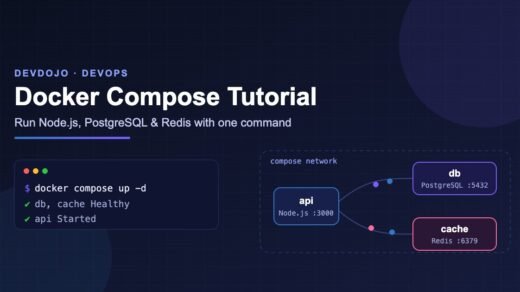
In production, most teams don’t use cluster by hand. They run several containers behind a load balancer (see our Docker Compose tutorial) or use a process manager like PM2.
17. How do you find a memory leak or slow code? Advanced
Start with process.memoryUsage() to watch heap growth over time. Then run node --inspect app.js and open chrome://inspect to take heap snapshots and CPU profiles. Common leak causes: global arrays or caches that never shrink, event listeners added on every request and never removed, and timers that are never cleared.
Modern Node.js Features Questions
Interviewers increasingly ask, “Which new Node.js features do you use?” It checks whether you keep up. These are all built in — no extra packages:
18. What tools are now built into Node.js? Intermediate
fetch— the same API as the browser, for HTTP requests.node --watch app.js— restarts on file changes (replaces nodemon for many projects).node --env-file=.env app.js— loads environment variables without thedotenvpackage.node:test— a built-in test runner withdescribe,itand mocking.- Running TypeScript directly — recent versions strip type annotations, so
node app.tsworks for code that only uses “erasable” TypeScript syntax (noenumornamespace). Read the official Node.js TypeScript docs for the details, and see our TypeScript 7 migration guide for type checking.
Here is a complete test using only the built-in runner. Run it with node --test:
math.test.mjs
import { describe, it } from 'node:test';
import assert from 'node:assert/strict';

function applyDiscount(price, percent) {
  if (percent < 0 || percent > 100) throw new RangeError('percent must be 0-100');
  return Math.round(price * (100 - percent)) / 100;
}

describe('applyDiscount', () => {
  it('applies a 10% discount', () => {
    assert.equal(applyDiscount(500, 10), 450);
  });

  it('throws for an invalid percent', () => {
    assert.throws(() => applyDiscount(500, 120), RangeError);
  });
});
API and Express Questions
19. What is middleware in Express? Beginner
Middleware is a function that runs between the incoming request and your final route handler. It receives (req, res, next) and can read or change the request, end the response, or call next() to pass control on. Logging, authentication, body parsing and rate limiting are all middleware. An error-handling middleware has four arguments: (err, req, res, next).
In Express 5, if an async route throws or rejects, the error goes to your error handler automatically — no more wrapping every route in try/catch.
server.mjs
// npm install express
import express from 'express';

const app = express();
app.use(express.json());

// Simple logging middleware
app.use((req, res, next) => {
  const start = Date.now();
  res.on('finish', () => console.log(`${req.method} ${req.url} ${res.statusCode} ${Date.now() - start}ms`));
  next();
});

app.get('/users/:id', async (req, res) => {
  const id = Number(req.params.id);
  if (!Number.isInteger(id)) {
    const err = new Error('User id must be a number');
    err.status = 400;
    throw err; // Express 5 forwards this to the error handler
  }
  res.json({ id, name: 'Asha' });
});

// Error-handling middleware: 4 arguments, registered last
app.use((err, req, res, next) => {
  res.status(err.status ?? 500).json({ error: err.message });
});

app.listen(3000, () => console.log('API running on http://localhost:3000'));
20. How do you keep a Node.js API secure? Intermediate
A good short answer covers: validate all input (for example with Zod), use parameterised queries to stop SQL injection, keep secrets in environment variables (never in Git), add security headers (the helmet package), rate-limit login routes, run npm audit in CI, and keep Node.js on a supported LTS version so you get security patches.
Common Mistakes and Fixes
Interviewers love asking “What went wrong here?” These are the errors you will see most in real Node.js projects:
| Error or symptom | Why it happens | Fix |
|---|---|---|
Cannot use import statement outside a module | The file is treated as CommonJS. | Add "type": "module" to package.json or rename the file to .mjs. |
ERR_HTTP_HEADERS_SENT | The code sends a response twice, often a missing return. | Use return res.json(...) so the function stops after responding. |
EADDRINUSE: address already in use :::3000 | Another process already uses the port. | Stop the old process or use process.env.PORT with a different value. |
| Process crashes with “unhandled rejection” | A promise rejected and nothing caught it. | Add try/catch around await, or .catch() on chains. |
| Server freezes under load | CPU-heavy work or *Sync calls block the event loop. | Move heavy work to worker_threads; use async APIs. |
MaxListenersExceededWarning | Listeners are added on every request and never removed. | Add listeners once, or use once() / off(). |
| Slow API with many awaits in a loop | Independent calls run one by one. | Run them together with Promise.all. |
Interview Tips and Best Practices
- Explain, then show. Give a one-line answer, then a tiny example. Interviewers want to see that you understand why.
- Draw the event loop. If there is a whiteboard, sketch the phases and the microtask queue. It shows clear thinking.
- Talk about trade-offs. “Node.js is great for I/O-heavy APIs, but for CPU-heavy work I would use worker threads or a different service.”
- Mention production habits. Logging, graceful shutdown on
SIGTERM, health-check routes, and CI tests show real-world experience. - Build one small project. A REST API with tests, a database and a Dockerfile gives you stories to tell for almost every question.
- Know your version. Say which Node.js LTS you use and one new feature you like. It signals that you keep learning.
Frequently Asked Questions
What are the most asked Node.js interview questions for freshers?
For freshers, expect: What is Node.js? Is it single-threaded? What is the event loop? Blocking vs non-blocking code, callbacks vs promises vs async/await, CommonJS vs ES Modules, what npm and package.json do, and what Express middleware is.
Is Node.js good for CPU-heavy tasks?
Not on the main thread. Long calculations block the event loop and every other request waits. Move CPU-heavy work to worker_threads, a job queue, or a separate service written in a language better suited to it.
Which Node.js version should I learn for interviews?
Learn on the current LTS version. Node.js 24 is in Active LTS, and Node.js 26 becomes LTS at the end of October. The core concepts — event loop, streams, async code — are the same in both.
Do I need to know Express for a Node.js interview?
Usually yes. Express is still the most common web framework in job descriptions. Knowing routing, middleware and error handling is enough for most roles. Knowing a second framework like Fastify or NestJS is a bonus.
What is the difference between Node.js and JavaScript?
JavaScript is the programming language. Node.js is a runtime that runs JavaScript outside the browser and adds server APIs like the file system, HTTP and streams. Browsers add different APIs, like the DOM.
Conclusion
Most Node.js interview questions come from a few core ideas: one JavaScript thread plus an event loop, non-blocking I/O, promises and async/await, streams for big data, and the right tool for scaling. Understand those, run the examples above, and you will be able to answer both the simple questions and the tricky “what is the output?” puzzles calmly.
Bookmark this page, practise one section a day, and try explaining each answer to a friend. If you can teach it, you can answer it in an interview.
New posts every day on DevDojo
We publish practical, beginner-friendly guides on Node.js, React, Python, AI and DevOps every day. Next, set up automatic testing for your project with our GitHub Actions CI/CD guide for Node.js — and leave your toughest interview question in the comments below.