What you should know first: this is the first part, so no earlier part is needed. You should know basic JavaScript (variables, functions, arrays, objects and arrow functions). If promises still feel new, keep our JavaScript Promises guide open for later parts.
If you have written JavaScript for the browser, you already know half of backend development. Node.js lets the same language run outside the browser: on your laptop, on a server, inside build tools and in the cloud. In this first part of the Node.js series you will learn, in simple words, what is Node.js, how it is different from browser JavaScript, and why its “never wait” design makes it so good for web servers and APIs. Then you will install it, write your first scripts, and build a small web server with zero packages.
- Node.js is a free, open-source JavaScript runtime: a program that runs JavaScript outside the browser, built on Google’s V8 engine.
- It adds what servers need and browsers do not have: files (
fs), network servers (http), the operating system (os,process) and the huge npm package library. - Node.js is non-blocking: slow work (files, network, databases) runs in the background, and the event loop runs your callback when the result is ready. One process can serve thousands of users.
- Install the LTS (long-term support) version, then run a file with
node hello.js. - A web server needs only the built-in
node:httpmodule;node --watchrestarts it whenever you save.
Full Node.js roadmap (30 parts)
Beginner
- What Is Node.js and How to Build Your First Node.js App You are here
- Modules in Node.js: ES Modules, CommonJS and import/export Coming soon
- npm and package.json: Installing and Managing Packages Coming soon
- Working with Files and Folders: the fs and path Modules Coming soon
- Asynchronous Node.js: Callbacks, Promises and async/await Coming soon
- The Event Loop Explained Simply Coming soon
- Events and EventEmitter: Building Event-Driven Code Coming soon
- Streams and Buffers: Handling Large Data Efficiently Coming soon
- Building a Web Server with the http Module Coming soon
- Mini Project: Build a Command-Line Tool with Node.js Coming soon
Intermediate
- Express.js Basics: Routes, Requests and Responses Coming soon
- Middleware in Express: How Requests Flow Coming soon
- Build a REST API with Express: Full CRUD Coming soon
- Validating Request Data with Zod Coming soon
- Environment Variables and Configuration (–env-file and .env) Coming soon
- Connecting Node.js to PostgreSQL Coming soon
- Using an ORM: Prisma vs Drizzle Coming soon
- MongoDB with Mongoose Coming soon
- Authentication: Password Hashing, Sessions and JWT Coming soon
- Error Handling and Logging with Pino Coming soon
Advanced
- Testing Node.js Apps with node:test and Supertest Coming soon
- TypeScript with Node.js: Running .ts Files Directly Coming soon
- File Uploads and Image Processing Coming soon
- Real-Time Apps with WebSockets and Socket.IO Coming soon
- Caching with Redis Coming soon
- Background Jobs and Queues with BullMQ Coming soon
- Worker Threads and Clustering for Performance Coming soon
- Security Best Practices for Node.js APIs Coming soon
- Debugging, Profiling and Performance Tuning Coming soon
- Final Project: Build and Deploy a Production-Ready Node.js API Coming soon
What is Node.js? (simple definition)
Node.js is a JavaScript runtime. A runtime is the environment that actually runs your code. Before Node.js, the only place JavaScript could run was inside a web browser. In 2009 Ryan Dahl took V8, the very fast JavaScript engine from Google Chrome, and wrapped it in a program that can run on any computer and talk to the file system and the network. That program is Node.js.
Three words help you understand it:
Node.js is used by companies such as Netflix, PayPal, LinkedIn, Uber, Walmart and many Indian startups and product companies for APIs and web servers. It also powers almost every modern frontend tool: Vite, Next.js, ESLint and TypeScript all run on Node.js. So even frontend developers use it every day. The official site nodejs.org/learn has a good free introduction too.
Browser JavaScript vs Node.js
The language is the same: let, const, functions, arrays, objects, promises and async/await all work exactly as you know them. What changes is the toolbox around the language.
| Topic | Browser | Node.js |
|---|---|---|
| Where it runs | On the visitor’s device, inside a tab | On your computer or a server |
| Main job | Show pages and react to clicks | Serve APIs, read files, talk to databases, run tools |
| Special objects | document, window, localStorage | process, fs, http, os, path |
| Access to files | No (only files the user picks) | Yes, full access to the file system |
| Who controls the version | The user’s browser | You do, so you can use the newest features |
| Packages | Bundled by tools like Vite | Installed with npm and imported directly |
fetch(), URL, setTimeout, structuredClone and Web Streams. Code you learned for the browser often works in Node.js without changes.How Node.js works: the event loop in simple words
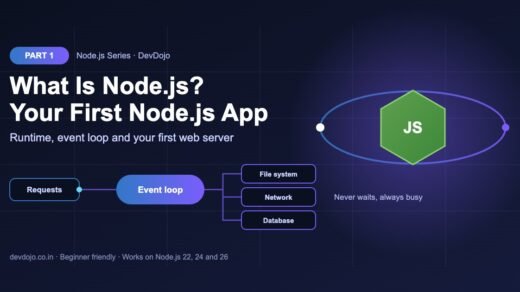
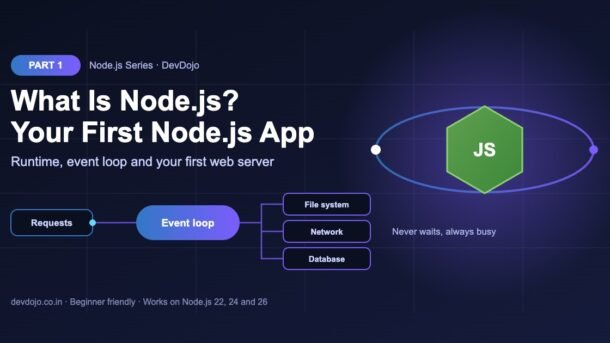
Think of a busy restaurant with one very fast waiter. The waiter takes your order, gives it to the kitchen, and immediately goes to the next table. They do not stand in the kitchen waiting for your food. When a dish is ready, the kitchen rings a bell and the waiter delivers it.
Node.js works the same way:
- Your JavaScript runs on one main thread (the waiter). It runs one piece of code at a time.
- Slow work is handed off (to the kitchen). Reading a file, calling another API or querying a database is done by the operating system and a C library called libuv, in the background.
- Finished work waits in a queue (the bell). Each finished job has a callback, a function you gave Node.js to run “when it is done”.
- The event loop delivers results. Whenever the main thread is free, the event loop takes the next callback from the queue and runs it.
This style is called non-blocking I/O (I/O means input/output: files, network, databases). Because the main thread never waits, a single Node.js process can handle thousands of users at the same time, as long as each request does mostly I/O and not heavy number crunching.
for loop that runs for 5 seconds freezes every user on your server for 5 seconds. Heavy CPU work belongs in worker threads or a separate service (we cover this in Part 27).We will study the event loop deeply in Part 6. For now, the restaurant picture is all you need.
What can you build with Node.js?
npm, vite and eslint.Install Node.js (choose the LTS version)
On nodejs.org/download you will see two kinds of versions. LTS (Long Term Support) gets bug and security fixes for about 30 months, which is why companies use it in production. Current has the newest features but changes faster. As a beginner, always pick LTS. Everything in this series works on Node.js 22, 24 and 26.
The easiest way on Windows is the official LTS installer from nodejs.org. It also installs npm and adds node to your PATH. If you like the terminal, winget does the same in one command.
# Option 1: download the LTS installer from nodejs.org and click Next
# Option 2: use winget (built into Windows 10 and 11)
$ winget install OpenJS.NodeJS.LTS
# Close and reopen the terminal, then check:
$ node -v
$ npm -v
On a Mac we recommend nvm. It lets you install many Node.js versions side by side and switch between them, which you will need when different projects use different versions.
# Install nvm (check github.com/nvm-sh/nvm for the newest version)
$ curl -o- https://raw.githubusercontent.com/nvm-sh/nvm/v0.40.3/install.sh | bash
# Restart the terminal, then install the latest LTS version
$ nvm install --lts
$ nvm use --lts
$ node -v
On Ubuntu, Debian or WSL, skip the old apt install nodejs package (it is often years behind). Use nvm instead:
# Same nvm steps work on Linux and WSL
$ curl -o- https://raw.githubusercontent.com/nvm-sh/nvm/v0.40.3/install.sh | bash
$ source ~/.bashrc
$ nvm install --lts
$ node -v
# Switch versions any time, per project
$ nvm install 24
$ nvm use 24
Pick your operating system above to see the right install steps.
Now open a new terminal and check that both node and npm (the package manager that comes with Node.js) are ready. Your version numbers may be newer; that is fine.
# Check that Node.js and npm are installed
$ node -v
v22.22.0
$ npm -v
10.9.4
Try the Node.js REPL (a JavaScript playground)
Type node with no file name and you enter the REPL (Read, Evaluate, Print, Loop). It reads a line of JavaScript, runs it, prints the result and waits for the next line. It is perfect for quick experiments.
$ node
Welcome to Node.js v22.22.0.
Type ".help" for more information.
> 2 + 3
5
> "devdojo".toUpperCase()
'DEVDOJO'
> [1, 2, 3].map(n => n * 2)
[ 2, 4, 6 ]
> .exit
Press Ctrl + C twice or type .exit to leave. Use the REPL to test small ideas; use files for real programs.
Your first Node.js script
Create a folder called node-part1, open it in VS Code, and create a file named hello.js. This script greets you and prints some facts about your machine, things a browser is not allowed to tell a web page.
// hello.js – your first Node.js program
import os from "node:os";

const name = process.argv[2] ?? "DevDojo reader";

console.log(`Hello, ${name}!`);
console.log("Node.js version:", process.version);
console.log("Operating system:", os.platform());
console.log("CPU cores:", os.cpus().length);$ node hello.js Lokendra
Hello, Lokendra!
Node.js version: v22.22.0
Operating system: linux
CPU cores: 2Click ▶ Run to see the real output in the terminal panel.
Let’s read it line by line:
import os from "node:os"loads a built-in module. Thenode:prefix makes it clear this is part of Node.js itself, not an npm package. (To useimportin a.jsfile, add"type": "module"topackage.json; we do that below. Recent Node.js versions also detect it automatically.)processis a global object about the running program.process.argvis the list of words you typed in the terminal, soprocess.argv[2]is the first extra word (Lokendra).??gives a default value when nothing was typed.process.version,os.platform()andos.cpus()read details from the computer.
Run it with node hello.js, then with node hello.js YourName. Congratulations, you have just run JavaScript outside the browser.
See non-blocking code in action
Now let’s prove the restaurant idea with real code. Before you click Run, guess the order in which the five lines will print.
// async-demo.js – Node.js does not wait for slow work
import { readFile } from "node:fs/promises";

console.log("1. Start");

setTimeout(() => {
  console.log("4. Timer finished (after 0 ms)");
}, 0);

readFile("package.json", "utf8").then((text) => {
  const pkg = JSON.parse(text);
  console.log(`5. File read: project name is "${pkg.name}"`);
});

console.log("2. Asked for the timer and the file");
console.log("3. Still running other code...");$ node async-demo.js
1. Start
2. Asked for the timer and the file
3. Still running other code...
4. Timer finished (after 0 ms)
5. File read: project name is "node-part1"Make your guess, then click ▶ Run.
Even with a delay of 0 ms, the timer message prints after lines 2 and 3. Here is why:
- Node.js runs all the normal code from top to bottom first (lines 1, 2, 3).
setTimeoutandreadFiledo not stop the program. They hand the work to the background and register a callback.- Only when the main code is finished does the event loop run the waiting callbacks: first the timer, then the file result once the disk has answered.
async/await in detail.Build your first web server with Node.js
This is where Node.js shines. With the built-in node:http module you can build a working web server in about 20 lines, with no npm packages at all. Our server answers three kinds of requests: the home page /, a small JSON API at /api/time, and a 404 page for everything else.
// server.js – a tiny web server with no packages at all
import { createServer } from "node:http";

const PORT = process.env.PORT || 3000;

const server = createServer((req, res) => {
  if (req.url === "/") {
    res.writeHead(200, { "Content-Type": "text/plain; charset=utf-8" });
    res.end("Hello from Node.js!\n");
  } else if (req.url === "/api/time") {
    res.writeHead(200, { "Content-Type": "application/json" });
    res.end(JSON.stringify({ time: new Date().toISOString() }));
  } else {
    res.writeHead(404, { "Content-Type": "text/plain" });
    res.end("Page not found\n");
  }
});

server.listen(PORT, () => {
  console.log(`Server running at http://localhost:${PORT}/`);
});$ node server.js
Server running at http://localhost:3000/// client.js – call our server with the built-in fetch()
const base = "http://localhost:3000";
const home = await fetch(base + "/");
console.log(home.status, (await home.text()).trim());
const api = await fetch(base + "/api/time");
const data = await api.json();
console.log(api.status, data);
const missing = await fetch(base + "/nope");
console.log(missing.status, (await missing.text()).trim());$ node client.js
200 Hello from Node.js!
200 { time: '2026-10-23T13:54:05.642Z' }
404 Page not foundClick the server.js and client.js tabs, then ▶ Run on each. Start the server first and keep it running; run the client in a second terminal.
How the server works:
createServer()takes a function that runs for every request. It receivesreq(the request: URL, method, headers) andres(the response you send back).res.writeHead(200, ...)sets the status code and headers.200means OK,404means not found. TheContent-Typeheader tells the browser what kind of data is coming.res.end(...)sends the body and finishes the response. For JSON we turn an object into text withJSON.stringify.server.listen(PORT)starts listening.process.env.PORTlets a hosting platform choose the port, with3000as the local default.
Open http://localhost:3000/ and http://localhost:3000/api/time in your browser too. In client.js we used the built-in fetch() and top-level await (allowed in ES modules) to test the server from code. You can also test with curl http://localhost:3000/.
http module, so understanding it now makes those frameworks easy later (Part 11 starts Express).package.json, npm scripts and –watch
Every Node.js project has a package.json file in its root folder. It stores the project name, version, the packages it needs and handy scripts. Create one with npm init -y (-y means “yes to all defaults”):
# Create a folder and a package.json in one go
$ mkdir node-part1
$ cd node-part1
$ npm init -y
Wrote to /home/you/node-part1/package.json:

{
  "name": "node-part1",
  "version": "1.0.0",
  "description": "",
  "main": "index.js",
  "scripts": {
    "test": "echo \"Error: no test specified\" && exit 1"
  },
  "keywords": [],
  "author": "",
  "license": "ISC"
}
Now edit it to look like this. We add "type": "module" so import works in every .js file, and two scripts: start for normal runs and dev for development.
{
  "name": "node-part1",
  "version": "1.0.0",
  "type": "module",
  "scripts": {
    "start": "node server.js",
    "dev": "node --watch server.js"
  }
}Run the scripts from the terminal:
# Run a script from package.json
$ npm run dev
# Or use Node's own faster script runner (Node.js 22+)
$ node --run dev
# Restart automatically when you save a file (no nodemon needed)
$ node --watch server.js
# Stop the server
# press Ctrl + C
npm run devruns thedevscript.npm startis a short form for thestartscript.node --run devdoes the same but starts faster because it skips npm (available in Node.js 22 and newer).node --watchrestarts the server every time you save a file. You no longer need the oldnodemonpackage for this.
package.json (and later package-lock.json) to Git, but never the node_modules folder. Add node_modules/ to your .gitignore. Part 3 covers npm in depth.Common Node.js errors and fixes
Every beginner hits these. Bookmark this table; you will see these messages again.
| Error message | Why it happens | How to fix it |
|---|---|---|
'node' is not recognized / command not found: node | Node.js is not installed, or the terminal was open before installing so PATH was not refreshed. | Install the LTS version, then close and reopen the terminal. With nvm, run nvm use --lts. |
SyntaxError: Cannot use import statement outside a module | You used import in a .js file, but the project is treated as CommonJS. | Add "type": "module" to package.json, or rename the file to .mjs. |
ReferenceError: require is not defined in ES module scope | You used old CommonJS require() inside an ES module. | Use import fs from "node:fs" instead (or rename the file to .cjs). |
ReferenceError: document is not defined | Browser-only objects like document, window and localStorage do not exist in Node.js. | Keep DOM code in the browser. In Node.js use modules like fs, http and os. |
Error: listen EADDRINUSE: address already in use :::3000 | Another program (often your old server) is already using port 3000. | Stop the old server with Ctrl + C, or start on another port: PORT=4000 node server.js. |
Error [ERR_MODULE_NOT_FOUND]: Cannot find module | Wrong file path, missing .js extension in an ES module import, or the package is not installed. | Check the path, write ./utils.js (with the extension), and run npm install. |
Best practices from day one
- Use the LTS version and a version manager (nvm, fnm or Volta) so each project can use the version it needs.
- Use ES modules (
import/exportwith"type": "module"). This is the modern standard and matches browser JavaScript. - Write the
node:prefix for built-in modules (node:fs,node:http). It is clearer and avoids confusion with npm packages. - Never block the event loop. Prefer the async versions of APIs (
fs/promisesinstead ofreadFileSync) inside servers. - Read config from environment variables (like
process.env.PORT) instead of hard-coding ports, passwords or API keys. - Use
node --watchin development and a plainnodecommand in production. - Keep secrets out of Git. No API keys in code files. We will set up
.envfiles properly in Part 15.
Practice task
Build a tiny “About me” API. Use only what you learned in this part.
- Create a new folder, run
npm init -yand add"type": "module"plus adevscript that usesnode --watch. - Copy
server.jsand add a new route/api/methat returns JSON with yourname,cityandskills(an array). - Add a route
/api/systemthat returns the Node.js version (process.version) and the number of CPU cores (os.cpus().length). - Make the 404 response JSON too:
{ "error": "Not found", "path": req.url }. - Bonus: change
client.jsto call all your routes and print the results. Then start the server on port 4000 usingPORT=4000 npm run dev.
Frequently asked questions
Is Node.js a programming language?
No. The language is JavaScript. Node.js is a runtime, the program that runs JavaScript outside the browser and gives it access to files, the network and the operating system.
Is Node.js frontend or backend?
Mainly backend: APIs, servers, databases and background jobs. But frontend developers also use Node.js every day, because tools like Vite, Next.js, ESLint and TypeScript run on it.
Is Node.js single-threaded?
Your JavaScript runs on one main thread, but Node.js itself uses extra threads (through libuv) for things like file access, and you can create worker threads for heavy CPU work. That is why one Node.js process can serve many users at once.
Which Node.js version should I install?
The latest LTS version shown on nodejs.org. Use a version manager like nvm so you can switch versions per project. All code in this series works on Node.js 22, 24 and 26.
Node.js vs Python or Java for backend: which is better?
All three are great. Node.js is a strong choice for APIs and real-time apps, and it lets you use one language (JavaScript or TypeScript) on both the frontend and the backend. Python shines in data and AI work, and Java is popular in large enterprise systems.
Is Node.js still worth learning?
Yes. It is one of the most used backend technologies, it has the largest package ecosystem (npm), and it appears in a huge number of backend and full-stack job posts in India and abroad. Preparing for interviews? See our Node.js interview questions.
Conclusion
You now know what Node.js is: a JavaScript runtime built on V8 that runs your code outside the browser and adds files, servers and operating-system access. You learned how it differs from browser JavaScript, how the event loop lets one thread serve many users without waiting, and what you can build with it. You installed Node.js, tried the REPL, wrote your first scripts, saw non-blocking code with your own eyes, built a web server with zero packages, and set up package.json with scripts and --watch.
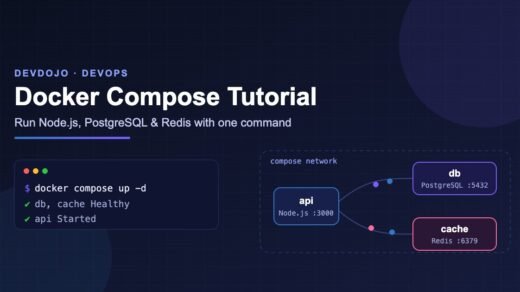
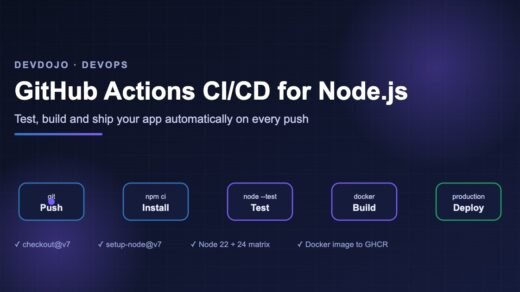
Want to see where this road leads? Our Docker Compose tutorial runs a Node.js app with PostgreSQL and Redis, and the GitHub Actions CI/CD guide for Node.js shows how to test and deploy it automatically.
import and require(), named vs default exports, and how Node.js finds your modules.New posts every day on DevDojo
Follow the full Node.js series – 30 parts from “what is Node.js” to building and deploying a production-ready API. Bookmark devdojo.co.in and tell us in the comments what you want to build with Node.js.