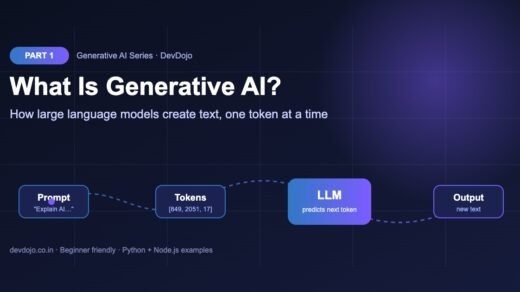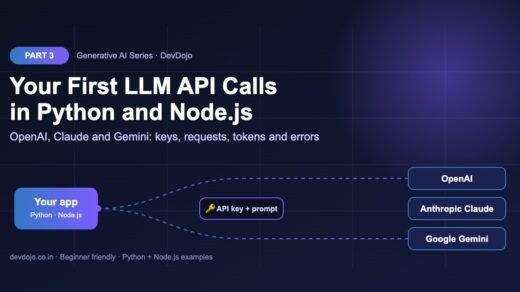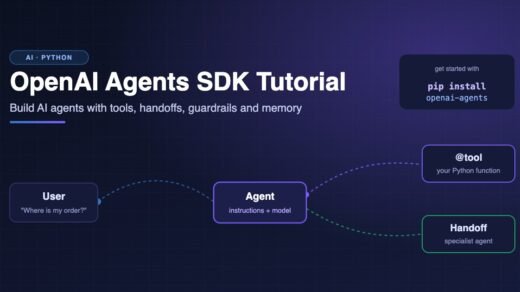
What you should know first: this is the first part, so no earlier part is needed. It helps if you know what a large language model is (see Generative AI Part 1: What Is Generative AI and How Do LLMs Work?) and how to call one from code (see Generative AI Part 3: Your First LLM API Calls). Basic Python or JavaScript is enough.
Everyone is talking about agentic AI. Coding assistants that fix bugs on their own, research tools that read fifty web pages and write a report, support bots that actually issue your refund. But what makes these systems different from a normal chatbot? In this first part of the Agentic AI series you will learn, in simple words, what agentic AI is, how an AI agent works step by step, and the one idea behind every agent: the think → act → observe loop. Then you will build two small agents yourself, one that runs with no API key at all, and one that uses a real LLM with tool calling in Python and Node.js.
- Agentic AI means AI systems that can work towards a goal on their own: they plan, take actions with tools, look at the results, and keep going until the job is done.
- An AI agent = an LLM (the brain) + tools (the hands) + instructions (the rules) + memory (the notes), running inside a loop.
- A chatbot answers once. A workflow follows steps that your code decides. An agent lets the model decide the next step.
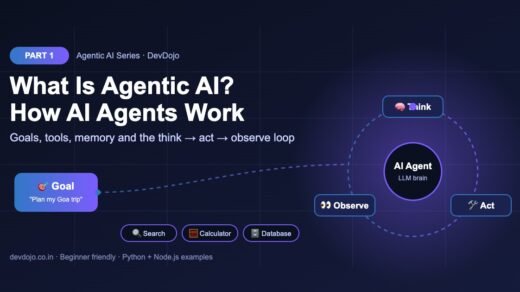
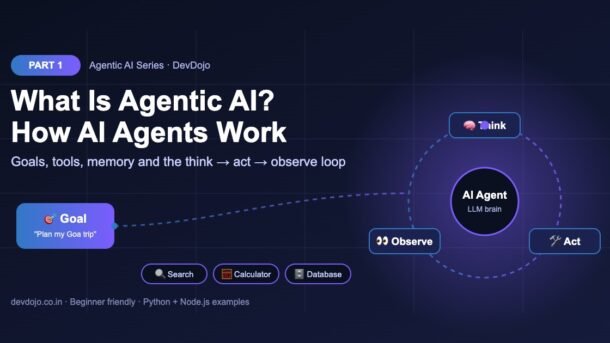
- The agent loop is simple: think (pick the next action) → act (run a tool) → observe (read the result) → repeat, with a step limit as a safety net.
- Agents are powerful but slower, costlier and harder to test. Use them when the steps cannot be known in advance.
Full Agentic AI roadmap (30 parts)
Beginner
- What Is Agentic AI and How Do AI Agents Work? You are here
- Anatomy of an AI Agent: Models, Tools, Instructions and Memory Coming soon
- Tool Calling for Agents: Letting an LLM Use Your Functions Coming soon
- Build Your First AI Agent from Scratch in Python (No Framework) Coming soon
- The ReAct Pattern: Reason, Act, Observe in Practice Coming soon
- Writing Good Agent Instructions and Tool Descriptions Coming soon
- Agent Memory: Short-Term, Long-Term and Scratchpads Coming soon
- Planning Agents: Breaking Big Goals into Steps Coming soon
Intermediate
- Workflow Patterns: Chaining, Routing and Parallel Steps Coming soon
- Model Context Protocol (MCP): Connecting Agents to Tools and Data Coming soon
- Agent Frameworks Compared: OpenAI Agents SDK, LangGraph, Claude Agent SDK and More Coming soon
- Building Stateful Agents with LangGraph Coming soon
- Agentic RAG: Agents That Search, Read and Cite Coming soon
- Browser and Computer-Use Agents Coming soon
- Coding Agents: How AI Writes, Runs and Fixes Code Coming soon
- Human-in-the-Loop: Approvals, Interrupts and Checkpoints Coming soon
- Multi-Agent Systems: Handoffs, Supervisors and Teams Coming soon
- Agent-to-Agent Communication with the A2A Protocol Coming soon
- Guardrails and Structured Outputs for Agents Coming soon
- Tracing and Debugging Agents Coming soon
Advanced
- Evaluating Agents: Task Success, Trajectories and Test Suites Coming soon
- Agent Security: Prompt Injection, Permissions and Sandboxing Coming soon
- Controlling Agent Cost and Latency Coming soon
- Long-Running Agents: Queues, Retries and Durable Execution Coming soon
- Deep Research Agents: Search, Synthesise and Report Coming soon
- Reflection and Self-Correcting Agents Coming soon
- Voice and Real-Time Agents Coming soon
- Deploying Agents to Production: APIs, Serverless and Containers Coming soon
- Monitoring and Improving Agents in Production Coming soon
- Final Project: Build a Multi-Agent Developer Assistant Coming soon
What is agentic AI?
Agentic AI is a way of building AI systems that do not just answer a question, but work on a goal. You give the system a task, like “find out why this test is failing and fix it”, and it decides by itself what to do first, which tools to use, what to do with the results, and when the job is finished.
The word “agentic” comes from agency: the ability to act on your own. A normal chatbot has very little agency. It reads your message and writes one reply. An AI agent has more agency. It can search the web, run code, read files, call APIs and send messages, and it can do this many times in a row until it reaches the goal.
A simple way to remember it:
Under the hood, almost every modern agent is built the same way: a large language model (LLM) runs inside a loop and is allowed to call tools. Anthropic describes agents as systems where the LLM dynamically directs its own process and tool usage, which is a nice short definition. You can read their excellent guide Building effective agents for more.
Chatbot vs workflow vs agent
Before we build anything, it is important to see the three common shapes of LLM apps. Many apps that are called “agents” are really workflows, and that is often a good thing.
| Question | Chatbot | Workflow | Agent |
|---|---|---|---|
| Who decides the steps? | Nobody, there is one step | Your code | The LLM |
| Can it use tools? | Usually no | Yes, in fixed places | Yes, whenever it wants |
| Number of LLM calls | 1 | Fixed (e.g. 3) | Unknown (1 to many) |
| Cost and speed | Cheap, fast | Predictable | Varies, often higher |
| Best for | Q&A, writing help | Known processes (summarise → translate → format) | Open-ended tasks (debug this, research that) |
The agent loop: think, act, observe
If you remember only one thing from this part, remember this loop. Every AI agent, from a tiny script to a large coding assistant, repeats these three steps:
- Think: the LLM looks at the goal and everything that has happened so far, and decides the next action. It can either call a tool or give the final answer.
- Act: your program runs the tool the LLM asked for (search, calculator, database query, API call, run a test).
- Observe: the result of the tool is added to the conversation history, so the LLM can see it on the next turn.
The loop stops when the LLM says “I am done” (it gives a final answer instead of a tool call), or when a step limit is reached. The step limit is very important: without it, a confused agent could loop forever and keep spending money.
The four building blocks of an AI agent
Every agent is made of the same four parts. In Part 2 we look at each one in depth, but here is the short version:
Notice what is not in the list: the model never runs a tool itself. It only asks for a tool call. Your code checks the request, runs the function and sends the result back. That is great news for safety, because your code is always in control.
Build a toy agent loop (no API key needed)
Let us see the loop in action without any AI service. In this example a small Python function called fake_brain plays the role of the LLM. It looks at its notes and decides the next action. Everything else, the tools, the loop, the memory and the step limit, is exactly how a real agent works.
The goal: “How much warmer is Delhi than Mumbai today?” To answer, the agent must look up two temperatures and then do a subtraction. That is three tool calls, chosen one at a time.
# A tiny agent loop with a fake "brain" - no API key needed.
# It shows the shape of every agent: think -> act -> observe -> repeat.

WEATHER = {"delhi": 31, "mumbai": 29, "bengaluru": 24}

def get_weather(city):
    """Tool 1: look up today's temperature (fake data)."""
    return WEATHER.get(city.lower(), "unknown")

def calculate(expression):
    """Tool 2: do simple maths safely."""
    allowed = set("0123456789+-*/(). ")
    if not set(expression) <= allowed:
        return "error: only numbers and + - * / allowed"
    return eval(expression)

TOOLS = {"get_weather": get_weather, "calculate": calculate}

def fake_brain(goal, notes):
    """Stands in for the LLM: decides the next action from what it knows."""
    if "delhi" not in notes:
        return ("get_weather", "Delhi")
    if "mumbai" not in notes:
        return ("get_weather", "Mumbai")
    if "difference" not in notes:
        return ("calculate", f"{notes['delhi']} - {notes['mumbai']}")
    return ("finish", f"Delhi is {notes['difference']} degrees warmer than Mumbai today.")

def run_agent(goal, max_steps=5):
    notes = {}  # the agent's short-term memory
    for step in range(1, max_steps + 1):
        action, arg = fake_brain(goal, notes)          # 1. think
        if action == "finish":
            print(f"Step {step}: FINISH -> {arg}")
            return arg
        result = TOOLS[action](arg)                      # 2. act
        print(f"Step {step}: {action}({arg!r}) -> {result}")
        key = arg.lower() if action == "get_weather" else "difference"
        notes[key] = result                              # 3. observe
    return "Stopped: too many steps"

run_agent("How much warmer is Delhi than Mumbai today?")$ python toy_agent.py
Step 1: get_weather('Delhi') -> 31
Step 2: get_weather('Mumbai') -> 29
Step 3: calculate('31 - 29') -> 2
Step 4: FINISH -> Delhi is 2 degrees warmer than Mumbai today.// A tiny agent loop with a fake "brain" - no API key needed.
const WEATHER = { delhi: 31, mumbai: 29, bengaluru: 24 };
const tools = {
get_weather: (city) => WEATHER[city.toLowerCase()] ?? "unknown",
calculate: (expr) =>
/^[0-9+\-*\/(). ]+$/.test(expr) ? Function(`return (${expr})`)() : "error",
};
function fakeBrain(goal, notes) {
if (!("delhi" in notes)) return ["get_weather", "Delhi"];
if (!("mumbai" in notes)) return ["get_weather", "Mumbai"];
if (!("difference" in notes))
return ["calculate", `${notes.delhi} - ${notes.mumbai}`];
return ["finish", `Delhi is ${notes.difference} degrees warmer than Mumbai today.`];
}
function runAgent(goal, maxSteps = 5) {
const notes = {};
for (let step = 1; step <= maxSteps; step++) {
const [action, arg] = fakeBrain(goal, notes); // 1. think
if (action === "finish") {
console.log(`Step ${step}: FINISH -> ${arg}`);
return arg;
}
const result = tools[action](arg); // 2. act
console.log(`Step ${step}: ${action}('${arg}') -> ${result}`);
const key = action === "get_weather" ? arg.toLowerCase() : "difference";
notes[key] = result; // 3. observe
}
return "Stopped: too many steps";
}
runAgent("How much warmer is Delhi than Mumbai today?");$ node toy-agent.mjs
Step 1: get_weather('Delhi') -> 31
Step 2: get_weather('Mumbai') -> 29
Step 3: calculate('31 - 29') -> 2
Step 4: FINISH -> Delhi is 2 degrees warmer than Mumbai today.Switch between Python and Node.js with the tabs, then press ▶ Run to see the real output.
Read the output line by line. In step 1 the agent did not know anything, so it asked for Delhi’s weather. In step 2 it noticed Mumbai was missing. In step 3 it had both numbers, so it used the calculator. In step 4 it had everything it needed and finished. Nobody wrote “call get_weather twice and then calculate”; the brain decided based on its notes. Now imagine replacing fake_brain with a real LLM that can reason about any goal. That is an AI agent.
max_steps=5 to max_steps=2 and run again. The agent stops early with “Stopped: too many steps”. This is your safety net in real agents.Your first real AI agent with tool calling
Now let us give the loop a real brain. Modern LLM APIs support tool calling (also called function calling): you describe your tools with a name, a description and a JSON schema for the inputs, and the model replies either with normal text or with a request like get_weather({"city": "Delhi"}). We will use the OpenAI Responses API here, but Claude and Gemini work the same way, as you saw in Generative AI Part 3.
Setup
# 1. Create a project folder
$ mkdir agentic-ai-part1 && cd agentic-ai-part1

# 2. Python: virtual environment + OpenAI SDK
$ python -m venv .venv
$ source .venv/bin/activate      # Windows: .venv\Scripts\activate
$ pip install openai python-dotenv

# 3. Node.js (version 20.6 or newer for --env-file)
$ npm init -y && npm install openai

# 4. Save your key in .env (never commit this file)
$ echo "OPENAI_API_KEY=sk-your-key" > .env
$ echo ".env" >> .gitignore
The agent code
# pip install openai python-dotenv
import json
import os
from dotenv import load_dotenv
from openai import OpenAI

load_dotenv()
client = OpenAI()  # reads OPENAI_API_KEY from .env
MODEL = os.getenv("OPENAI_MODEL", "gpt-6-luna")

WEATHER = {"delhi": 31, "mumbai": 29, "bengaluru": 24}  # fake data

def get_weather(city):
    return json.dumps({"city": city, "temp_c": WEATHER.get(city.lower())})

TOOLS = [{
    "type": "function",
    "name": "get_weather",
    "description": "Get today's temperature in Celsius for an Indian city.",
    "parameters": {
        "type": "object",
        "properties": {"city": {"type": "string", "description": "e.g. Delhi"}},
        "required": ["city"],
        "additionalProperties": False,
    },
    "strict": True,
}]

def run_agent(goal, max_steps=6):
    history = [{"role": "user", "content": goal}]
    for step in range(max_steps):
        response = client.responses.create(
            model=MODEL,
            instructions="You are a weather helper. Always use tools for facts.",
            input=history,
            tools=TOOLS,
        )
        calls = [item for item in response.output if item.type == "function_call"]
        if not calls:                   # no tool requested = final answer
            return response.output_text
        history += response.output      # remember what the model asked for
        for call in calls:
            args = json.loads(call.arguments)
            result = get_weather(**args)
            print(f"  tool: {call.name}({args}) -> {result}")
            history.append({
                "type": "function_call_output",
                "call_id": call.call_id,
                "output": result,
            })
    return "Stopped: step limit reached"

print(run_agent("Is it warmer in Delhi or Mumbai today, and by how much?"))$ python agent_openai.py
tool: get_weather({'city': 'Delhi'}) -> {"city": "Delhi", "temp_c": 31}
tool: get_weather({'city': 'Mumbai'}) -> {"city": "Mumbai", "temp_c": 29}
Delhi is warmer today: 31°C vs 29°C in Mumbai, so it is 2°C warmer.// npm install openai
// run with: node --env-file=.env agent-openai.mjs
import OpenAI from "openai";
const client = new OpenAI(); // reads OPENAI_API_KEY from the environment
const MODEL = process.env.OPENAI_MODEL ?? "gpt-6-luna";
const WEATHER = { delhi: 31, mumbai: 29, bengaluru: 24 }; // fake data
function getWeather({ city }) {
return JSON.stringify({ city, temp_c: WEATHER[city.toLowerCase()] ?? null });
}
const tools = [{
type: "function",
name: "get_weather",
description: "Get today's temperature in Celsius for an Indian city.",
parameters: {
type: "object",
properties: { city: { type: "string", description: "e.g. Delhi" } },
required: ["city"],
additionalProperties: false,
},
strict: true,
}];
async function runAgent(goal, maxSteps = 6) {
const history = [{ role: "user", content: goal }];
for (let step = 0; step < maxSteps; step++) {
const response = await client.responses.create({
model: MODEL,
instructions: "You are a weather helper. Always use tools for facts.",
input: history,
tools,
});
const calls = response.output.filter((item) => item.type === "function_call");
if (calls.length === 0) return response.output_text; // final answer
history.push(...response.output);
for (const call of calls) {
const result = getWeather(JSON.parse(call.arguments));
console.log(` tool: ${call.name}(${call.arguments}) -> ${result}`);
history.push({ type: "function_call_output", call_id: call.call_id, output: result });
}
}
return "Stopped: step limit reached";
}
console.log(await runAgent("Is it warmer in Delhi or Mumbai today, and by how much?"));$ node --env-file=.env agent-openai.mjs
tool: get_weather({"city":"Delhi"}) -> {"city":"Delhi","temp_c":31}
tool: get_weather({"city":"Mumbai"}) -> {"city":"Mumbai","temp_c":29}
Delhi is warmer today: 31°C vs 29°C in Mumbai, so it is 2°C warmer.Click the tabs to compare Python and Node.js, then press ▶ Run. The output is an example; the model writes its own wording each time.
Here is what happens inside run_agent:
- We send the goal, the instructions and the
TOOLSlist to the model. - If the reply contains
function_callitems, the model wants to use a tool. We runget_weatherwith the arguments it chose, and add afunction_call_outputitem with the samecall_id, so the model knows which result belongs to which request. - We call the model again with the longer history. When it has enough information, it replies with plain text, and
response.output_textis our final answer. - The
max_stepslimit protects us from endless loops.
The model may ask for both cities in the same turn (two tool calls at once), which is why we loop over calls. The strict: True setting tells the API to make the arguments match your schema exactly. For all the options, see the official OpenAI function calling guide.
Workflow vs agent in code
The difference between a workflow and an agent is easy to see in code. In a workflow, you write the steps. In an agent, you write a loop and the model chooses the steps.
# WORKFLOW: your code decides every step, in a fixed order.
from llm import ask  # the small ask() helper from GenAI Part 3

def summarise_article(article):
    points = ask(f"List the 3 main points of this article:\n{article}")
    draft = ask(f"Write a 60-word summary from these points:\n{points}")
return ask(f"Fix grammar. Keep it under 60 words:\n{draft}")# AGENT: the model decides the next step, your code just runs the loop.
def agent(goal, llm, tools, max_steps=10):
history = [goal]
for _ in range(max_steps):
decision = llm(history, tools) # think: what should I do next?
if decision.is_final_answer:
return decision.text # done: goal reached
tool = tools[decision.tool_name]
result = tool(**decision.arguments) # act: run the chosen tool
history.append(result) # observe: add the result
return "Stopped: step limit reached" # safety netOpen both tabs: same LLM, very different control flow.
The workflow always makes exactly three LLM calls in the same order, so it is cheap and easy to test. The agent may make one call or ten, depending on the goal. Start with a workflow when you can; switch to an agent when the path really depends on what the model discovers along the way.
Levels of autonomy: from chat to multi-agent
“Agentic” is not yes-or-no; it is a scale. The more decisions you hand to the model, the more agentic the system is. Click the levels below:
The model only writes text. You ask, it answers. No tools, no loop. Example: asking an LLM to explain a regular expression.
Control: 100% with you. Risk: very low.
The model fills in steps that your code planned. For example: classify a support ticket → route it to the right prompt → draft a reply for a human to send.
Control: your code decides the path. Risk: low and easy to test.
The model decides the next step in a loop and uses tools. For example: a coding agent that reads files, runs tests, edits code and runs the tests again until they pass.
Control: shared. You decide which tools exist; the model decides when to use them. Risk: medium, so add step limits and approvals.
Several agents work together, each with its own tools and instructions. A “manager” agent may hand tasks to a researcher agent and a writer agent.
Control: mostly with the agents. Risk: higher, and harder to debug. We cover this in Part 17.
Real-world examples of agentic AI
- Coding agents: tools like Claude Code, OpenAI Codex and GitHub Copilot’s agent mode read your project, edit files and run commands to finish a task. (Our guide on writing AGENTS.md files shows how to give them project rules.)
- Research agents: “deep research” features search many sources, read them and write a report with citations.
- Customer support agents: look up an order, check the refund policy and create a refund request, asking a human for approval above a limit.
- DevOps agents: read alerts and logs, find the likely cause and suggest (or apply) a fix.
- Data agents: turn a question like “which city had the most sign-ups last month?” into SQL, run it and explain the result.
Agents also need a standard way to connect to tools. That is what the Model Context Protocol (MCP) does; see our tutorial on building an MCP server in TypeScript. And if you want a ready-made framework, read the OpenAI Agents SDK tutorial. In this series, though, we first build agents from scratch so you understand every piece.
When should you not use an agent?
Agents are exciting, but they are not always the right tool. Skip the agent when:
- The steps are always the same. A fixed workflow is cheaper, faster and easier to test.
- One LLM call is enough. Summarising one document does not need a loop.
- Mistakes are very costly and cannot be undone (payments, deleting data) and you cannot add human approval.
- You need an answer in under a second. Every loop step adds another model call.
A good rule from experienced teams: start with the simplest thing that works, and add agency only when it clearly improves results.
Common errors and fixes
| Problem | Why it happens | Fix |
|---|---|---|
| Agent loops forever or repeats the same tool call | No step limit, or the tool result is not added to the history | Always set max_steps; append every function_call_output to the history |
400 error: no tool call found for function call output | The call_id does not match, or the model’s function_call item was not sent back | Add response.output to the history before the outputs, and copy call.call_id exactly |
| Model answers from memory instead of using the tool | Weak instructions or a vague tool description | Say “Always use tools for facts” and describe clearly what each tool returns |
JSONDecodeError when reading arguments | Arguments are a JSON string, not an object | Use json.loads(call.arguments) / JSON.parse(call.arguments); turn on strict mode |
| Tool crashes and the whole agent stops | Exceptions inside the tool are not caught | Catch errors and return them as text (e.g. "error: city not found") so the model can try something else |
| Bill is higher than expected | Each loop step resends the whole history | Lower max_steps, keep tool outputs short, and log token usage per run |
Best practices for your first agents
- Start simple. One model, two or three tools, one clear goal. Add more only when you need it.
- Write tool descriptions like documentation. The model reads them to decide what to call. Say what the tool does, what each input means, and what it returns.
- Always have a stop condition. A step limit, a time limit and a cost limit.
- Keep humans in the loop for risky actions. Ask for approval before sending emails, spending money or changing data.
- Log every step. Print or save each tool call and result. When an agent goes wrong, these logs (called a trace) show you why.
- Give least privilege. A tool that reads one table is safer than a tool that runs any SQL.
- Test with real tasks. Collect 10 to 20 example goals and check how often the agent succeeds after every change.
Practice task
Extend the toy agent from this part:
- Add a third tool,
convert_to_fahrenheit(celsius), that returnscelsius * 9 / 5 + 32. - Change
fake_brainso that, after finding the difference, it also converts Delhi’s temperature to Fahrenheit before finishing. - Print the full
notesdictionary at the end so you can see the agent’s memory. - Bonus: in the real agent (
agent_openai.py), add the same tool toTOOLSand ask: “What is the temperature in Bengaluru in Fahrenheit?” Watch the model chain two tools by itself.
TOOLS, then pick which function to run by call.name, for example with a small dictionary like {"get_weather": get_weather, "convert_to_fahrenheit": convert_to_fahrenheit}. The model decides when to use each one. That is the power of agents.FAQ: agentic AI and AI agents
What is the difference between generative AI and agentic AI?
Generative AI creates content such as text, images or code from a prompt. Agentic AI uses generative models as a brain inside a loop, so the system can take actions with tools and work towards a goal over many steps.
Is ChatGPT an AI agent?
A plain chat is not an agent. But when ChatGPT, Claude or Gemini search the web, run code or use connected apps on their own to finish a task, they are acting as agents.
Do I need a framework like LangChain or LangGraph to build agents?
No. As you saw, an agent is a loop plus tool calling, about 40 lines of code. Frameworks help later with memory, tracing and multi-agent setups. We compare them in Part 11.
Which programming language is best for AI agents?
Python has the most libraries and examples, and TypeScript/Node.js is very popular for web apps. Both are fully supported by all major LLM SDKs, which is why this series shows both.
Are AI agents safe to use in production?
They can be, with care: limited tools, input validation, step and cost limits, logging, and human approval for risky actions. We cover agent security and prompt injection in Part 22.
Will AI agents replace developers?
Agents are very good at well-defined tasks, but someone still has to set goals, design tools, review results and own the system. Developers who know how to build and guide agents are in high demand.
Conclusion
You now know what agentic AI really means: AI systems that pursue a goal by running a think → act → observe loop with tools, instructions and memory. You saw how agents differ from chatbots and workflows, built a toy agent that runs without any API key, and wrote a real tool-calling agent in Python and Node.js with a step limit for safety. Most importantly, you learned that an agent is not magic: it is an LLM in a loop, and your code stays in control of which tools exist and when to stop.
New to LLMs? Start with Generative AI Part 1. Ready for a framework? Try the OpenAI Agents SDK tutorial.
New posts every day on DevDojo
Follow the full Agentic AI series – 30 parts from “what is an agent” to building a multi-agent developer assistant. Bookmark devdojo.co.in and tell us in the comments which agent you want to build first.