What you should know first: read Part 1: What Is Generative AI and How Do LLMs Work? and Part 2: Tokens, Context Windows and Model Parameters. You should know what a token is and that every model has a context window. Basic Python or JavaScript is enough.
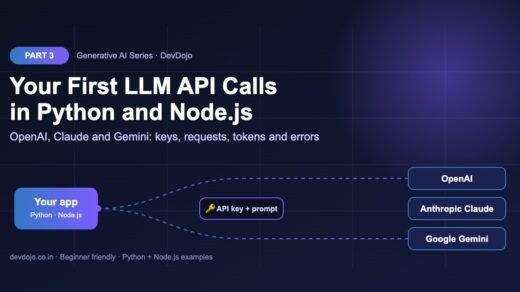
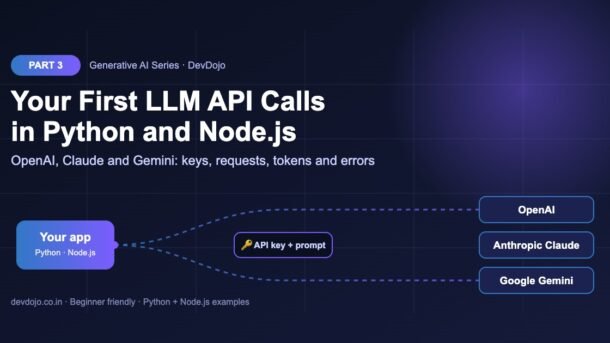
In the first two parts we learned how large language models think. Now it is time to write code. In this part you will make your first LLM API calls in Python and Node.js to the three most popular providers: OpenAI, Anthropic Claude and Google Gemini. You will create API keys safely, send a prompt, read the answer and the token usage, handle errors, and estimate cost. By the end, you will have one small helper that can talk to all three models with a single function call.
- An LLM API call is an HTTPS request: you send a model name, instructions and a prompt with your secret API key, and get back generated text plus token usage.
- Install the official SDKs:
openai,anthropic,google-genai(Python) andopenai,@anthropic-ai/sdk,@google/genai(Node.js). - Keep keys in a
.envfile, never in your code or Git. Each SDK reads its key from an environment variable automatically. - The three APIs are similar but not the same: the system prompt, the required fields and where the answer text lives are all a little different.
- Always read the
usagenumbers, catch errors like 401 and 429, and keep model names in config so you can change them later.
Full Generative AI roadmap (30 parts)
Beginner
- What Is Generative AI and How Do LLMs Work?
- Tokens, Context Windows and Model Parameters
- Your First LLM API Calls in Python and Node.js (OpenAI, Anthropic, Gemini) You are here
- Prompt Engineering Basics: Roles, Instructions and Examples Coming soon
- Temperature, Top-p and Controlling Model Output Coming soon
- Running Open Models Locally with Ollama Coming soon
- Streaming Responses and Building a Simple Chat UI Coming soon
- Structured Outputs: Getting Reliable JSON from LLMs Coming soon
Intermediate
- Embeddings Explained: Turning Text into Vectors Coming soon
- Vector Databases: pgvector, Chroma and Pinecone Coming soon
- RAG Fundamentals: Retrieval-Augmented Generation Coming soon
- Document Loading and Chunking Strategies Coming soon
- Better RAG: Hybrid Search, Re-ranking and Query Rewriting Coming soon
- Function Calling and Tool Use Coming soon
- Conversation Memory and Long Context Management Coming soon
- Multimodal AI: Vision, Images and Audio Inputs Coming soon
- How Image Generation Works: Diffusion Models Basics Coming soon
- LangChain vs LlamaIndex: When to Use a Framework Coming soon
- Testing LLM Apps: Evals, Metrics and Test Sets Coming soon
- Cutting Cost and Latency: Caching, Batching and Model Choice Coming soon
Advanced
- Fine-Tuning vs Prompting vs RAG: Choosing the Right Tool Coming soon
- Fine-Tuning an Open Model with LoRA Coming soon
- Transformers Deep Dive: Attention Explained Simply Coming soon
- Reasoning Models and Thinking Time Coming soon
- Guardrails, Safety and Prompt Injection Defence Coming soon
- Monitoring and Tracing LLM Apps in Production Coming soon
- Serving Open Models: vLLM, Quantization and GPUs Coming soon
- Building a Production GenAI App End to End Coming soon
- Responsible AI: Privacy, Licensing and Bias Coming soon
- Final Project: Build Your Own AI Knowledge Assistant Coming soon
What is an LLM API call?
When you chat in ChatGPT or Claude.ai, a web app sends your message to a model running on the provider’s servers. An API (Application Programming Interface) lets your own program do the same thing. Instead of typing in a chat box, your code sends an HTTPS request and gets the model’s answer back as data you can use: show it on a website, save it to a database, or pass it to another function.
Every LLM API call has the same basic parts:
The response comes back as JSON. The SDK turns it into an object with the generated text, the token usage (input and output tokens, which you learned about in Part 2), and a stop reason telling you why the model stopped writing.
fetch or requests, but the official SDKs add types, automatic retries, timeouts, clear error classes and helper fields like output_text. For beginners they remove a lot of small mistakes.Getting API keys safely
Each provider has its own developer console where you create a key:
- OpenAI: the OpenAI Platform dashboard → API keys. Add a small amount of billing credit first.
- Anthropic: the Claude Console → API keys. New accounts usually need to add credit before calls work.
- Google Gemini: Google AI Studio → Get API key. Gemini has a free tier with rate limits, which is great for learning.
The safe pattern is to store keys in a .env file that stays on your machine and is listed in .gitignore. Commit a .env.example with fake values, so teammates know which variables they need. The small script below checks which keys are set without ever printing the full key.
# Copy this file to .env and paste your own keys.
# Never commit .env to Git!
OPENAI_API_KEY=sk-your-openai-key
ANTHROPIC_API_KEY=sk-ant-your-anthropic-key
GEMINI_API_KEY=your-gemini-key

# Optional: change models without touching code
OPENAI_MODEL=gpt-6-luna
ANTHROPIC_MODEL=claude-haiku-5-5
GEMINI_MODEL=gemini-3.8-flash# pip install python-dotenv
import os
from dotenv import load_dotenv
load_dotenv() # reads the .env file in this folder
KEYS = ["OPENAI_API_KEY", "ANTHROPIC_API_KEY", "GEMINI_API_KEY"]
for name in KEYS:
value = os.getenv(name)
if value:
# never print the full key - show only the last 4 characters
print(f"{name:<18} found (...{value[-4:]})")
else:
print(f"{name:<18} missing - add it to your .env file")$ python check_keys.py
OPENAI_API_KEY found (...7f3a)
ANTHROPIC_API_KEY missing - add it to your .env file
GEMINI_API_KEY missing - add it to your .env fileClick the tabs to switch files, then press ▶ Run on check_keys.py to see the output.
Project setup for Python and Node.js
Create one folder for this whole part. We will install the three official SDKs for both languages. For Node.js you need version 20.6 or newer, because we use the built-in --env-file flag to load the .env file (no extra package needed).
# 1. Create a project folder
$ mkdir devdojo-llm-api && cd devdojo-llm-api

# 2. Python: create a virtual environment and install the three SDKs
$ python -m venv .venv
$ source .venv/bin/activate      # Windows: .venv\Scripts\activate
$ pip install openai anthropic google-genai python-dotenv

# 3. Node.js (version 20.6 or newer): install the same three SDKs
$ npm init -y
$ npm pkg set type=module
$ npm install openai @anthropic-ai/sdk @google/genai

# 4. Keep secrets out of Git
$ echo ".env" >> .gitignoreOPENAI_MODEL) with a sensible default. When a newer model arrives, you change one line in .env, not your code. Check each provider’s models page for the current list.Your first OpenAI API call
OpenAI recommends the Responses API (client.responses.create) for new projects. You pass the model, optional instructions (the system prompt) and the input (the user message). The SDK gives you a handy output_text field with the whole answer as one string, and usage with the token counts.
# pip install openai python-dotenv
import os
from dotenv import load_dotenv
from openai import OpenAI

load_dotenv()
client = OpenAI()  # reads OPENAI_API_KEY from the environment
model = os.getenv("OPENAI_MODEL", "gpt-6-luna")

response = client.responses.create(
    model=model,
    instructions="You are a friendly coding teacher. Answer in 2 short sentences.",
    input="What is an API key?",
    max_output_tokens=200,
)

print(response.output_text)
print("tokens in:", response.usage.input_tokens,
"| tokens out:", response.usage.output_tokens)$ python openai_hello.py
An API key is a secret password that tells the API who you are.
The service uses it to allow your requests and to bill your account.
tokens in: <about 40> | tokens out: <about 30>// npm install openai
// run with: node --env-file=.env openai-hello.mjs
import OpenAI from "openai";
const client = new OpenAI(); // reads OPENAI_API_KEY from the environment
const model = process.env.OPENAI_MODEL ?? "gpt-6-luna";
const response = await client.responses.create({
model,
instructions: "You are a friendly coding teacher. Answer in 2 short sentences.",
input: "What is an API key?",
max_output_tokens: 200,
});
console.log(response.output_text);
console.log("tokens in:", response.usage.input_tokens,
"| tokens out:", response.usage.output_tokens);$ node --env-file=.env openai-hello.mjs
An API key is a secret password that tells the API who you are.
The service uses it to allow your requests and to bill your account.
tokens in: <about 40> | tokens out: <about 30>Switch between Python and Node.js with the tabs, then press ▶ Run.
Notice three things. First, OpenAI() needs no arguments, because it reads OPENAI_API_KEY from the environment. Second, max_output_tokens puts a ceiling on the answer length (and cost). Third, the usage numbers are exactly the input and output tokens you are billed for. You can read more in the official OpenAI text generation guide.
client.chat.completions.create with a messages list. The Chat Completions API still works, but the Responses API is the newer recommended way and is what we use in this series.Your first Anthropic Claude API call
Claude uses the Messages API (client.messages.create). It looks a lot like a chat: you send a list of messages, each with a role ("user" or "assistant") and content. Two differences matter for beginners: the system prompt goes in a separate system field, and max_tokens is required.
# pip install anthropic python-dotenv
import os
from dotenv import load_dotenv
import anthropic

load_dotenv()
client = anthropic.Anthropic()  # reads ANTHROPIC_API_KEY
model = os.getenv("ANTHROPIC_MODEL", "claude-haiku-5-5")

message = client.messages.create(
    model=model,
    max_tokens=200,  # required for Claude
    system="You are a friendly coding teacher. Answer in 2 short sentences.",
    messages=[
        {"role": "user", "content": "What is an API key?"},
    ],
)

print(message.content[0].text)
print("tokens in:", message.usage.input_tokens,
      "| tokens out:", message.usage.output_tokens)
print("stop reason:", message.stop_reason)$ python claude_hello.py
An API key is a secret code that identifies your app to a service.
Keep it private, because anyone who has it can use your account.
tokens in: <about 35> | tokens out: <about 30>
stop reason: end_turn// npm install @anthropic-ai/sdk
// run with: node --env-file=.env claude-hello.mjs
import Anthropic from "@anthropic-ai/sdk";
const client = new Anthropic(); // reads ANTHROPIC_API_KEY
const model = process.env.ANTHROPIC_MODEL ?? "claude-haiku-5-5";
const message = await client.messages.create({
model,
max_tokens: 200, // required for Claude
system: "You are a friendly coding teacher. Answer in 2 short sentences.",
messages: [{ role: "user", content: "What is an API key?" }],
});
console.log(message.content[0].text);
console.log("tokens in:", message.usage.input_tokens,
"| tokens out:", message.usage.output_tokens);
console.log("stop reason:", message.stop_reason);$ node --env-file=.env claude-hello.mjs
An API key is a secret code that identifies your app to a service.
Keep it private, because anyone who has it can use your account.
tokens in: <about 35> | tokens out: <about 30>
stop reason: end_turnSame request, two languages. Notice that max_tokens is required for Claude.
The answer lives in message.content, which is a list of content blocks. For a simple text reply, the first block is a text block, so content[0].text works. Later in the series, when we use tools and images, you will see other block types too. The stop_reason tells you why Claude stopped: end_turn means it finished normally, while max_tokens means it hit your limit and the answer is cut off. See the Anthropic Messages API reference for every option.
Your first Google Gemini API call
Google’s official SDK is the Google Gen AI SDK: google-genai for Python and @google/genai for JavaScript. You create a client and call models.generate_content (Python) or models.generateContent (Node.js). The system prompt and limits go inside a config object.
# pip install google-genai python-dotenv
import os
from dotenv import load_dotenv
from google import genai
from google.genai import types

load_dotenv()
client = genai.Client()  # reads GEMINI_API_KEY
model = os.getenv("GEMINI_MODEL", "gemini-3.8-flash")

response = client.models.generate_content(
    model=model,
    contents="What is an API key?",
    config=types.GenerateContentConfig(
        system_instruction="You are a friendly coding teacher. Answer in 2 short sentences.",
        max_output_tokens=200,
    ),
)

print(response.text)
usage = response.usage_metadata
print("tokens in:", usage.prompt_token_count,
"| tokens out:", usage.candidates_token_count)$ python gemini_hello.py
An API key is a unique string that proves your program is allowed to use an API.
Think of it like a library card for software.
tokens in: <about 30> | tokens out: <about 30>// npm install @google/genai
// run with: node --env-file=.env gemini-hello.mjs
import { GoogleGenAI } from "@google/genai";
const ai = new GoogleGenAI({}); // reads GEMINI_API_KEY
const model = process.env.GEMINI_MODEL ?? "gemini-3.8-flash";
const response = await ai.models.generateContent({
model,
contents: "What is an API key?",
config: {
systemInstruction: "You are a friendly coding teacher. Answer in 2 short sentences.",
maxOutputTokens: 200,
},
});
console.log(response.text);
const usage = response.usageMetadata;
console.log("tokens in:", usage.promptTokenCount,
"| tokens out:", usage.candidatesTokenCount);$ node --env-file=.env gemini-hello.mjs
An API key is a unique string that proves your program is allowed to use an API.
Think of it like a library card for software.
tokens in: <about 30> | tokens out: <about 30>Click the tabs to compare the Python and Node.js versions.
Gemini gives you the full answer in response.text. Token counts are in usage_metadata with different names: prompt_token_count for input and candidates_token_count for output. Google also offers a newer Interactions API in the same SDK; the generate_content call shown here is the classic, widely used one and is great for learning. The Gemini API docs show both.
google-generativeai and genai.GenerativeModel(...). That is the old SDK. For new code, use google-genai as shown above.OpenAI vs Claude vs Gemini: comparing the request formats
All three APIs do the same job, but the field names are different. Click the tabs below to see the important details of each one side by side.
- Method:
client.responses.create(...) - System prompt:
instructions="..." - User message:
input="..."(a string, or a list of messages) - Length limit:
max_output_tokens(optional) - Answer text:
response.output_text - Tokens:
usage.input_tokens,usage.output_tokens
- Method:
client.messages.create(...) - System prompt:
system="..."(separate from messages) - User message:
messages=[{"role": "user", "content": "..."}] - Length limit:
max_tokens(required) - Answer text:
message.content[0].text - Tokens:
usage.input_tokens,usage.output_tokens
- Method:
client.models.generate_content(...) - System prompt:
config.system_instruction - User message:
contents="..." - Length limit:
config.max_output_tokens(optional) - Answer text:
response.text - Tokens:
usage_metadata.prompt_token_count,candidates_token_count
| Detail | OpenAI | Claude | Gemini |
|---|---|---|---|
| Key variable | OPENAI_API_KEY | ANTHROPIC_API_KEY | GEMINI_API_KEY |
| Python package | openai | anthropic | google-genai |
| Node.js package | openai | @anthropic-ai/sdk | @google/genai |
| Max tokens required? | No | Yes | No |
| Free tier for learning | No (prepaid credit) | No (prepaid credit) | Yes, with limits |
One helper function for all three providers
In real projects you often want to try more than one model, for example to compare quality or to have a backup when one provider is down. Instead of copying three different code styles everywhere, wrap them in one small ask() function that always returns the same shape: {"text", "in", "out"}. The rest of your app never needs to know which provider answered.
# One small helper that talks to all three providers
import os
from dotenv import load_dotenv

load_dotenv()

SYSTEM = "You are a friendly coding teacher. Answer in 2 short sentences."


def ask(provider: str, prompt: str) -> dict:
    """Send one prompt and return the text plus token usage."""
    if provider == "openai":
        from openai import OpenAI
        r = OpenAI().responses.create(
            model=os.getenv("OPENAI_MODEL", "gpt-6-luna"),
            instructions=SYSTEM, input=prompt, max_output_tokens=300,
        )
        return {"text": r.output_text,
                "in": r.usage.input_tokens, "out": r.usage.output_tokens}

    if provider == "anthropic":
        import anthropic
        r = anthropic.Anthropic().messages.create(
            model=os.getenv("ANTHROPIC_MODEL", "claude-haiku-5-5"),
            max_tokens=300, system=SYSTEM,
            messages=[{"role": "user", "content": prompt}],
        )
        text = "".join(b.text for b in r.content if b.type == "text")
        return {"text": text,
                "in": r.usage.input_tokens, "out": r.usage.output_tokens}

    if provider == "gemini":
        from google import genai
        from google.genai import types
        r = genai.Client().models.generate_content(
            model=os.getenv("GEMINI_MODEL", "gemini-3.8-flash"),
            contents=prompt,
            config=types.GenerateContentConfig(
                system_instruction=SYSTEM, max_output_tokens=300),
        )
        u = r.usage_metadata
        return {"text": r.text,
                "in": u.prompt_token_count, "out": u.candidates_token_count}

raise ValueError(f"Unknown provider: {provider}")import time
from llm import ask
prompt = "Explain what a REST API is to a beginner."
for provider in ["openai", "anthropic", "gemini"]:
start = time.perf_counter()
result = ask(provider, prompt)
seconds = time.perf_counter() - start
print(f"--- {provider} ({seconds:.1f}s, {result['in']} in / {result['out']} out)")
print(result["text"], "\n")$ python compare.py
--- openai (<time>s, <in> in / <out> out)
A REST API lets two programs talk over HTTP using URLs and methods like GET and POST. ...
--- anthropic (<time>s, <in> in / <out> out)
A REST API is a set of web addresses your app can call to read or change data. ...
--- gemini (<time>s, <in> in / <out> out)
Think of a REST API as a waiter: you send a request, it brings back data. ...llm.py hides the differences; compare.py uses it. Open the second tab and press ▶ Run.
This is the same idea that frameworks like LangChain and the Vercel AI SDK use, just much smaller. Writing it yourself once helps you understand what those tools do for you (we compare frameworks in Part 18). Notice that the Claude branch joins all text blocks instead of taking only the first one, which is a safer habit.
Handling errors, timeouts and retries
Network calls fail sometimes. Keys get revoked, you hit a rate limit, or the provider is busy. A good LLM app expects these problems and shows a clear message instead of crashing. The good news: all three official SDKs automatically retry some temporary errors (like connection problems, 429 and 5xx) a couple of times with a short wait in between. You can tune this with max_retries and timeout.
import os
import sys
from dotenv import load_dotenv
from openai import OpenAI, APIConnectionError, APIStatusError, RateLimitError

load_dotenv()

if not os.getenv("OPENAI_API_KEY"):
    sys.exit("Stop: OPENAI_API_KEY is not set. Add it to your .env file first.")

# The SDK already retries some errors for you - you can tune it:
client = OpenAI(max_retries=3, timeout=30.0)

try:
    r = client.responses.create(
        model=os.getenv("OPENAI_MODEL", "gpt-6-luna"),
        input="Give me one tip for writing clean code.",
    )
    print(r.output_text)
except RateLimitError:
    print("Too many requests (429). Wait a little and try again.")
except APIConnectionError:
    print("Could not reach the API. Check your internet or proxy.")
except APIStatusError as e:
    # 401 = bad key, 400 = bad request, 404 = wrong model name, 5xx = server problem
print(f"API error {e.status_code}: {e.message}")$ python safe_call.py
Stop: OPENAI_API_KEY is not set. Add it to your .env file first.Press ▶ Run to see what happens when the key is missing.
The Anthropic SDK has the same error classes (anthropic.RateLimitError, anthropic.APIStatusError and so on), and the Node.js SDKs throw errors with a status property you can check in a try/catch. Checking the key before the call, as shown above, gives beginners a far friendlier message than a long stack trace.
Estimating cost from token usage
In Part 2 you learned that you pay per token, and that output tokens usually cost more than input tokens. Now you have real numbers from usage, so you can turn them into money. Prices are listed per 1 million tokens on each provider’s pricing page. The script below uses example prices only, to show the maths.
# Estimate the cost of one request from its token usage.
# Prices are EXAMPLES in US dollars per 1 million tokens.
# Always check the provider's pricing page for real numbers.
PRICES = {
    "small model":  {"in": 0.25, "out": 2.00},
    "medium model": {"in": 3.00, "out": 15.00},
}

usage = {"in": 1_200, "out": 350}  # copy these from response.usage
requests_per_day = 5_000

for name, price in PRICES.items():
    one = (usage["in"] * price["in"] + usage["out"] * price["out"]) / 1_000_000
    month = one * requests_per_day * 30
print(f"{name:<13} ${one:.6f} per request -> ${month:,.2f} per month")$ python cost.py
small model $0.001000 per request -> $150.00 per month
medium model $0.008850 per request -> $1,327.50 per monthPress ▶ Run, then try your own token numbers.
Common errors and fixes
| Error you see | What it means | How to fix it |
|---|---|---|
401 Unauthorized / AuthenticationError | The API key is wrong, deleted or missing. | Check the variable name in .env, remove extra spaces or quotes, and create a new key if needed. |
The api_key client option must be set | The SDK could not find the key in the environment. | Call load_dotenv() in Python, or run Node.js with --env-file=.env. |
404 / model not found | The model name is misspelled or the model was retired. | Copy the exact model ID from the provider’s models page and set it in .env. |
429 Too Many Requests | Rate limit hit, or no credit left on the account. | Wait and retry, slow down your loop, or add billing credit. |
400 with “max_tokens” | Claude needs max_tokens on every request. | Add max_tokens=... to messages.create. |
| Answer is cut off mid-sentence | The output token limit was too small. | Increase max_output_tokens / max_tokens; check the stop reason. |
SyntaxError: Cannot use import statement | Node.js is treating the file as CommonJS. | Use the .mjs extension or set "type": "module" in package.json. |
ModuleNotFoundError: No module named 'google.genai' | The new Gemini SDK is not installed (or the old one is). | Run pip install google-genai inside your activated virtual environment. |
Best practices for LLM API calls
- Keep keys on the server. Never call these APIs directly from browser JavaScript or a mobile app with a real key. Put a small backend in between.
- Put model names in config. Models change often; an environment variable makes upgrades a one-line change.
- Always set an output limit. It protects you from very long (and expensive) answers.
- Log the usage numbers. Save input and output tokens for every request so you can track cost per feature or per user.
- Set timeouts and handle errors. Show a friendly message, and let the SDK’s built-in retries handle short hiccups.
- Use different keys for development and production, and set spending limits in each provider’s console.
- Do not send private data you do not need. Remove passwords, ID numbers and other secrets from prompts.
Bonus: what does the raw HTTP request look like?
Under the hood, the SDK sends a normal HTTPS POST request with a JSON body and your key in a header. For OpenAI it goes to https://api.openai.com/v1/responses with an Authorization: Bearer <key> header. Claude uses https://api.anthropic.com/v1/messages with x-api-key and anthropic-version headers. Gemini uses generativelanguage.googleapis.com with an x-goog-api-key header. Knowing this helps when you debug with tools like Postman or curl, but for apps, stick with the SDKs.
Practice task
Build a tiny command-line “Ask any model” tool using the ask() helper:
- Create
cli.py(orcli.mjs) that reads a provider name and a question from the command line, for examplepython cli.py gemini "What is Docker?". - Print the answer, the input and output tokens, and the time the call took.
- Add a
--maxoption that sets the output token limit. Try a very small value like 20 and look at the stop reason. - Use
cost.pylogic to print an estimated cost for each call using the real prices from the provider’s pricing page.
FAQ: LLM API calls in Python and Node.js
Which LLM API is best for beginners?
All three are good. Gemini is easy to start with because it has a free tier. OpenAI and Claude need a small prepaid credit but have excellent docs. Learn one well; the others then take minutes.
Is the ChatGPT Plus subscription the same as API access?
No. A ChatGPT or Claude.ai subscription is for the chat app only. API usage is billed separately, per token, from the developer platform.
Can I call an LLM API directly from React or the browser?
Not with your real key, because anyone could read it in the browser’s developer tools. Call the API from a backend (Node.js, Python, a serverless function) and let your front end talk to that backend.
Why does the same prompt give a different answer each time?
LLMs pick tokens with some randomness. You will learn how to control this with temperature and top-p in Part 5.
Do I need LangChain to call an LLM?
No. The official SDKs are enough for most apps. Frameworks can help with bigger pipelines like RAG and agents, which we cover later in the series.
How do I keep a conversation going with multiple messages?
Send the earlier messages again with each request (Claude and Gemini accept a list of turns; OpenAI accepts a list of input items or a previous response ID). We build a full chat in Part 7.
Conclusion
You just made real LLM API calls to OpenAI, Anthropic Claude and Google Gemini from both Python and Node.js. You now know how to keep API keys safe in a .env file, how each provider shapes its request and response, where to find the answer text and token usage, how to handle errors and retries, and how to estimate cost. Most importantly, you built a small ask() helper that hides the differences, which is the foundation for everything we build next in this series.
If you missed the theory, go back to Part 2: Tokens, Context Windows and Model Parameters. Want to see API calls used inside agents? Read our OpenAI Agents SDK tutorial and how to build an MCP server in TypeScript.
New posts every day on DevDojo
Follow the full Generative AI series – 30 parts from “what is an LLM” to building a production AI assistant. Bookmark devdojo.co.in and leave a comment if your first API call gave you any trouble.