What you should know first: read Generative AI Part 1: What Is Generative AI and How Do LLMs Work?. You should know that an LLM writes text by predicting the next token, again and again.
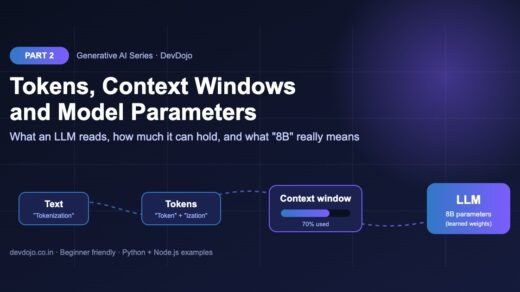
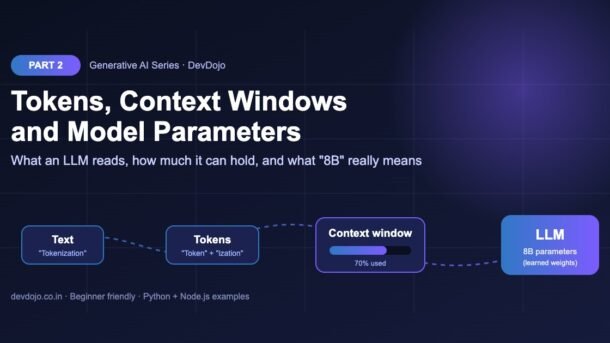
Every time you use ChatGPT, Claude or Gemini, three numbers quietly decide what happens: how many tokens your text becomes, how big the model’s context window is, and how many parameters the model has. They decide your bill, how much text the model can “see” at once, why a chatbot forgets the start of a long chat, and whether a model can run on your laptop. In Part 2 of the DevDojo Generative AI series, we explain all three in simple English and write small Python and Node.js programs to measure them yourself.
- A token is a small piece of text (often part of a word). Models read, think and bill in tokens. In English, 1 token is roughly 4 characters.
- The context window is the model’s working memory: the maximum number of tokens it can handle in one request, counting both your input and its output.
- Max output tokens limits how long the answer can be. If it is too small, the answer is cut off.
- Parameters are the numbers the model learned during training. “8B” means 8 billion of them. More parameters usually means more knowledge, but also more memory and cost.
- Count tokens with
tiktoken/js-tiktokenor a provider’s token counting API, and read theusagefield of every response.
Full Generative AI roadmap (30 parts)
Beginner
- What Is Generative AI and How Do LLMs Work?
- Tokens, Context Windows and Model Parameters You are here
- Your First LLM API Calls in Python and Node.js (OpenAI, Anthropic, Gemini) Coming soon
- Prompt Engineering Basics: Roles, Instructions and Examples Coming soon
- Temperature, Top-p and Controlling Model Output Coming soon
- Running Open Models Locally with Ollama Coming soon
- Streaming Responses and Building a Simple Chat UI Coming soon
- Structured Outputs: Getting Reliable JSON from LLMs Coming soon
Intermediate
- Embeddings Explained: Turning Text into Vectors Coming soon
- Vector Databases: pgvector, Chroma and Pinecone Coming soon
- RAG Fundamentals: Retrieval-Augmented Generation Coming soon
- Document Loading and Chunking Strategies Coming soon
- Better RAG: Hybrid Search, Re-ranking and Query Rewriting Coming soon
- Function Calling and Tool Use Coming soon
- Conversation Memory and Long Context Management Coming soon
- Multimodal AI: Vision, Images and Audio Inputs Coming soon
- How Image Generation Works: Diffusion Models Basics Coming soon
- LangChain vs LlamaIndex: When to Use a Framework Coming soon
- Testing LLM Apps: Evals, Metrics and Test Sets Coming soon
- Cutting Cost and Latency: Caching, Batching and Model Choice Coming soon
Advanced
- Fine-Tuning vs Prompting vs RAG: Choosing the Right Tool Coming soon
- Fine-Tuning an Open Model with LoRA Coming soon
- Transformers Deep Dive: Attention Explained Simply Coming soon
- Reasoning Models and Thinking Time Coming soon
- Guardrails, Safety and Prompt Injection Defence Coming soon
- Monitoring and Tracing LLM Apps in Production Coming soon
- Serving Open Models: vLLM, Quantization and GPUs Coming soon
- Building a Production GenAI App End to End Coming soon
- Responsible AI: Privacy, Licensing and Bias Coming soon
- Final Project: Build Your Own AI Knowledge Assistant Coming soon
What is a token? (quick recap)
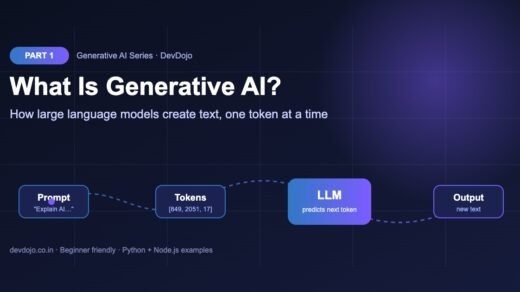
In Part 1 we saw that an LLM generates text one token at a time. A token is a small chunk of text. It can be a whole word (“cat”), part of a word (“ization”), a space plus a word (” fun”), a single punctuation mark (“!”) or even part of an emoji.
Why not just use letters or whole words?
- Letters would make every sentence very long (more steps for the model, slower and costlier).
- Whole words would need a gigantic dictionary and still fail on new words like “DevDojo” or a fresh library name.
- Sub-word tokens are the middle path: common words stay as one token, and any rare word can still be built from smaller pieces.
How tokenizers split text (BPE in simple words)
The program that splits text into tokens is called a tokenizer. Most modern LLMs use a method called Byte Pair Encoding (BPE) or a close cousin. The idea is simple:
- Start with single bytes (letters, digits, symbols).
- Look at a huge amount of training text and find the pair of pieces that appears together most often, for example “t” + “h”.
- Merge that pair into a new piece “th” and add it to the vocabulary.
- Repeat many thousands of times. Frequent chunks like “the”, “ing” and ” function” become single tokens.
The final list of pieces is the vocabulary. Modern vocabularies have from about 100,000 to over 200,000 entries. Each entry has an ID number, and the model only ever sees those numbers.
Count tokens in Python and Node.js
Let’s measure tokens for real. OpenAI publishes its tokenizer as the open-source tiktoken library for Python, and js-tiktoken is a JavaScript port. We use the o200k_base encoding, which recent OpenAI models use. First install them:
# Python
$ pip install tiktoken
# Node.js (pure JavaScript port, no native build needed)
$ npm install js-tiktoken
Now count tokens for four kinds of text: plain English, Hindi, a line of code and emojis.
# pip install tiktoken
import tiktoken

enc = tiktoken.get_encoding("o200k_base")  # tokenizer used by recent OpenAI models

samples = {
    "english": "Generative AI is changing how developers write software.",
    "hindi": "जनरेटिव एआई सॉफ्टवेयर बनाने का तरीका बदल रहा है।",
    "code": "const total = items.reduce((sum, x) => sum + x.price, 0);",
    "emoji": "Deploy done! 🚀🔥✅",
}

for name, text in samples.items():
    ids = enc.encode(text)
    ratio = len(text) / len(ids)
    print(f"{name:<8} {len(ids):>3} tokens  {len(text):>3} chars  {ratio:.1f} chars/token")

pieces = [enc.decode([i]) for i in enc.encode("Tokenization")]
print("Tokenization ->", pieces)$ python count_tokens.py
english 10 tokens 56 chars 5.6 chars/token
hindi 16 tokens 48 chars 3.0 chars/token
code 19 tokens 57 chars 3.0 chars/token
emoji 7 tokens 16 chars 2.3 chars/token
Tokenization -> ['Token', 'ization']// npm install js-tiktoken
import { getEncoding } from "js-tiktoken";
const enc = getEncoding("o200k_base"); // tokenizer used by recent OpenAI models
const samples = {
english: "Generative AI is changing how developers write software.",
hindi: "जनरेटिव एआई सॉफ्टवेयर बनाने का तरीका बदल रहा है।",
code: "const total = items.reduce((sum, x) => sum + x.price, 0);",
emoji: "Deploy done! 🚀🔥✅",
};
for (const [name, text] of Object.entries(samples)) {
const ids = enc.encode(text);
const ratio = (text.length / ids.length).toFixed(1);
console.log(`${name.padEnd(8)} ${String(ids.length).padStart(3)} tokens ${String(text.length).padStart(3)} chars ${ratio} chars/token`);
}
const pieces = enc.encode("Tokenization").map((id) => enc.decode([id]));
console.log("Tokenization ->", pieces);$ node count-tokens.mjs
english 10 tokens 56 chars 5.6 chars/token
hindi 16 tokens 48 chars 3.0 chars/token
code 19 tokens 57 chars 3.0 chars/token
emoji 7 tokens 18 chars 2.6 chars/token
Tokenization -> [ 'Token', 'ization' ]Click the file tabs to switch between Python and Node.js, then press ▶ Run to see the output.
Look closely at the output. It teaches three practical lessons:
- English is cheap. About 5–6 characters per token here, close to the popular “1 token ≈ 4 characters ≈ ¾ of a word” rule.
- Hindi and many other languages cost more. The Hindi sentence is shorter in characters but uses more tokens. If you build apps for Indian users, budget extra tokens for Hindi, Tamil, Telugu and other scripts.
- Code and emojis are token-hungry. Symbols like
=>, brackets and emojis often become separate tokens.
Also notice that the two programs report a different character count for the emoji line (16 vs 18). That is not a tokenizer difference: Python counts Unicode code points, while JavaScript’s length counts UTF-16 units, and emojis take two units. The token count is the same in both.
What is a context window in an LLM?
The context window is the maximum number of tokens a model can work with in a single request. Think of it as the model’s working memory or the size of its desk: everything the model should consider must be on the desk at the same time.
What goes on the desk? More than just your question:
- the system prompt (instructions like “You are a helpful tutor”),
- the chat history (every earlier user and assistant message, because the API is stateless and the app re-sends them),
- any documents, search results or tool definitions you add,
- your new message, and
- the answer the model is about to write.
Context windows have grown fast. Early ChatGPT-era models handled about 4,000 tokens (a few pages). Many current flagship models accept hundreds of thousands of tokens, and several now offer around 1 million tokens – roughly a few thousand pages of English text. Small open models you run at home often have much smaller windows, and you may set it lower yourself to save memory.
Input tokens, output tokens and max output
Providers count two kinds of tokens separately:
max_output_tokens in OpenAI’s Responses API, max_tokens in Anthropic’s Messages API). The model stops when it hits it, even mid-sentence.Each model also has its own maximum output (for example tens of thousands of tokens), which is usually far smaller than its context window. So a model with a 1M-token window can read a whole book, but it cannot write a whole book back in one reply.
Will it fit? A token budget calculator
Before sending a big request, a good habit is to check two things: does input + max output fit in the context window, and roughly what will it cost? This small script does both. The prices are example numbers only (per 1 million tokens); real prices change often, so always check your provider’s pricing page.
# A tiny "will it fit, and what will it cost?" calculator.
# Prices below are EXAMPLE numbers - always check your provider's pricing page.

def check_request(input_tokens, max_output_tokens, context_window,
                  price_in_per_m, price_out_per_m):
    total = input_tokens + max_output_tokens
    fits = total <= context_window
    # worst case: assumes the model uses the full max output
    cost = (input_tokens * price_in_per_m + max_output_tokens * price_out_per_m) / 1_000_000
    return fits, total, cost

requests = [
    # name,               input,   max output, context window
    ("short chat reply",   1_200,      500,    128_000),
    ("summarise a PDF",   95_000,    2_000,    128_000),
    ("whole codebase",   180_000,    4_000,    128_000),
    ("whole codebase",   180_000,    4_000,  1_000_000),
]

for name, inp, out, window in requests:
    fits, total, cost = check_request(inp, out, window,
                                      price_in_per_m=2.00, price_out_per_m=8.00)
    status = "fits" if fits else "TOO BIG"
print(f"{name:<17} {total:>8,} / {window:>9,} tokens {status:<7} ~${cost:.4f}")$ python token_budget.py
short chat reply 1,700 / 128,000 tokens fits ~$0.0064
summarise a PDF 97,000 / 128,000 tokens fits ~$0.2060
whole codebase 184,000 / 128,000 tokens TOO BIG ~$0.3920
whole codebase 184,000 / 1,000,000 tokens fits ~$0.3920Press ▶ Run to see which requests fit.
The “whole codebase” request fails on a 128K-token model but fits easily in a 1M-token model. Notice the cost does not change with the window size: you pay for the tokens you actually send and receive, not for the empty space.
Why chatbots forget: managing long conversations
LLM APIs are stateless. The model does not remember your last request. A chat app “remembers” by sending the whole conversation again on every turn. As the chat grows, the history eats more and more of the context window until something has to give. Apps usually choose one of these strategies:
- Sliding window: drop the oldest messages (simple and very common).
- Summarise: replace old messages with a short summary written by the model.
- Retrieve: store old messages or documents in a database and pull back only the relevant ones (this is RAG, coming in Part 11).
That is why a long chat can “forget” what you said at the start. Here is the sliding-window strategy in code. It always keeps the system message, then adds messages from newest to oldest until the budget is used up.
# Keep a chat inside a token budget by dropping the OLDEST messages first.

def estimate_tokens(text):
    # Rough rule for English: 1 token is about 4 characters.
    # Use a real tokenizer (tiktoken / count_tokens API) when you need exact numbers.
    return max(1, len(text) // 4)

def trim_history(messages, budget):
    system, chat = messages[0], messages[1:]   # always keep the system message
    used = estimate_tokens(system["content"])
    kept = []
    for msg in reversed(chat):                  # walk from newest to oldest
        cost = estimate_tokens(msg["content"])
        if used + cost > budget:
            break
        kept.append(msg)
        used += cost
    return [system] + list(reversed(kept)), used

messages = [
    {"role": "system", "content": "You are a helpful coding tutor."},
    {"role": "user", "content": "What is a token? " * 20},
    {"role": "assistant", "content": "A token is a small piece of text. " * 20},
    {"role": "user", "content": "And what is a context window? " * 10},
    {"role": "assistant", "content": "It is the model's working memory. " * 10},
    {"role": "user", "content": "Give me one example."},
]

trimmed, used = trim_history(messages, budget=250)
print(f"kept {len(trimmed)} of {len(messages)} messages, ~{used} tokens")
for m in trimmed:
print(f"- {m['role']:<9} {m['content'][:40]!r}")$ python trim_history.py
kept 4 of 6 messages, ~172 tokens
- system 'You are a helpful coding tutor.'
- user 'And what is a context window? And what i'
- assistant "It is the model's working memory. It is "
- user 'Give me one example.'// Keep a chat inside a token budget by dropping the OLDEST messages first.
function estimateTokens(text) {
// Rough rule for English: 1 token is about 4 characters.
return Math.max(1, Math.floor(text.length / 4));
}
function trimHistory(messages, budget) {
const [system, ...chat] = messages; // always keep the system message
let used = estimateTokens(system.content);
const kept = [];
for (const msg of [...chat].reverse()) { // newest to oldest
const cost = estimateTokens(msg.content);
if (used + cost > budget) break;
kept.unshift(msg);
used += cost;
}
return { trimmed: [system, ...kept], used };
}
const messages = [
{ role: "system", content: "You are a helpful coding tutor." },
{ role: "user", content: "What is a token? ".repeat(20) },
{ role: "assistant", content: "A token is a small piece of text. ".repeat(20) },
{ role: "user", content: "And what is a context window? ".repeat(10) },
{ role: "assistant", content: "It is the model's working memory. ".repeat(10) },
{ role: "user", content: "Give me one example." },
];
const { trimmed, used } = trimHistory(messages, 250);
console.log(`kept ${trimmed.length} of ${messages.length} messages, ~${used} tokens`);
for (const m of trimmed) console.log(`- ${m.role.padEnd(9)} ${JSON.stringify(m.content.slice(0, 40))}`);$ node trim-history.mjs
kept 4 of 6 messages, ~172 tokens
- system "You are a helpful coding tutor."
- user "And what is a context window? And what i"
- assistant "It is the model's working memory. It is "
- user "Give me one example."Same logic in two languages. Switch tabs and press ▶ Run.
The two oldest messages were dropped, and the newest question survived. In production, replace the rough len(text) // 4 estimate with a real tokenizer for the model you use.
Read real token usage from an API
Local tokenizers are great for estimates, but the most accurate number comes from the provider itself. Every response includes a usage object, and some providers also let you count tokens before you send. Below, the first file reads usage from OpenAI’s Responses API. The second uses Anthropic’s free token counting endpoint to check the size first, then sends the real request.
# pip install openai      (needs OPENAI_API_KEY)
import os
from openai import OpenAI

client = OpenAI()

response = client.responses.create(
    model=os.getenv("OPENAI_MODEL", "gpt-5.5"),   # check the models page for the latest
    input="Explain a context window in one sentence.",
    max_output_tokens=300,                         # upper limit for the answer
)

print(response.output_text)

usage = response.usage
print("input tokens :", usage.input_tokens)
print("output tokens:", usage.output_tokens)       # includes any hidden reasoning tokens
print("total tokens :", usage.total_tokens)$ python usage_openai.py
<one-sentence answer from the model>
input tokens : <number>
output tokens: <number>
total tokens : <number># pip install anthropic (needs ANTHROPIC_API_KEY)
import os
import anthropic
client = anthropic.Anthropic()
model = os.getenv("ANTHROPIC_MODEL", "claude-sonnet-5-5")
messages = [{"role": "user", "content": "Explain a context window in one sentence."}]
# 1) Count BEFORE sending (free, rate-limited estimate)
count = client.messages.count_tokens(
model=model,
system="You are a friendly teacher.",
messages=messages,
)
print("will send about", count.input_tokens, "input tokens")
# 2) Send the real request and read the usage that comes back
reply = client.messages.create(
model=model,
max_tokens=300,
system="You are a friendly teacher.",
messages=messages,
)
print(reply.content[0].text)
print("input:", reply.usage.input_tokens, "output:", reply.usage.output_tokens)$ python count_claude.py
will send about <number> input tokens
<one-sentence answer from the model>
input: <number> output: <number>Two providers, two files. Click the tabs, then ▶ Run to see the shape of the output. You need your own API keys to run them.
We set the model name through an environment variable (OPENAI_MODEL / ANTHROPIC_MODEL) so you can switch models without editing code. Model names change often, so check each provider’s models page. We will set up API keys and call OpenAI, Anthropic and Gemini step by step in Part 3.
What are model parameters? What does “8B” mean?
A neural network is a huge pile of numbers called weights (together with a few other learned values, they are the model’s parameters). During training, each wrong next-token guess nudges these numbers a tiny bit. After trillions of nudges, the numbers store patterns of language, facts and coding styles.
When you see a model name like “Llama 3.1 8B”, the 8B means about 8 billion parameters. A useful mental picture: parameters are the model’s long-term knowledge (fixed after training), while the context window is its short-term working memory (fresh for every request).
Click through the sizes below to see what each class of model is good for:
About 1 billion parameters. Runs on a phone or any laptop. Fast and free, good for simple tasks like short summaries, classification or autocomplete. Makes more mistakes on reasoning and facts.
Where you see it: on-device AI, small Ollama models such as the gemma3:1b model from Part 1.
About 7–8 billion parameters. The sweet spot for local AI. With 4-bit quantization it needs about 4–5 GB of memory, so it runs on a decent laptop or a gaming GPU. Good for chat, coding help and RAG over your own documents.
Where you see it: popular open-weight models in the 7B–9B range.
About 70 billion parameters. Much stronger reasoning and knowledge. Needs about 35 GB even at 4-bit, so usually a workstation with large GPUs or a cloud server. Often used by companies that want to self-host a capable model.
Where you see it: large open-weight models served with tools like vLLM (Part 27).
Hundreds of billions of parameters or more. The flagship cloud models. Providers often do not publish exact sizes, and many use a mixture-of-experts design where only part of the parameters is active for each token. You use these through an API, not on your own machine.
Where you see it: ChatGPT, Claude and Gemini’s top models.
How parameters decide memory
Every parameter is stored as a number. At 16-bit precision (FP16) each one takes 2 bytes. Quantization stores them with fewer bits (8-bit or 4-bit), which shrinks memory with only a small loss in quality. That is how 8B models run on laptops.
# How much memory do a model's weights need?
# memory = number of parameters x bytes per parameter

BYTES_PER_PARAM = {"FP16": 2, "INT8": 1, "4-bit": 0.5}

def weight_memory_gb(params_billion, precision):
    return params_billion * 1e9 * BYTES_PER_PARAM[precision] / 1e9

print(f"{'model size':<11}" + "".join(f"{p:>10}" for p in BYTES_PER_PARAM))
for size in [1, 8, 70, 405]:
    row = "".join(f"{weight_memory_gb(size, p):>8.1f}GB" for p in BYTES_PER_PARAM)
    print(f"{str(size) + 'B':<11}{row}")
print("(weights only - real use needs extra memory for the context / KV cache)")$ python model_memory.py
model size FP16 INT8 4-bit
1B 2.0GB 1.0GB 0.5GB
8B 16.0GB 8.0GB 4.0GB
70B 140.0GB 70.0GB 35.0GB
405B 810.0GB 405.0GB 202.5GB
(weights only - real use needs extra memory for the context / KV cache)Press ▶ Run to see the memory table.
Remember: these numbers are for the weights only. Running a model also needs memory for the context (called the KV cache), which grows with the number of tokens. A long context window can need several extra gigabytes, which is why local tools often default to a smaller context size.
Tokens vs context window vs parameters
These three terms are easy to mix up. Here they are side by side:
| Term | What it is | Simple analogy | Affects |
|---|---|---|---|
| Token | A small piece of text the model reads or writes | A word or syllable | Cost per request, speed |
| Context window | Max tokens (input + output) in one request | Size of the desk you work on | How much text, history and documents you can send |
| Max output tokens | Max tokens the model may write in one reply | Page limit for an answer | Answer length, cut-off replies |
| Parameters | Learned numbers inside the model | Knowledge in your brain | Quality, memory needed, price per token |
Common errors and fixes
| Problem / error | Why it happens | Fix |
|---|---|---|
context_length_exceeded or “prompt is too long” | Input + max output is bigger than the model’s context window | Trim or summarise history, send fewer documents, lower max output, or choose a model with a bigger window |
| Answer stops mid-sentence | The reply hit the max output limit (OpenAI: status: "incomplete"; Anthropic: stop_reason: "max_tokens") | Raise the max output setting, ask for a shorter answer, or check the stop reason and continue |
429 rate limit on tokens | You sent more tokens per minute than your account allows | Retry with backoff, send smaller prompts, or request a higher limit |
| Bill much higher than expected | Full chat history and documents are re-sent on every turn | Log usage, trim history, use prompt caching (Part 20) |
| Token count differs from the provider’s number | You used a different tokenizer than the model’s own | Use the provider’s token counting API or read usage from the response |
| Local model crashes with “out of memory” | Weights + KV cache do not fit in RAM or GPU memory | Pick a smaller or 4-bit quantized model, or reduce the context size |
| Chatbot “forgets” early instructions | Old messages were dropped or buried in a very long context | Keep key rules in the system prompt, repeat critical facts near the end |
Best practices for tokens and context
- Measure, don’t guess. Count tokens with the right tokenizer and log
usagefor every call. - Always reserve room for the answer. Keep input + max output below the context window with a safety margin.
- Send only what helps. Retrieve the relevant chunks of a document instead of pasting the whole thing.
- Put important things at the start or end of a long prompt, not buried in the middle.
- Set a sensible max output. Too low cuts answers; too high wastes budget on rambling replies.
- Plan for other languages. Hindi and other non-Latin scripts usually need more tokens for the same meaning.
- Choose the smallest model that does the job well. Fewer parameters usually means faster and cheaper.
Practice task
Try this before Part 3 (about 20–30 minutes):
- Run
count_tokens.py(or the Node.js version) on a paragraph in English and the same paragraph translated into your own language. Calculate how many percent more tokens the translation uses. - Change
token_budget.pyso it also prints how many tokens are left in the window for each request, and warns when less than 10% is free. - Upgrade
trim_history.pyto usetiktokeninstead of the roughlen(text) // 4estimate. Do the kept messages change? - Use
model_memory.pyto decide which models in the 1B–70B range could fit on your own computer at 4-bit precision.
FAQ: tokens, context windows and parameters
How many words is 1,000 tokens?
For normal English text, about 750 words. For code, Hindi or other languages it is usually fewer words, because they need more tokens.
What happens if my prompt is bigger than the context window?
The API returns an error and nothing is generated. Some chat apps hide this by silently dropping or summarising old messages for you.
Does a bigger context window make the model smarter?
No. It lets the model see more text at once, but its knowledge and reasoning come from its training and parameters. Very long inputs can even make it miss details.
Are more parameters always better?
Not always. Bigger models usually know more, but a newer, well-trained small model can beat an older large one. Bigger models are also slower and more expensive.
Why are output tokens more expensive than input tokens?
Input tokens can be processed in parallel, but output tokens are generated one by one, which uses more compute per token.
Can I use tiktoken for Claude or Gemini models?
Only as a rough estimate. Each provider uses its own tokenizer. Use Anthropic’s or Google’s token counting API for accurate numbers.
Conclusion
You now understand the three numbers behind every LLM call. Tokens are the pieces of text models read, write and bill. The context window is the working memory that must hold your input and the answer together. Parameters are the learned knowledge that decides a model’s quality and how much memory it needs. You also wrote code to count tokens, check budgets, trim chat history and estimate model memory.
If you missed it, start from Part 1: What Is Generative AI and How Do LLMs Work?. And when you are ready to see tokens and context used by AI agents, read our OpenAI Agents SDK tutorial.
New posts every day on DevDojo
Follow the full Generative AI series – 30 parts from “what is an LLM” to building a production AI assistant. Bookmark devdojo.co.in and leave a comment with any question about this part.