What you should know first: nothing special. This is the very first part. If you can run a small Python or JavaScript file, you are ready.
You have used ChatGPT, Claude or Gemini. You have seen AI write code, draw pictures and summarise long documents. But what is generative AI, really, and how does a computer “write” something new? In this first part of the DevDojo Generative AI series, we will answer that question in simple English, look at how large language models (LLMs) work under the hood, and write your first small programs, including one that runs a real AI model on your own laptop.
- Generative AI is AI that creates new content (text, code, images, audio, video) instead of only sorting or predicting labels.
- Text models like GPT, Claude and Gemini are large language models. They work by predicting the next token (a small piece of text), again and again.
- They learn patterns from huge amounts of text during training, then answer your prompts during inference.
- They are powerful but can be confidently wrong (“hallucinations”), so developers must check and ground their output.
- You can try one today with a cloud API (OpenAI, Anthropic, Google) or free and offline with Ollama.
Full Generative AI roadmap (30 parts)
Beginner
- What Is Generative AI and How Do LLMs Work? You are here
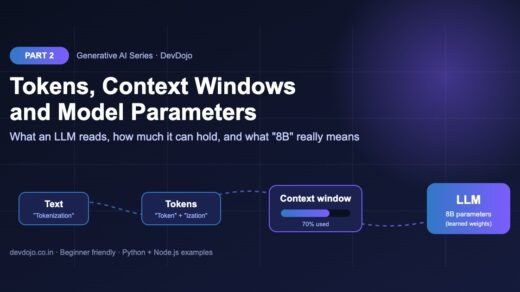
- Tokens, Context Windows and Model Parameters Coming soon
- Your First LLM API Calls in Python and Node.js (OpenAI, Anthropic, Gemini) Coming soon
- Prompt Engineering Basics: Roles, Instructions and Examples Coming soon
- Temperature, Top-p and Controlling Model Output Coming soon
- Running Open Models Locally with Ollama Coming soon
- Streaming Responses and Building a Simple Chat UI Coming soon
- Structured Outputs: Getting Reliable JSON from LLMs Coming soon
Intermediate
- Embeddings Explained: Turning Text into Vectors Coming soon
- Vector Databases: pgvector, Chroma and Pinecone Coming soon
- RAG Fundamentals: Retrieval-Augmented Generation Coming soon
- Document Loading and Chunking Strategies Coming soon
- Better RAG: Hybrid Search, Re-ranking and Query Rewriting Coming soon
- Function Calling and Tool Use Coming soon
- Conversation Memory and Long Context Management Coming soon
- Multimodal AI: Vision, Images and Audio Inputs Coming soon
- How Image Generation Works: Diffusion Models Basics Coming soon
- LangChain vs LlamaIndex: When to Use a Framework Coming soon
- Testing LLM Apps: Evals, Metrics and Test Sets Coming soon
- Cutting Cost and Latency: Caching, Batching and Model Choice Coming soon
Advanced
- Fine-Tuning vs Prompting vs RAG: Choosing the Right Tool Coming soon
- Fine-Tuning an Open Model with LoRA Coming soon
- Transformers Deep Dive: Attention Explained Simply Coming soon
- Reasoning Models and Thinking Time Coming soon
- Guardrails, Safety and Prompt Injection Defence Coming soon
- Monitoring and Tracing LLM Apps in Production Coming soon
- Serving Open Models: vLLM, Quantization and GPUs Coming soon
- Building a Production GenAI App End to End Coming soon
- Responsible AI: Privacy, Licensing and Bias Coming soon
- Final Project: Build Your Own AI Knowledge Assistant Coming soon
What is generative AI? (simple definition)
Generative AI is a type of artificial intelligence that creates new content which looks like the data it learned from. Show it millions of sentences and it learns to write sentences. Show it millions of images with captions and it learns to draw images from a caption.
The key word is generate. Older, “traditional” AI systems mostly classify or predict a number:
- Is this email spam or not spam?
- What will this house sell for?
- Is this photo a cat or a dog?
A generative model does something different. You ask, “Write a polite reply to this customer email”, and it produces a brand-new reply that did not exist before. You ask, “Write a Python function that checks if a string is a palindrome”, and it writes the code.
AI vs machine learning vs deep learning vs generative AI
These words are often mixed up. Think of them as circles inside circles:
- Artificial Intelligence (AI) – the big idea: computers doing tasks that normally need human intelligence.
- Machine Learning (ML) – a way to build AI where the computer learns patterns from data instead of following hand-written rules.
- Deep Learning – machine learning with large neural networks (many layers of simple math units).
- Generative AI – deep learning models that create new content. Large language models are the most famous example.
Types of generative AI (try the tabs)
Generative AI is not only chatbots. Click each tab to see what kind of content each family of models creates and where developers use it.
Large language models (LLMs) such as OpenAI GPT models, Anthropic Claude, Google Gemini, Meta Llama and Mistral. They write emails, answer questions, summarise documents, translate languages and power chatbots and customer support. This is the main focus of this series.
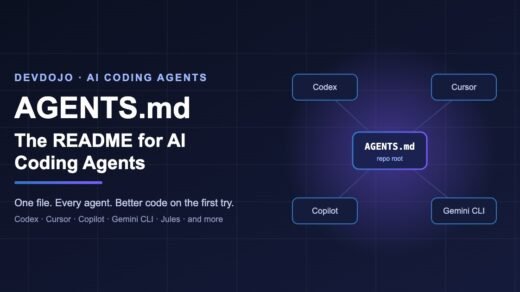
Code models are usually the same LLMs, trained on lots of source code. They power tools like GitHub Copilot, Claude Code and Cursor: autocomplete, writing tests, explaining old code and fixing bugs. We already covered how to guide coding agents in our AGENTS.md guide.
Image and video models (diffusion models) start with random noise and slowly “clean” it into a picture that matches your text prompt. Used for marketing images, UI mockups, thumbnails and short video clips. We will open the box in Part 17.
Audio models turn text into natural speech, speech into text, or even generate music. Developers use them for voice assistants, call-centre bots, podcast tools and accessibility features.
How do large language models work? Next-token prediction
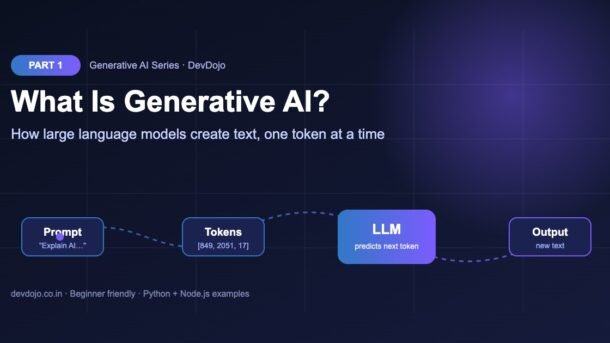
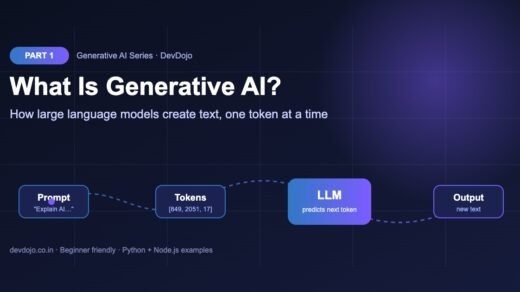
Here is the surprising secret: an LLM has one main job. Given some text, it predicts what comes next. That’s it. Everything else (answering questions, writing code, chatting) comes from doing this one job extremely well, over and over.
The steps look like this:
- Tokenize: your prompt is split into tokens, small pieces of text (often part of a word). Each token is turned into a number.
- Understand context: the model (a transformer neural network) looks at all the tokens together and works out how they relate to each other. This is called attention.
- Score every possible next token: the model outputs a probability for every token in its vocabulary. For “The capital of India is”, the token ” New” might get 92%.
- Pick one token: it chooses a token (usually a likely one, with a bit of randomness controlled by a setting called temperature).
- Repeat: the chosen token is added to the text and the whole thing runs again, until the answer is complete.
Build a tiny text generator in pure Python
Real LLMs have billions of numbers inside them, but the core idea fits in 20 lines. The program below “trains” on a few sentences by counting which word follows which, then generates new sentences by picking a next word again and again. No libraries needed.
import random
from collections import defaultdict

text = """the cat sat on the mat . the dog sat on the rug .
the cat saw the dog . the dog saw the cat ."""

# "Training": remember which word comes after each word
words = text.split()
next_words = defaultdict(list)
for current, nxt in zip(words, words[1:]):
    next_words[current].append(nxt)

def generate(start="the", length=8, seed=None):
    rng = random.Random(seed)
    out = [start]
    for _ in range(length):
        options = next_words.get(out[-1])
        if not options:          # no known next word
            break
        out.append(rng.choice(options))   # "predict" the next word
    return " ".join(out)

print(generate(seed=1))
print(generate(seed=7))
print(dict(next_words)["the"]) # what can follow "the"?$ python tiny_generator.py
the dog saw the cat sat on the cat
the dog sat on the mat . the cat
['cat', 'mat', 'dog', 'rug', 'cat', 'dog', 'dog', 'cat']Run it with python tiny_generator.py. You will get sentences like “the dog sat on the mat . the cat” – sentences that never appeared in the training text but follow its patterns. That is generation!
A real LLM does the same thing with three big upgrades: it uses tokens instead of whole words, it looks at thousands of previous tokens instead of just one, and it learns billions of weights in a neural network instead of a simple count table.
See real tokens with tiktoken
Models don’t read letters or words. They read tokens. Let’s see how real text is split. tiktoken is OpenAI’s open-source tokenizer library.
# pip install tiktoken
import tiktoken

enc = tiktoken.get_encoding("o200k_base")   # tokenizer used by recent OpenAI models

text = "DevDojo teaches Generative AI in simple English!"
ids = enc.encode(text)

print(len(ids), "tokens")
print(ids)
print([enc.decode([i]) for i in ids]) # show each piece of text$ python tokens_demo.py
<number of tokens> tokens
[<one ID number per token>]
[<the piece of text for each token>]You will see that common words are a single token while rare words like “DevDojo” are split into several pieces. A rough rule for English: 1 token ≈ 4 characters ≈ ¾ of a word. Hindi and other languages often use more tokens per word. Tokens matter because:
- Pricing for cloud APIs is per token (input and output counted separately).
- Context window – the maximum text a model can see at once – is measured in tokens.
- Speed – the model generates output one token at a time.
We will go much deeper into tokens and context windows in Part 2.
Training vs inference: how an LLM learns
An LLM’s life has two phases:
Your first real LLM call (Python and Node.js)
Enough theory. Let’s call a real model. OpenAI recommends its Responses API for new projects (see the official text generation guide). You need an API key from the OpenAI platform, saved as the environment variable OPENAI_API_KEY.
# pip install openai
# export OPENAI_API_KEY="sk-..."   (Windows PowerShell: $env:OPENAI_API_KEY="sk-...")
import os
from openai import OpenAI

client = OpenAI()  # reads OPENAI_API_KEY automatically

response = client.responses.create(
    model=os.getenv("OPENAI_MODEL", "gpt-5.5"),   # check the models page for the latest
    instructions="You are a friendly teacher. Answer in 3 short bullet points.",
    input="Explain generative AI to a beginner developer.",
)

print(response.output_text)$ python first_call.py
• Generative AI is AI that creates new content, like text, code or images.
• It learns patterns from lots of examples, then predicts what should come next.
• As a developer, you call it through an API and guide it with clear prompts.// npm install openai
import OpenAI from "openai";
const client = new OpenAI(); // reads process.env.OPENAI_API_KEY
const response = await client.responses.create({
model: process.env.OPENAI_MODEL ?? "gpt-5.5",
instructions: "You are a friendly teacher. Answer in 3 short bullet points.",
input: "Explain generative AI to a beginner developer.",
});
console.log(response.output_text);$ node first-call.mjs
• Generative AI is AI that creates new content, like text, code or images.
• It learns patterns from lots of examples, then predicts what should come next.
• As a developer, you call it through an API and guide it with clear prompts.Click the first-call.mjs tab to see the Node.js version (Node 18+, use the .mjs extension or add "type": "module" to package.json). Click ▶ Run to see example output.
Notice the two parts of the request: instructions tells the model how to behave, and input is what you are asking. Anthropic (Claude) and Google (Gemini) have very similar SDKs; Part 3 compares all three side by side.
Run a generative AI model locally with Ollama (free)
No API key? No problem. Ollama lets you download and run open models on your own computer, even offline. Install it from the website, then pull a small model (about 1 GB, fine for most laptops):
$ ollama pull gemma3:1b
# downloads the model once (about 1 GB)
$ ollama run gemma3:1b "What is generative AI? Answer in one line."
Ollama also runs a local server on port 11434, so you can call it from code:
# pip install ollama
from ollama import chat

response = chat(
    model="gemma3:1b",
    messages=[
        {"role": "system", "content": "You are a helpful assistant for Indian developers."},
        {"role": "user", "content": "Give me 3 practical uses of generative AI in a web app."},
    ],
)

print(response.message.content)$ python local_llm.py
1. Smart search: let users ask questions in plain language.
2. Content help: draft product descriptions or blog outlines.
3. Support chatbot: answer common customer questions 24/7.Small local models are less smart than the big cloud ones, but they are perfect for learning, private data and experiments with zero cost. Part 6 is a full guide to running open models locally.
Limits of generative AI: hallucinations and more
LLMs are impressive, but a good developer knows their weak spots:
- Hallucinations: the model can invent facts, library functions or citations that sound real but are wrong. It is predicting likely text, not checking truth.
- Knowledge cutoff: it does not know about events or library versions released after training, unless you give it that information.
- Non-deterministic: the same prompt can give different answers each time.
- Weak at exact maths and counting unless it uses a tool (like running code).
- Privacy and bias: what you send to a cloud API leaves your server, and models can repeat biases from their training data.
Most of this series is about building around these limits: grounding answers with your own data (RAG), forcing structured output, testing with evals and adding guardrails.
Common errors and fixes
| Error / problem | Why it happens | Fix |
|---|---|---|
AuthenticationError / 401 | OPENAI_API_KEY is missing or wrong in this terminal. | Set the variable again in the same terminal, or load it from a .env file with python-dotenv. |
RateLimitError / 429 | Too many requests, or no credit left on the account. | Check billing, add retries with a short wait (backoff), and send fewer requests. |
| Model not found / 404 | The model name is misspelt or not available to your account. | Copy the exact model ID from the provider’s models page. |
AttributeError: 'OpenAI' object has no attribute 'responses' | Old version of the openai package. | pip install -U openai |
ConnectionError with Ollama | The Ollama app/server is not running. | Start the Ollama app or run ollama serve, then retry. |
| Answer sounds right but is wrong | Hallucination. | Give the model the source text in the prompt, ask it to say “I don’t know” when unsure, and verify important facts. |
Best practices for beginners
- Be specific in prompts: say who the answer is for, the format you want and the length.
- Use the instructions/system message for rules, and the input for the actual question.
- Never trust output blindly – review generated code and check facts, especially in production.
- Keep API keys on the server in environment variables or a secrets manager.
- Watch your token usage – shorter prompts are cheaper and faster.
- Pin model versions in production so behaviour doesn’t change unexpectedly.
- Start small with a local model, then move to bigger cloud models when you need more quality.
Practice task
Try this before Part 2 (about 20 minutes):
- Extend
tiny_generator.py: replace the text with 10–15 sentences of your own (for example, cricket commentary or recipe steps) and generate 5 new sentences. What looks sensible? What looks silly, and why? - Run
tokens_demo.pyon the same sentence in English and in Hindi (or your own language). Which one uses more tokens? - Using Ollama or the OpenAI example, ask the same question three times. Write down how the answers differ.
superjson-turbo package in Node.js?” See if it invents an answer. That is a hallucination in action.FAQ: Generative AI basics
What is generative AI in simple words?
It is AI that creates new content – text, code, images, audio or video – based on patterns it learned from a large amount of example data.
Is ChatGPT generative AI?
Yes. ChatGPT is a chat app built on OpenAI’s GPT large language models, which are generative AI models for text and code. Claude and Gemini are similar.
What is the difference between AI and generative AI?
AI is the broad field. Generative AI is one part of it, focused on creating content. A spam filter is AI but not generative; a chatbot that writes replies is generative AI.
Do I need to know maths or machine learning to build with generative AI?
No. To build apps with LLM APIs you mainly need normal programming skills (Python or JavaScript), HTTP/JSON and good prompting. Maths helps later if you want to fine-tune or train models.
Can I learn generative AI for free?
Yes. Ollama runs open models for free on your computer, and most cloud providers offer small free tiers or low prices for testing. Follow this series in order and you will cover the full path.
Why does the AI give a different answer every time?
The model picks each next token with some randomness (controlled by temperature). Lower temperature gives more consistent answers. We cover this in Part 5.
Conclusion
Generative AI creates new content, and large language models do it by predicting the next token again and again, using patterns learned from huge amounts of text. You built a tiny generator, saw real tokens, called a cloud model and ran a local one. That’s a strong start.
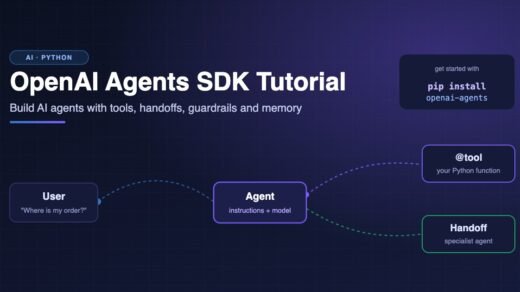
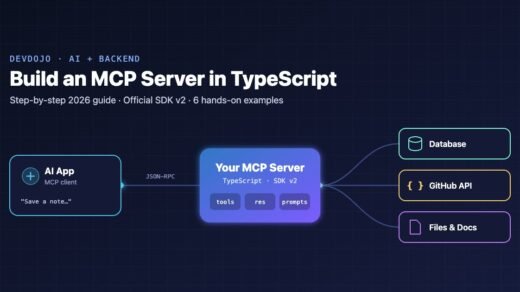
Once you are comfortable with the basics, you can explore how LLMs are used as agents in our OpenAI Agents SDK tutorial and how they connect to tools in How to Build an MCP Server in TypeScript. But for now, keep following this series step by step.
New posts every day on DevDojo
Follow the full Generative AI series – 30 parts from “what is an LLM” to building a production AI assistant. Bookmark devdojo.co.in and leave a comment with any question about this part.








1 Response
[…] you should know first: read Generative AI Part 1: What Is Generative AI and How Do LLMs Work?. You should know that an LLM writes text by predicting the next token, again and […]