Quick Summary
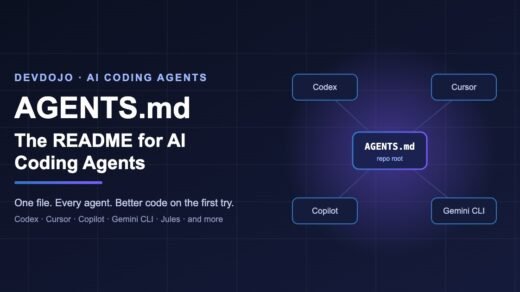
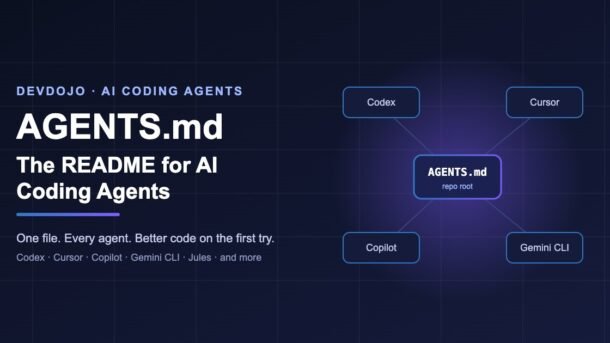
- AGENTS.md is a plain Markdown file in your repo that tells AI coding agents how to set up, build, test and style your project.
- It is an open standard, now looked after by the Agentic AI Foundation (part of the Linux Foundation), and is used by more than 60,000 open-source projects.
- Codex, Cursor, GitHub Copilot’s coding agent, Gemini CLI, Jules, Aider, Zed, Windsurf and many more read it. Claude Code uses
CLAUDE.md, but can import AGENTS.md in one line. - In big repos you can add one AGENTS.md per folder. The closest file to the code being edited wins, and your chat message overrides everything.
- Keep it short, specific and command-focused: exact commands, hard rules and a “definition of done” beat long essays.
If you use an AI coding agent like Codex, Cursor or GitHub Copilot, you have probably seen this happen: the agent writes decent code, but it runs npm when your project uses pnpm, puts files in the wrong folder, or forgets to run the tests. The fix is not a smarter model. The fix is AGENTS.md — a small Markdown file that gives every agent the same clear instructions about your project, every single time.
In this guide you will learn what AGENTS.md is, how agents read it, and how to write a good one with copy-paste examples for Node.js, Python and monorepos. We will also cover how to make tools that use other file names (like Claude Code) share the same file, plus a small script to keep your AGENTS.md healthy.
What is AGENTS.md?
AGENTS.md is a simple, open format for guiding coding agents. Think of it as a README written for AI agents instead of humans. Your normal README.md explains the project to people: what it does, screenshots, how to contribute. AGENTS.md holds the extra, detailed context an agent needs to work safely in your code: exact setup commands, test commands, code style rules, folder layout and things it must never do.
There is no special syntax and no required fields. It is plain Markdown, and you can use any headings you like. The agent simply reads the text and follows it. According to the official site at agents.md, popular sections include:
Project overview
What the project is, the main tech stack, and where the important code lives.
Build and test commands
The exact commands to install, run, lint and test. This is the most valuable section.
Code style
Language settings, naming, formatting and patterns you prefer or avoid.
Testing instructions
How to run one test, where tests live, and when new tests are expected.
Security notes
Secrets, risky folders, and actions the agent must never take.
PR and commit rules
Title format, commit style and checks to run before finishing.
Why AGENTS.md matters now
A year or two ago, every tool had its own instructions file: .cursorrules for Cursor, .github/copilot-instructions.md for Copilot, GEMINI.md for Gemini CLI, and so on. Teams that used more than one tool had to copy the same rules into several files and keep them in sync. That got messy fast.
AGENTS.md came out of joint work between OpenAI Codex, Amp, Google’s Jules, Cursor and Factory, and was released in August 2025. In December 2025, OpenAI, Anthropic and Block launched the Agentic AI Foundation (AAIF) under the Linux Foundation, with support from Google, Microsoft, AWS, Bloomberg and Cloudflare. AGENTS.md became one of its three founding projects, next to Anthropic’s Model Context Protocol (MCP) and Block’s goose. You can read the announcement on OpenAI’s blog.
That neutral home matters. It means AGENTS.md is not tied to one company, and you can write your project instructions once and expect most agents to understand them. If you have already played with MCP in our guide on building an MCP server in TypeScript, AGENTS.md is the other half of the picture: MCP gives agents tools, and AGENTS.md gives them context.
How AI agents find and read AGENTS.md
When you start a task, the agent looks for AGENTS.md files and adds their text to its instructions before it begins planning. The basic rules, from the official FAQ, are simple:
- The agent reads the nearest AGENTS.md in the directory tree.
- If there are several files, the one closest to the file being edited wins when rules conflict.
- Your chat prompt overrides everything. If you say “use npm this time”, that beats the file.
- If you list test commands, the agent will try to run them and fix failures before it says it is done.
How Codex reads it (a detailed example)
OpenAI’s Codex documents its behaviour in detail, and it is a good mental model for other tools too:
- Global file first. Codex checks
~/.codex/AGENTS.md(orAGENTS.override.mdif it exists) for your personal rules that apply to every project. - Walk the project. It starts at the project root (usually the Git root) and walks down to your current folder. In each folder it uses at most one file:
AGENTS.override.md, thenAGENTS.md, then any fallback names you configured. - Join them in order. Files are joined from root to leaf, so deeper files appear later and override earlier ones.
- Respect a size limit. The combined text is capped by
project_doc_max_bytes, which defaults to 32 KiB. Anything beyond that is not loaded.
Write your first AGENTS.md (step by step)
Create a file called AGENTS.md in the root of your repository, next to README.md and package.json. Start small. Here is a solid starter for a TypeScript + Node.js project:
# AGENTS.md

## Project overview
- Express + TypeScript REST API for an online bookstore.
- Source code lives in `src/`, tests in `tests/`.
- Database: PostgreSQL via Prisma (`prisma/schema.prisma`).

## Setup and commands
- Install dependencies: `pnpm install`
- Start dev server: `pnpm dev` (runs on http://localhost:3000)
- Type check: `pnpm typecheck`
- Lint and format: `pnpm lint --fix`
- Run all tests: `pnpm test`
- Run one test file: `pnpm vitest run tests/orders.test.ts`

## Code style
- TypeScript strict mode. Never use `any`; use `unknown` and narrow it.
- Use `async/await`, not `.then()` chains.
- Named exports only. No default exports.
- Validate request bodies with Zod schemas in `src/schemas/`.

## Hard rules
- Never commit `.env` files or print secrets in logs.
- Never edit files in `prisma/migrations/` by hand.
- Do not add a new npm dependency without explaining why.

## Definition of done
- `pnpm typecheck`, `pnpm lint` and `pnpm test` all pass.
- New or changed code has tests.
- PR title format: `[api] Short description`
Notice what makes this file useful:
- Exact commands, not vague advice. “Run
pnpm vitest run tests/orders.test.ts” is something an agent can actually do. - Hard rules written with “never”. Short, clear limits are easier for a model to follow than long explanations.
- A definition of done. This tells the agent when to stop, which stops it from declaring victory before tests pass.
Commit the file like any other code. It is part of your project, it should be reviewed in pull requests, and it should change when your project changes.
AGENTS.md examples for different stacks
Pick your stack below. These are short, realistic files you can copy and adjust.
# AGENTS.md — Next.js app

## Stack
- Next.js (App Router), React, TypeScript, Tailwind CSS.
- Pages and layouts: `app/`. Shared UI: `components/ui/`.

## Commands
- Install: `npm ci`
- Dev: `npm run dev`
- Build (must pass before finishing): `npm run build`
- Tests: `npm test`   |   E2E: `npx playwright test`

## Conventions
- Server Components by default. Add `"use client"` only when
  the component needs state, effects or browser APIs.
- Fetch data in Server Components, not in `useEffect`.
- Use the `cn()` helper from `lib/utils.ts` for class names.
- Images always use `next/image` with a meaningful `alt`.

## Never
- Never put secrets in `NEXT_PUBLIC_*` variables.
- Never disable ESLint rules inline to make a build pass.
# AGENTS.md — FastAPI service
## Stack
- Python 3.13, FastAPI, Pydantic v2, SQLAlchemy 2.0, PostgreSQL.
- Package manager: uv (do not use pip directly).
## Commands
- Install: `uv sync`
- Run API: `uv run fastapi dev app/main.py`
- Tests: `uv run pytest -q`
- One test: `uv run pytest tests/test_users.py -k create`
- Lint + format: `uv run ruff check --fix . && uv run ruff format .`
- Types: `uv run mypy app`
## Conventions
- Routers in `app/routers/`, one file per resource.
- Request/response models in `app/schemas/` (Pydantic).
- Use `async def` endpoints and the async DB session
from `app/db.py`.
- Raise `HTTPException` with clear `detail` messages.
## Definition of done
- pytest, ruff and mypy all pass with no new warnings.# ~/.codex/AGENTS.md — my personal defaults
## How I like to work
- Explain your plan in 3-5 bullet points before big changes.
- Prefer small, focused commits with clear messages.
- Ask before deleting files or running database migrations.
## Style
- Write simple, readable code over clever one-liners.
- Add short comments only where the "why" is not obvious.
## Tools
- I use pnpm for JavaScript and uv for Python.The global file is for your habits across every project. Project rules belong in the repo, so your teammates (and their agents) get them too.
Nested AGENTS.md files for monorepos
In a monorepo, one giant file quickly becomes too long and full of rules that only matter for one package. The solution is nested files: a short root file for shared rules, plus one AGENTS.md inside each package. The agents.md site notes that OpenAI’s own main repository uses 88 AGENTS.md files.
my-monorepo/
├── AGENTS.md              # shared: pnpm, commit rules, CI, security
├── packages/
│   ├── web/
│   │   └── AGENTS.md      # Next.js rules, UI components, Playwright
│   ├── api/
│   │   └── AGENTS.md      # FastAPI rules, uv, pytest
│   └── shared/
│       └── AGENTS.md      # types package: no runtime deps, semver
└── infra/
    └── AGENTS.md          # Terraform: plan only, never apply
And here is what a nested package file might look like. It only adds what is different for that folder:
# packages/web/AGENTS.md

These rules add to the root AGENTS.md. If they conflict, follow this file.

## Commands (run from packages/web)
- Dev: `pnpm --filter web dev`
- Tests: `pnpm --filter web test`
- Find the package for a file: `pnpm dlx turbo run where web`

## Rules
- Import shared types from `@acme/shared`, never copy them.
- New components need a Storybook story in `stories/`.Making every tool read the same file
Most agents read AGENTS.md automatically, including Codex, Cursor, GitHub Copilot’s coding agent, VS Code, Jules, Devin, Windsurf, Zed, Warp, Junie, Amp, goose, opencode, Factory and RooCode. A few tools need a small nudge.
Claude Code
Claude Code reads CLAUDE.md. You do not need to maintain two copies. Either create a CLAUDE.md that imports AGENTS.md (Claude Code supports @path imports), or use a symlink:
# Option 1: CLAUDE.md that imports AGENTS.md
echo "@AGENTS.md" > CLAUDE.md

# Option 2: symlink (macOS / Linux)
ln -s AGENTS.md CLAUDE.md
Option 1 is nice because you can add a few Claude-only notes below the import line later.
Gemini CLI and Aider
// .gemini/settings.json
{
  "context": {
    "fileName": "AGENTS.md"
  }
}
# .aider.conf.yml
read: AGENTS.mdCodex: custom names and a bigger limit
If your team already has a file like TEAM_GUIDE.md, Codex can use it as a fallback. You can also raise the size limit, though splitting into nested files is usually better:
# ~/.codex/config.toml
project_doc_fallback_filenames = ["TEAM_GUIDE.md", ".agents.md"]
project_doc_max_bytes = 65536   # default is 32 KiB
Migrating from old file names
# Rename an old file and keep a link for older tools
mv .cursorrules AGENTS.md
ln -s AGENTS.md .cursorrulescore.symlinks=true. If that is a hassle, use the CLAUDE.md import approach instead.Check your AGENTS.md with a small script
AGENTS.md files tend to grow over time until they are too long or quietly hit the 32 KiB limit. Here is a tiny Node.js script (no dependencies, Node 18+) that finds every AGENTS.md in your repo and warns you when one gets too big or is missing the key sections:
// scripts/check-agents-md.mjs
import { readdir, readFile, stat } from "node:fs/promises";
import { join } from "node:path";

const MAX_BYTES = 32 * 1024;   // Codex default limit
const MAX_LINES = 200;         // keep files easy to read
const SKIP = new Set(["node_modules", ".git", "dist", ".next", ".venv"]);

async function findFiles(dir, found = []) {
  for (const entry of await readdir(dir, { withFileTypes: true })) {
    if (SKIP.has(entry.name)) continue;
    const full = join(dir, entry.name);
    if (entry.isDirectory()) await findFiles(full, found);
    else if (entry.name === "AGENTS.md") found.push(full);
  }
  return found;
}

const files = await findFiles(process.cwd());
let totalBytes = 0;
let problems = 0;

for (const file of files) {
  const text = await readFile(file, "utf8");
  const { size } = await stat(file);
  const lines = text.split("\n").length;
  totalBytes += size;

  const warnings = [];
  if (lines > MAX_LINES) warnings.push(`${lines} lines (try < ${MAX_LINES})`);
  if (!/test/i.test(text)) warnings.push("no test instructions found");
  if (/(api[_-]?key|secret|password)\s*[:=]\s*\S+/i.test(text))
    warnings.push("looks like it contains a secret!");

  console.log(`${warnings.length ? "⚠️ " : "✅"} ${file} (${size} bytes)`);
  warnings.forEach((w) => console.log(`   - ${w}`));
  problems += warnings.length;
}

if (totalBytes > MAX_BYTES) {
  console.log(`⚠️  Combined size ${totalBytes} bytes is over ${MAX_BYTES}.`);
  problems++;
}
if (files.length === 0) console.log("No AGENTS.md found. Create one in the repo root!");
process.exit(problems ? 1 : 0);
Run it with node scripts/check-agents-md.mjs. Because it exits with code 1 when something is wrong, you can drop it into your CI pipeline. If you followed our GitHub Actions CI/CD guide, just add one more step:
# .github/workflows/ci.yml (extra step)
      - name: Check AGENTS.md files
        run: node scripts/check-agents-md.mjs
Note that the combined-size check is a simple safety net. Codex only loads the files on the path from the root to your working folder, so the real loaded size is usually smaller.
Common AGENTS.md mistakes and how to fix them
| Problem | Likely cause | Fix |
|---|---|---|
| Agent ignores your rules completely | Wrong file name (AGENT.md, agents.md) or the tool does not read AGENTS.md | Name it exactly AGENTS.md. For Claude Code, Gemini CLI or Aider, add the import/config shown above. |
| Edits to the file have no effect | The agent loaded instructions at session start | Start a new session or restart the agent after editing. |
| Rules near the end are ignored | File too long; text past the size limit is dropped | Keep it under ~200 lines; move package rules into nested files. |
| Agent uses the wrong package manager | Commands are vague (“install deps”) | Write exact commands: pnpm install, uv sync. |
| Agent says “done” but tests fail | No definition of done | Add a “Definition of done” section listing the checks that must pass. |
| Different rules in different folders clash | Root and nested files disagree | Closest file wins. Say so at the top of nested files and remove duplicates. |
| Agent runs old commands | AGENTS.md was not updated after a tooling change | Update AGENTS.md in the same PR that changes scripts or tools. |
| Secret leaked in a public repo | Tokens pasted into the file “for the agent” | Rotate the secret now. Use env vars and only mention the variable name. |
AGENTS.md best practices
- Lead with commands. Commands are the highest-value part of the file. An agent that can run your tests can check its own work.
- Be specific, not polite. “Use Zod for validation in
src/schemas/” works better than “please try to validate inputs properly”. - Use “never” for hard limits. Short bullet rules like “Never run
terraform apply” are clear and easy to follow. - Keep it short. Aim for under 200 lines per file. Every line uses part of the agent’s context window, so remove anything that does not change behaviour.
- Do not repeat your linter. If Prettier or Ruff already enforces a rule, just tell the agent to run the formatter.
- Give a folder map. A few lines like “API routes:
src/routes/” save the agent from searching the whole repo. - Split by folder in monorepos. Shared rules at the root, specific rules next to the code.
- Review it like code. Changes to AGENTS.md change how every agent behaves for every teammate, so they deserve a proper PR review.
- Learn from mistakes. When an agent gets something wrong twice, add one line to AGENTS.md so it does not happen a third time.
- Test it. Ask your agent to do a small real task and watch whether it follows the file. Results can vary between runs, so try a few times before deciding a rule works.
Building your own agents instead of just using them? Our tutorial on the OpenAI Agents SDK in Python shows how instructions shape agent behaviour from the other side.
Frequently asked questions
Is AGENTS.md the same as README.md?
No. README.md is for humans: what the project does and how to get started. AGENTS.md is for AI agents: detailed commands, rules and conventions. Keeping them separate keeps your README clean and your agent instructions precise.
Do I need any special format or front matter?
No. AGENTS.md is plain Markdown with no required fields. Use normal headings and bullet points. Agents read it as text.
Which AI coding tools support AGENTS.md?
Codex, Cursor, GitHub Copilot’s coding agent, VS Code, Jules, Gemini CLI (with a setting), Aider (with a setting), Devin, Windsurf, Zed, Warp, Junie, Amp, goose, opencode, Factory, RooCode, Kilo Code, Augment Code and more. Claude Code uses CLAUDE.md but can import AGENTS.md with one line.
What happens if two AGENTS.md files disagree?
The file closest to the code being edited wins. And whatever you type in the chat overrides both files.
How long should my AGENTS.md be?
Short enough that a new teammate could read it in five minutes. Under 200 lines is a good target. Codex stops loading project instructions after 32 KiB by default.
Should I commit AGENTS.md to Git?
Yes. It is part of your project setup, just like your linter config. Commit it, review changes in PRs and keep it up to date. Personal preferences go in your global file instead, such as ~/.codex/AGENTS.md.
Conclusion
AGENTS.md is one of the simplest upgrades you can make to how you work with AI. It takes ten minutes to write, it works across most modern coding agents, and it turns “the agent keeps doing it wrong” into “the agent does it our way”. Start with a root file that lists your exact commands, a few hard rules and a definition of done. Add nested files when your repo grows, connect tools like Claude Code with one import line, and keep the file short and up to date.
Your next step: open your current project, create AGENTS.md, and ask your favourite agent to fix one small bug. Watch how much better it follows your project’s rules.
New posts every day on DevDojo
Practical, beginner-friendly guides on AI, frontend, backend and DevOps.
Explore more tutorials → and drop your questions in the comments below.